OPERATION OF THE MJB4
MJB4 - Operation Rev07 05-10 23
3
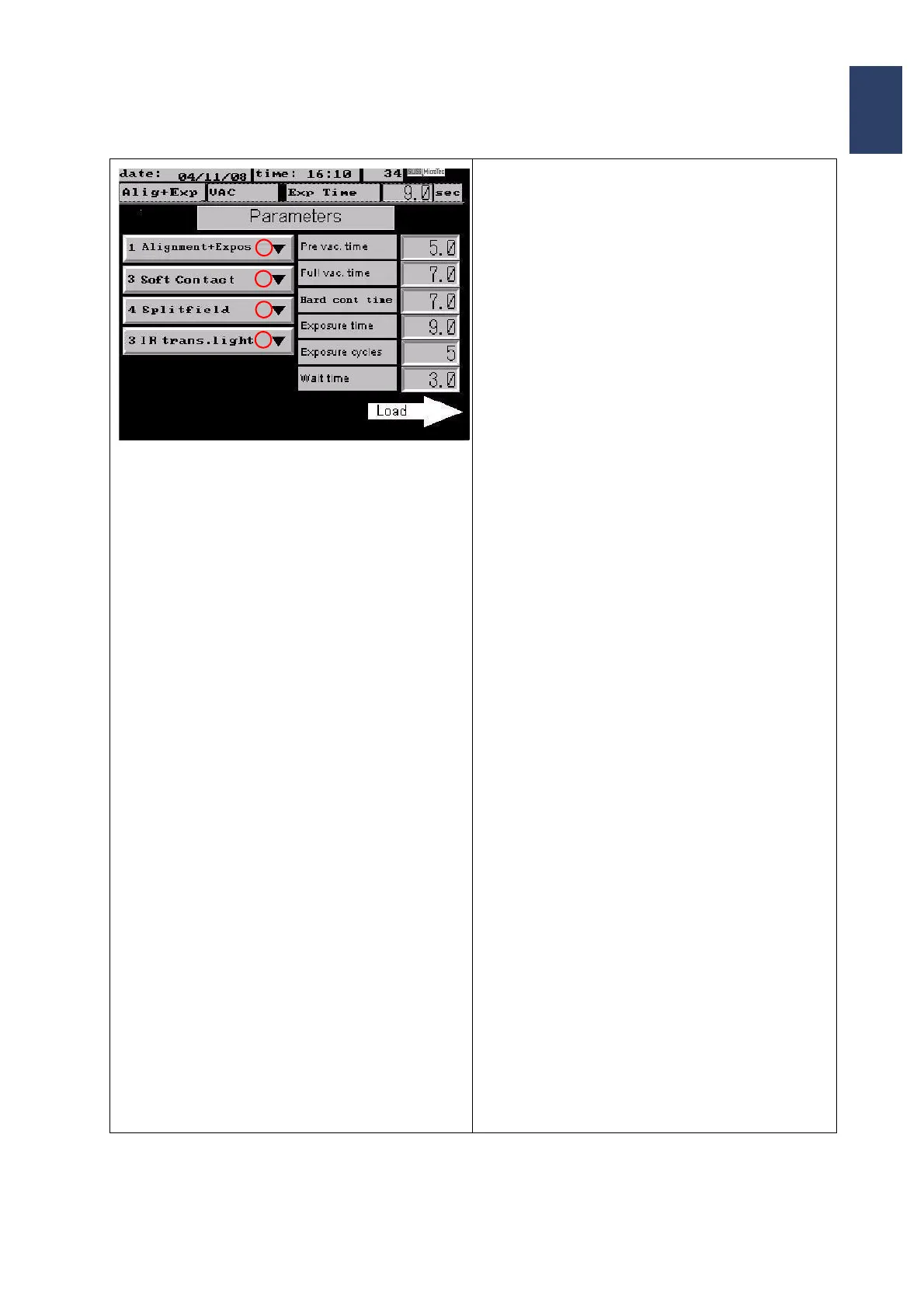
Screen Page: Parameters
• Button 1 gives access to the selection of:
• Alignment+Expos.
• Flood Exposure
•Imprint (option).
•Test Exposure
After pushing the desired program it is displayed on
button 1.
• Button 2 gives access to following exposure
modes:
• Soft contact
• Hard contact
• Low vacuum contact
• Vacuum contact
• Gap exposure
They are displayed on button 2.
•With Button 3 different microscope image dis-
plays can be selected:
• Splitfield
• Right frame
•Left frame
•With Button 4 alternatively Incident light or IR-
transmitted light (if configured for this applica
-
tion) can be selected. The selected microscope
option is displayed on button 4
• Depending on the selected exposure program
different parameters e.g. Pre vac time, Full vac
time, Exposure time can be programmed. As
soon as the corresponding button has been
pushed a numerical key board is displayed. The
desired values can be typed in and are con
-
firmed with ENTER.
• Pushing the arrow key Load activates the se-
lected program.
1
2
3
4



 To Next Page