23
6/ input of upper tolerance. If negative, must always be greater than the lower limit.
7/ confirm by pressing Enter key.
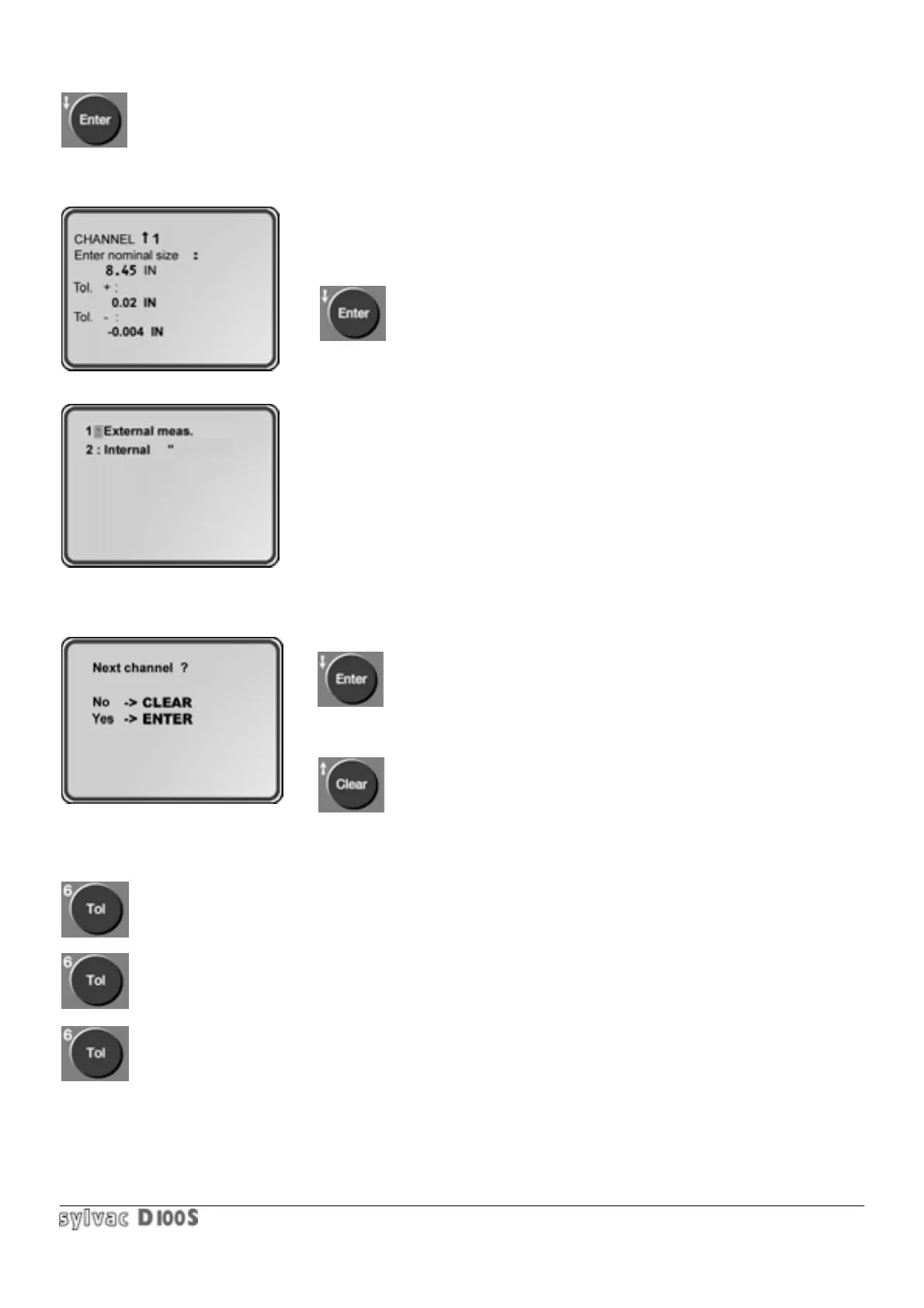
The following will be displayed :
8/ enter the lower tolerance with its sign.
9/ confirm by pressing Enter key.
The following will be displayed :
10/ select number 1 or 2 according to the measurements to be taken : internal
or external. This input is important for identification of “ reject “ , “ good “ or
“rework” in scanning mode.
External measurement : measured value too big —> Rework (yellow)
measured value too small —> Reject (red)
Internal measurement : measured value too small —> Rework
measured value too big —> Reject
11/ if the current channel number is smaller than the scanning number (refer to section. 1.6.13).
The following will be displayed :
Pressing Enter key allows you to enter the nominal dimension and tolerances
for the next channel, up to the last one.
Pressing Clear key return to measuring mode.
Once back in measuring mode, tolerance indicator < = or > corresponding to à
measured value is displayed.
By pressing Tol key, the tolerance indicators are erased.
Pressing Tol key again recalls the lights.
When tolerance mode is activated with scanning mode, a tolerance indicator is displayed for each channel and the
values displayed are the difference between the measurement value and the nominal size.
The second and third displays in statistical bar chart mode only appear if the tolerance mode is active.



 To Next Page