25
1.6.9 STAT KEY
Allows two types of statistical results to be displayed :
Choice of display :
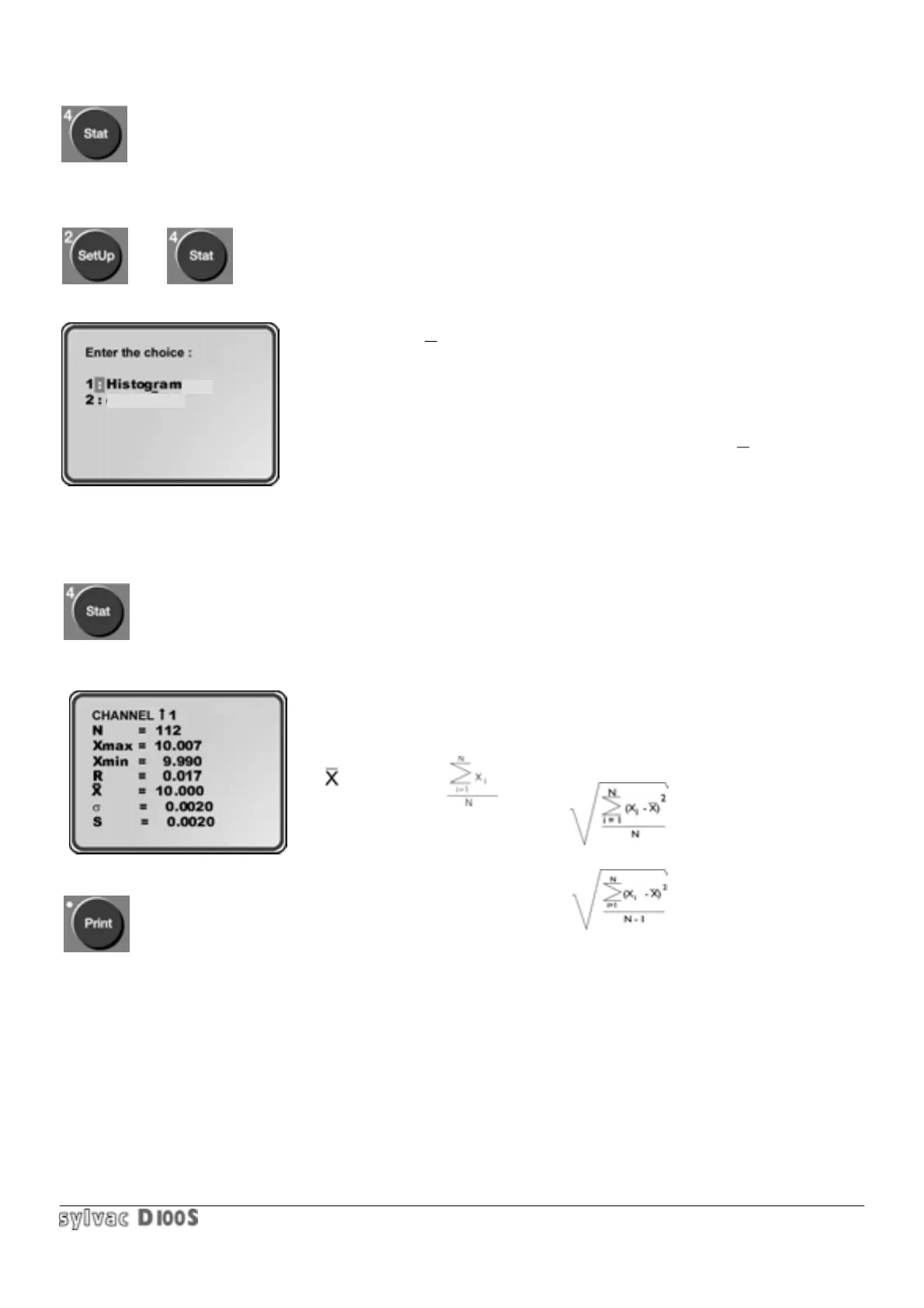
1/ Press Setup key 2/ then Stat key, appears :
1 = display of classical statistics and bar chart.
2 = display of X/R control charts.
These are the measured values, stored in memory using the Store key
(refer to section. 1.6.15) which are used. Each channel (1 to 64) can have
an independent statistic.
The statistical results can also be given on the Centronics and RS232 links
in order to be printed or dealt with by computer.
The bar chart may be printed in 80 or 40 columns, while the X/R cards may
be printed in 80 columns. (refer to section 1.6.14).
1.6.9.1 1First choice : bar chart.
1/ Press Stat key. Following display will appear :
N = number of stored values = used for statistical analysis.
Xmax = maximum stored value.
Xmin = minimum stored value.
R = Range = Xmax - Xmin
= mean value=
σ= (sigma) = standard deviation =
s = standard deviation= standard deviation of population based on a sample.
The Print key allows statistical results to be printed via the Centronics or RS 232 according to the selected format. It
is also possible to press the Print key in the following displays.
Statistical results may also be requested in scanning mode. The unit will first request the channel on which statistics
are required, and at the end request the next channel (if 0 is chosen as channel number, the statistics of all channels
will be printed).
2/ if the unit is in tolerance display mode, the next display can be requested with the Enter key.
Exit statistics mode with Clear key or Stat key.
X/R - chart



 To Next Page