39
1.6.14.3 Format for 80 column printer :
for A4 printers, i.e. Centronics (standard PC link cable).
Check on WEB www.sylvac.ch, last updates : infotec printer compatibility.
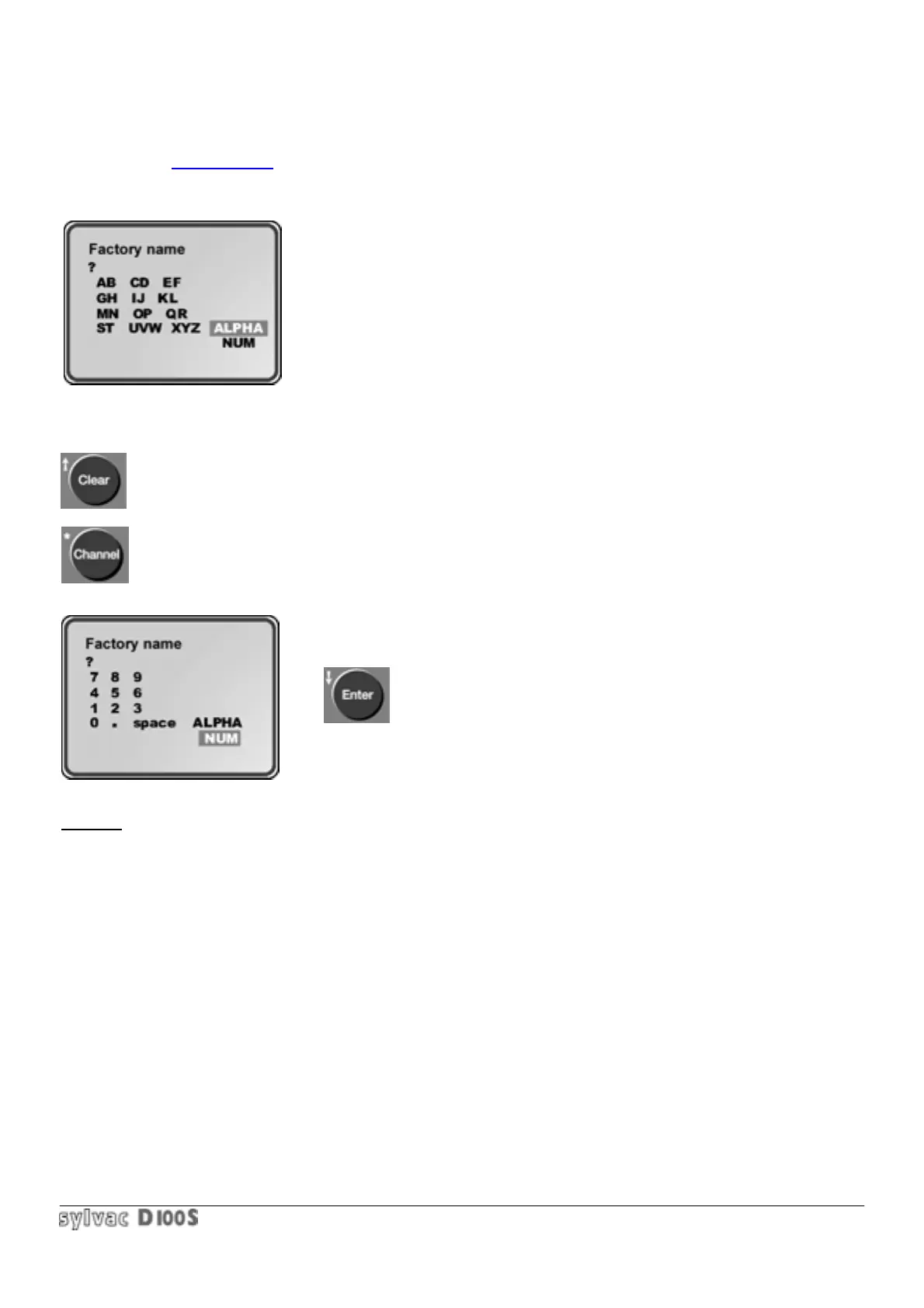
If a header is required, the unit will ask for company name and will then switch to alpha-numerical input mode, as
shown below :
Press Clear key if no company name has to be printed.
Otherwise an alpha-numerical name may be entered (using figures & letters
up to 20 characters.
The table opposite shows the alphabetic input display. The 12 left-hand keys
of the keyboard each now represent 2 or 3 letters. The position of letters on
the display correspond : to the position on the keyboard. Pressing once on a
key selects the first letter of 2 or 3, pressing a second time on the same key
selects the second letter, pressing again selects the first letter again (or the
third letter for the last 2 keys) and so on. Another couple of letters may also be selected, until confirmed with the
Enter key.
In case of an error, press Clear key and restart.
The Channel key allows you to switch from alphabetic to numerical input and back :
The keys are also represented graphically. It is possible to insert a blank
space (...).
Continue inserting different letters and numbers and confirm the word
by Enter key.
Example : in alpha mode, 1st depression of key 7 —> selects A,2
nd
depression selects—> letter B, 3
rd
depression
—> return to letter A, and so on…Confirm letter with Enter key.
When company name is entered, the unit asks for :
drawing number
work station
work-piece identification : at heading.
At each printing. This allows each measured work-piece to be identified,
Either in normal measuring mode, or in scanning mode.
Insertion of date and time (real time clock))
If one item of a header is not entered (question mark instead of word), this will not be printed.



 To Next Page