Manual Mode – Quick Guide: Running Samples
Sysmex House, Garamonde Drive, Wymbush, Milton Keynes, MK8 8DF, United Kingdom · Phone +44 333 320 3460 · Fax +44 1908 267 901
academy.training@sysmex.co.uk· www.sysmex.co.uk
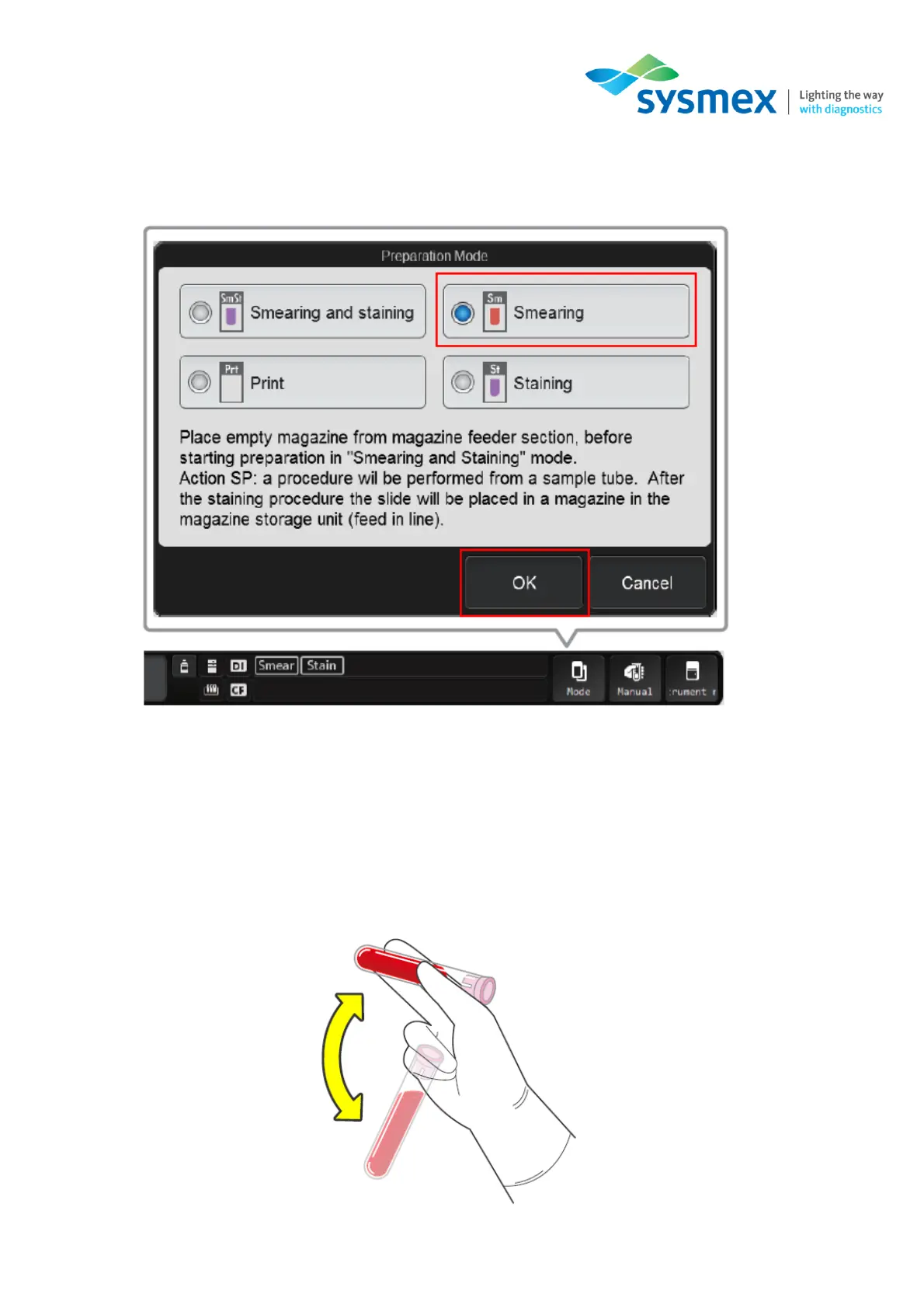
3. Select [Mode] from the status area. The [Preparation Mode] dialog box will open. Select
[Smearing] followed by [OK].
4. Select [Manual] from the status area, the [Manual Preparation] dialog box will open. Configure
the menu for your sample type.
Note: Details for this can be found in the ► [Manual – Smearing & Staining] section.
5. Once the above settings have been confirmed, mix the sample as shown:



 To Next Page