Device Basics
July 29, 2002 T-Mobile Sidekick Owner’s Manual 16
2. Device Basics
Read the topics in this chapter to get a quick understanding of how your device operates:
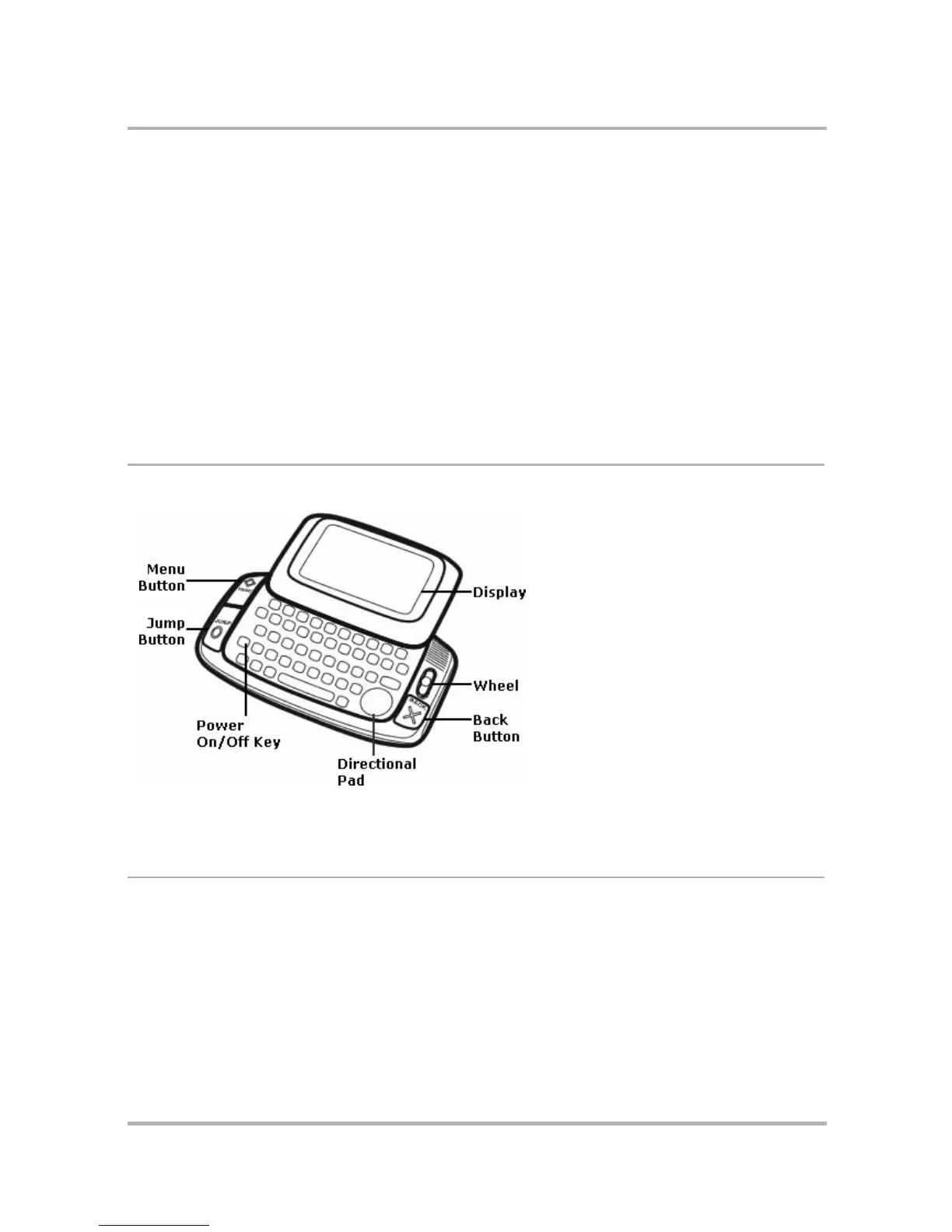
Parts of Your T-Mobile Device
The illustration below identifies the basic elements of your device.
Each element is described in more detail in the topics below.
Device Display
Your device comes with a swivel display lid that covers the keyboard in the closed position. Even when closed,
the LCD faces up and the control buttons are exposed, so you can use your device. When you open the display
lid (by rotating it clockwise), the display automatically rotates 180-degrees. Read more details below.
Warning! The hinge in the swivel display lid is assisted by a very strong magnet. Be careful to keep the device
away from magnetically sensitive items, such as credit cards and floppy disks.
• Parts of Your T-Mobile Device on page 16
• Device Display on page 16
• Keyboard on page 20
• Control Buttons on page 21
• Wheel on page 24
• Terminology Used in This Manual on page
24
• Headset/Camera Jack on page 27
• Power Jack on page 27
• Infrared Port on page 28
• USB Mini-B Port on page 28
• Typing and Navigating in Text Fields on
page 28



 To Next Page