Making Phone Calls
July 29, 2002 T-Mobile Sidekick Owner’s Manual 63
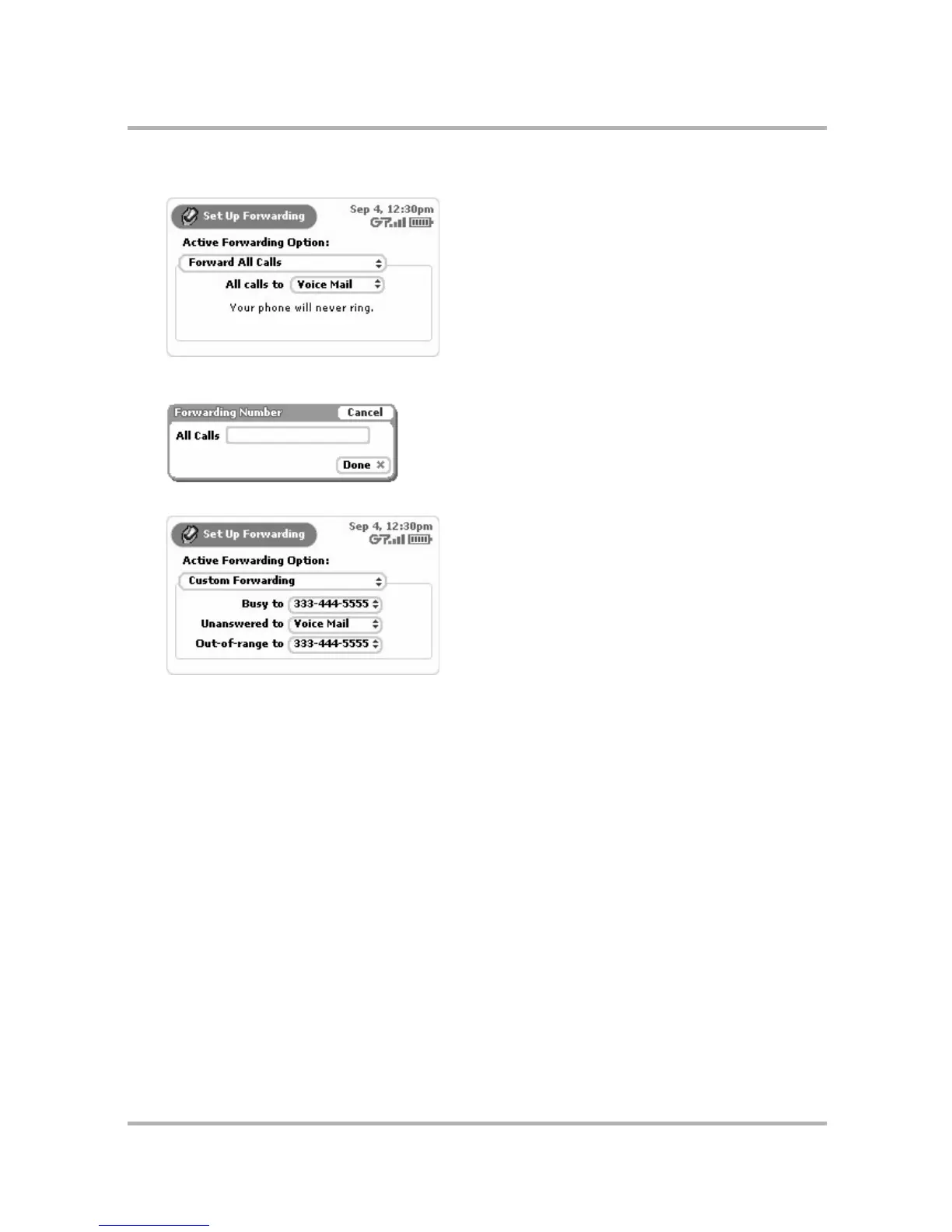
• Forward All Calls
You can choose to forward to Voice Mail or Other... If you select Other..., a dialog box opens in which you
must type the other number:
• Custom Forwarding
For each call situation (Busy, Unanswered, or Out-of-Range), you can select a forwarding number.
Again, you can choose from Voice Mail, Other..., or Disable (to disable forwarding). If you select Other...,
then the Forwarding dialog box opens, in which you must type the other number.
To turn off forwarding altogether, select the Disable option for each of the three call situations.
Set Up Phone Ringtones
You can set up your device so that you’re notified of an incoming call or new voice mail by a ringtone you select.
You do this from the Phone Settings screen:
1 From the Jump screen select Phone.
2 Open the menu and select Settings. The Settings screen opens.



 To Next Page