65
2.
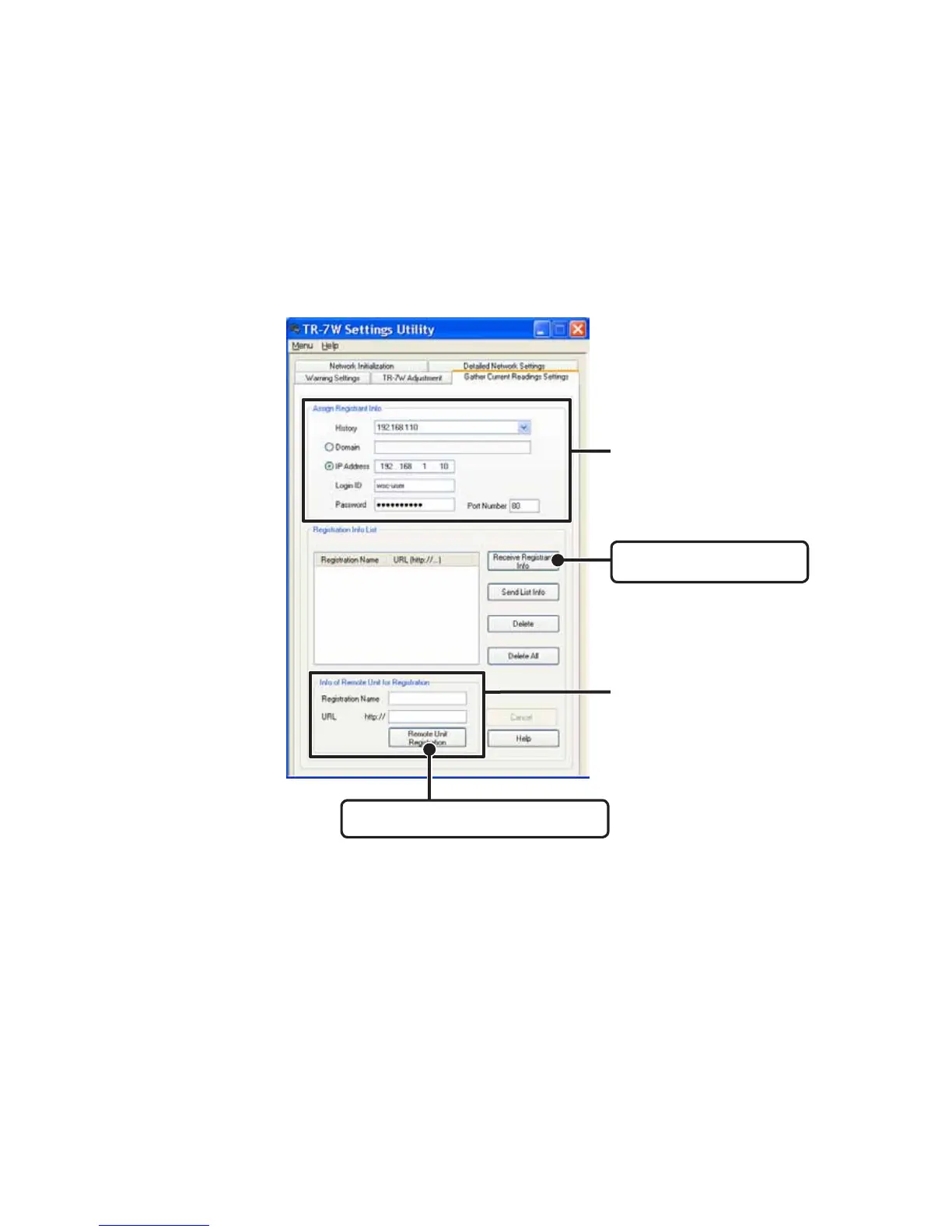
Enter the Registrant Info.
A list that shows all of the IP addresses and domain names with which successful
communication has occurred until now can be viewed in the [History] pull down menu.
You can select an IP address from the [History] pull down menu.
- Note that if you have turned [OFF] the [Login History] in the [Menu], or if you have deleted the Login
history by having clicked [Clear Login History] the Settings History will not appear.
3. By clicking on the [Receive Registrant Info] button, you can easily confirm
the registration info.
All registration info will be displayed in the [Registration Info List].
4. Register the TR-7W unit(s) as Remote Units.
Registration Name
Will appear when viewing the current readings.
-You cannot use these symbols: <, >, ", ' .
URL
As the URL enter the IP address or Domain Name for the TR-7W unit you wish to register.
Enter info for the TR-7W you wish
to make the Registrant Logger
Enter info for the TR-7W unit(s)
you wish to make Remote Units.
[Remote Unit Registration] button
[Receive Registrant Info]
button



 To Next Page