70
3.
In the [Receive Settings] Area, select Domain Name or IP address and
enter it, then start [Receive Settings].
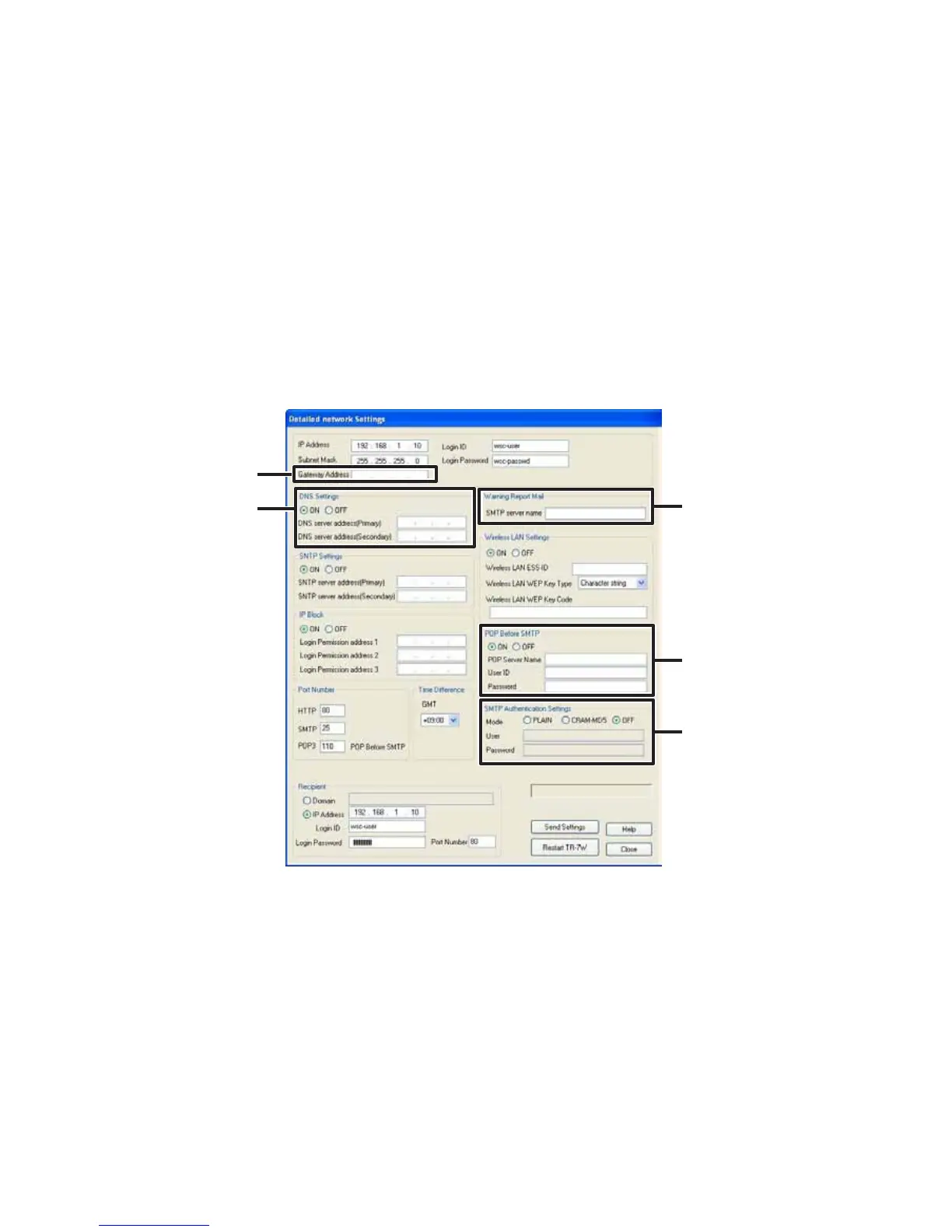
4. In the [Detailed Network Settings] Tab, click on the [Change Settings]
button, and the [Detailed Network Settings] Window will appear.
5. In [Warning Report Mail], enter the SMTP server name.
Make necessary settings for the gateway address, DNS server address, POP before
SMTP and SMTP authentication.
Gateway Address
DNS server
Address
Enter the SMTP
server name
Make POP
before SMTP
settings
Make SMTP
authentication
settings.
If you are unsure about whether POP before SMTP and/or SMTP authentication is
necessary or not, please contact your provider for details.



 To Next Page