86
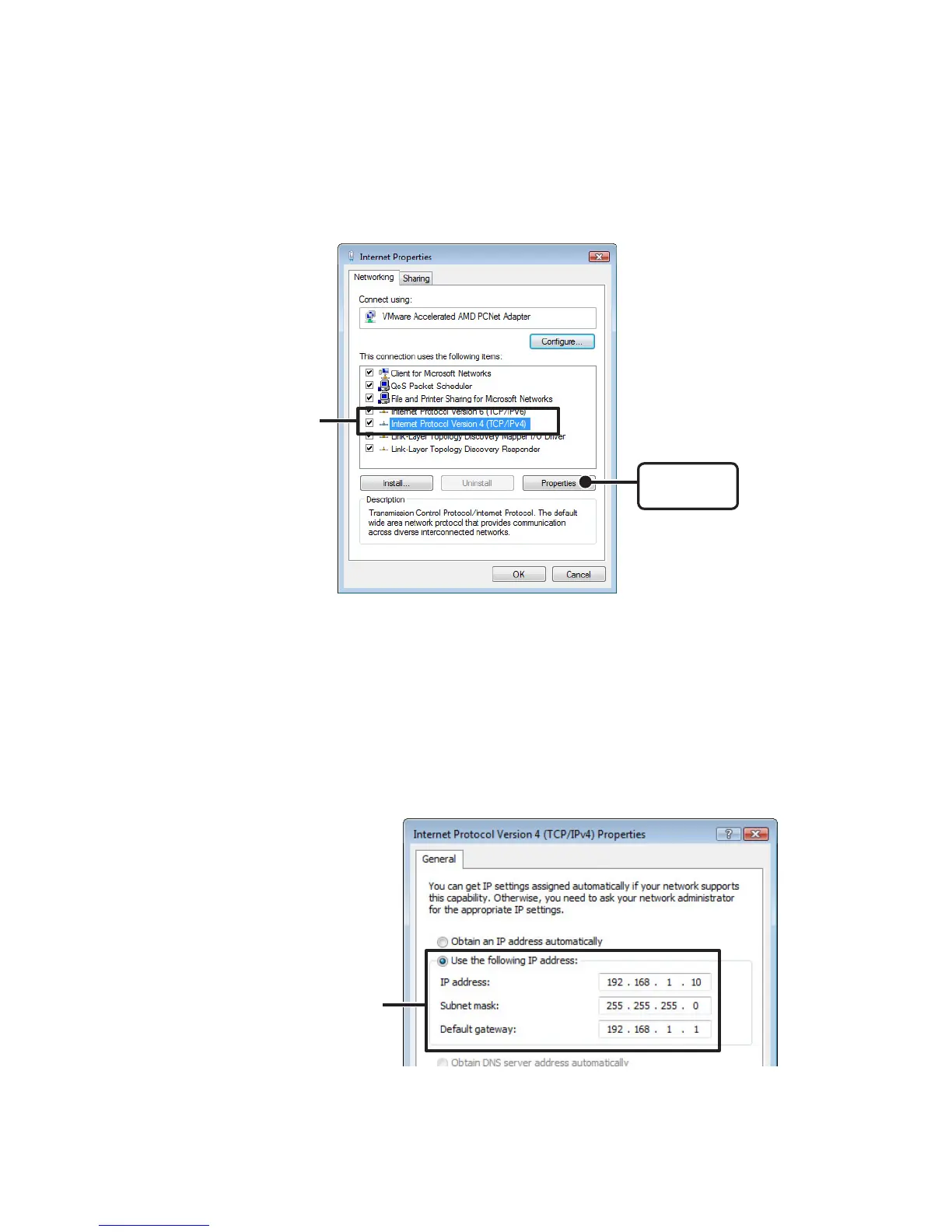
4. Select [Internet Protocol Version 4 (TCP/IPv4)] and click on the
[Properties] button.
[Properties]
button
Make sure that
there is a check
and select
Make sure that there is a check next to [Internet Protocol Version 4 (TCP/IPv4)].If there
is no check, the [Properties] button cannot be clicked.
5. In the [Internet Protocol Version 4 (TCP/IPv4) Properties] window,
under [Use the following IP address:] make sure that the IP
address and Subnet mask are appropriate for your network.
If the setting [Obtain an IP address automatically] has been selected, IP address area
will be left blank.
Check to make sure that
[IP address] and [Subnet mask]
are correct



 To Next Page