87
6. In order to return the settings back to the original ones make
sure to write down the current settings for [IP address], [Subnet
mask], [Default gateway], [Preferred DNS server], and [Alternate
DNS server].
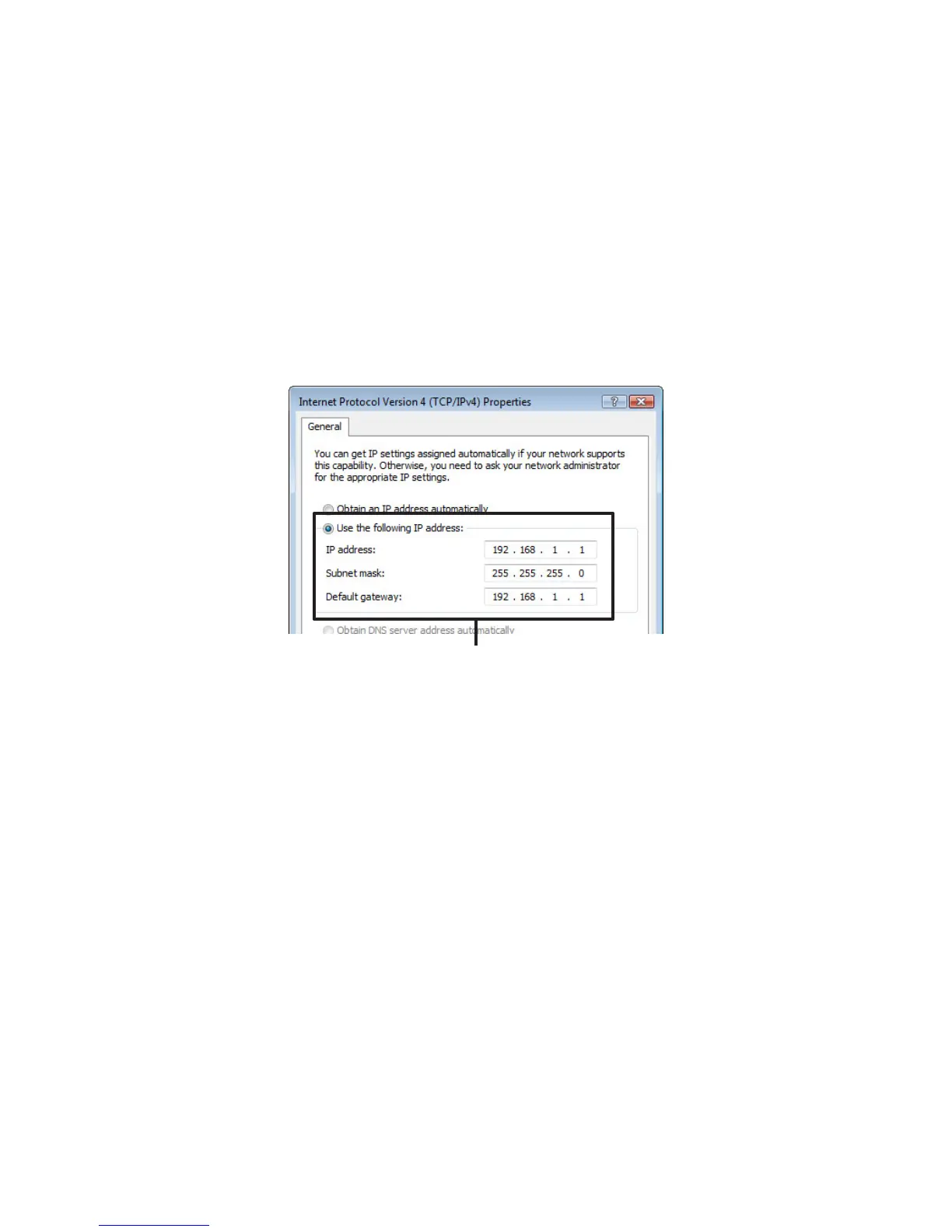
7. Enter "192.168.1.1" as the IP address and "255.255.255.0" as the
Subnet mask.
IP Address: 192.168.1.1 / Subnet Mask: 255.255.255.0
8. After entering, click the [OK] button.
9. Click the [OK] button in the Properties window to close the
window.
10.
Once again, in the [TR-7W Settings Utility] run a search and
check whether the IP address for the TR-71W/72W connected to
the network is displayed.
11.
If it is displayed properly, make the Initial Network settings.



 To Next Page