- 95 -
EO1-11115
MA-186-100 SERIES
1
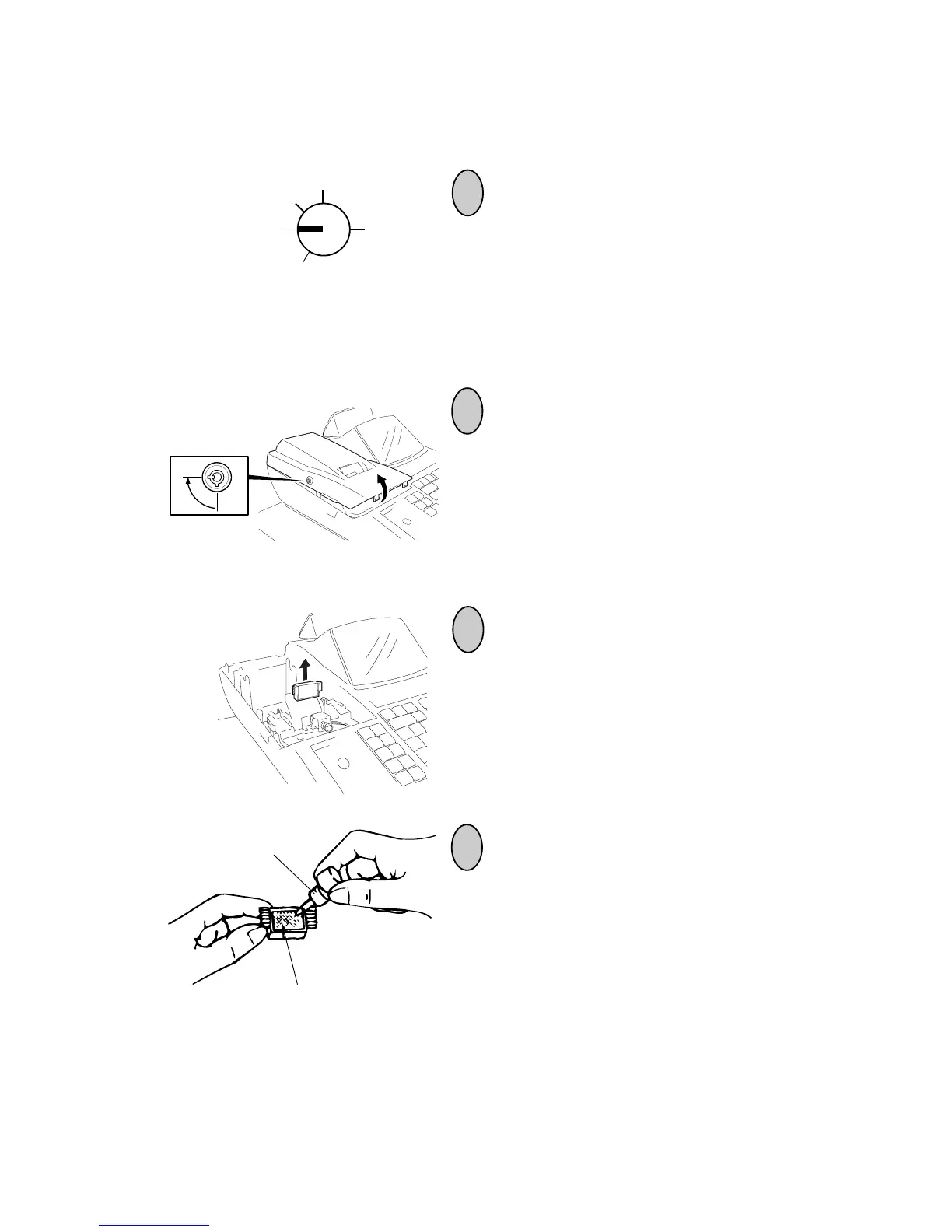
Replenishing Ink to the Store Name Stamp
Turn the Control Lock to the OFF position
using the Control Key.
2
3
To remove the Printer Cover, insert the
Printer Cover Key to the Printer Cover
Lock, and then turn it 90° clockwise.
Remove the Stamp from the Stamp Print
Unit by pulling out toward the rear of the
register with your fingers on the notches of
both sides as shown in the figure.
4
Apply ink to the pad on the rear side of the
stamp. The amount of the refilling should
be adjusted according to the density of the
printed message, but the limit of 2 cc
should not be exceeded. (The ink bottle
supplied contains 5 cc of ink.)
NOTES: 1. Replenish the ink drop by drop sev-
eral times until the pad does not ab-
sorb any more.
2. Allow time for ink to saturate the
stamp.
Z
OFF
X
REG
SET
Ink Bottle
Rear-side Pad of Store Name Stamp



 To Next Page