- 43 -
EO1-11115
MA-186-100 SERIES
→
PLU Code of PLU
to be deleted
PLU Code deleted
Deletion Symbol Line
Total number of PLUs
remaining set in memory
Thank you
Call again
05.- 28.- 9 7
0.4
★
01.0
---- -----
00.6
000.7
13-1 6
VD
ITEM
CORR
4
@/FOR
01
AT/TL
PLU
( )
or
Repeat for other PLUs, if necessary.
NOTE3
PLU Code max. 3
digits;
1 to 500
NOTE1
New Preset Price
max. 6 digits;
0 to 999999¢
NOTE 2
Z
OFF
X
REG
SET
PLU
#/CID
○○
→
→
AT/TL
#/NS
PL
NOTES: 1. Deletions are possible PLU by PLU.
2. If all the PLUs must be deleted (i.e., the PLU system itself is not necessary), close the [PLU] Key.
(Refer to Chapter “11. Optional Key Setting” on page 21.)
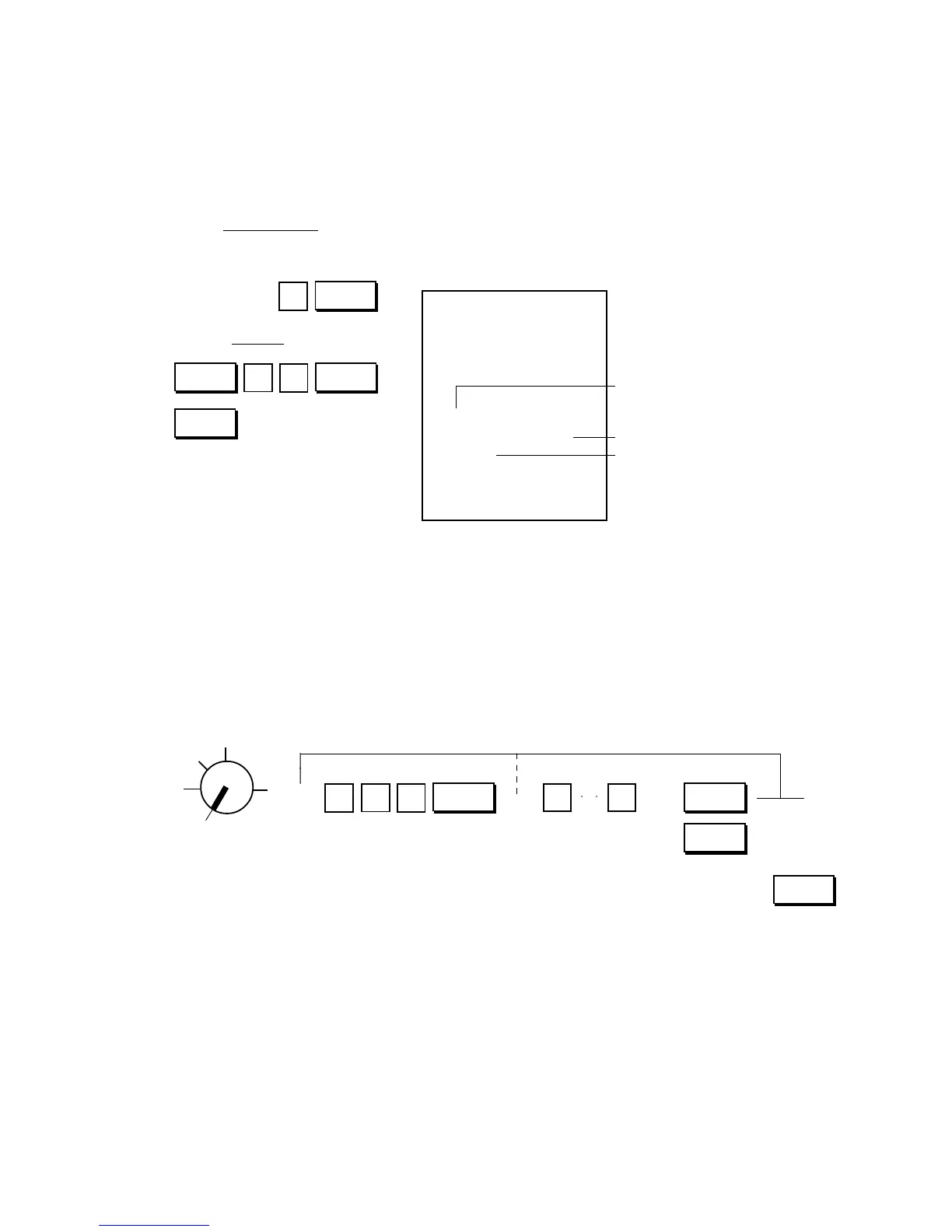
PLU Deletion Receipt Format:
Key Operation
Control Lock: SET
PLU Preset Price Changing:
When only changing preset prices of PLUs as part of daily requirements, this operation is quicker than
operating “PLU Table Setting”.
Condition: Any time outside a sale
Setting Procedure:
Use the MA Key to turn the Control Lock to “SET”.
→ → →
NOTES: 1. The PLU Code must exist in the PLU table file already programmed.
2. If “0” is entered as the New Preset Price, price of $0.00 is set. Neither price setting nor changing
is possible for Open-price PLUs in this operation.
3. For sequentially accessing PLU Codes, the code specification can be omitted.



 To Next Page