- 23 -
EO1-11115
MA-186-100 SERIES
Fill in:
Key Name
→
Key Code
→
(Refer to the “List
of Keys” on the pre-
ceding page.)
For the Standard
Keyboard Layout,
refer to Chapter “7.
Keyboard” on page
9.
(The BLIND position is the
unmarked step next to “Z”.)
Only to read the Key Code currently set on the key.
→ →
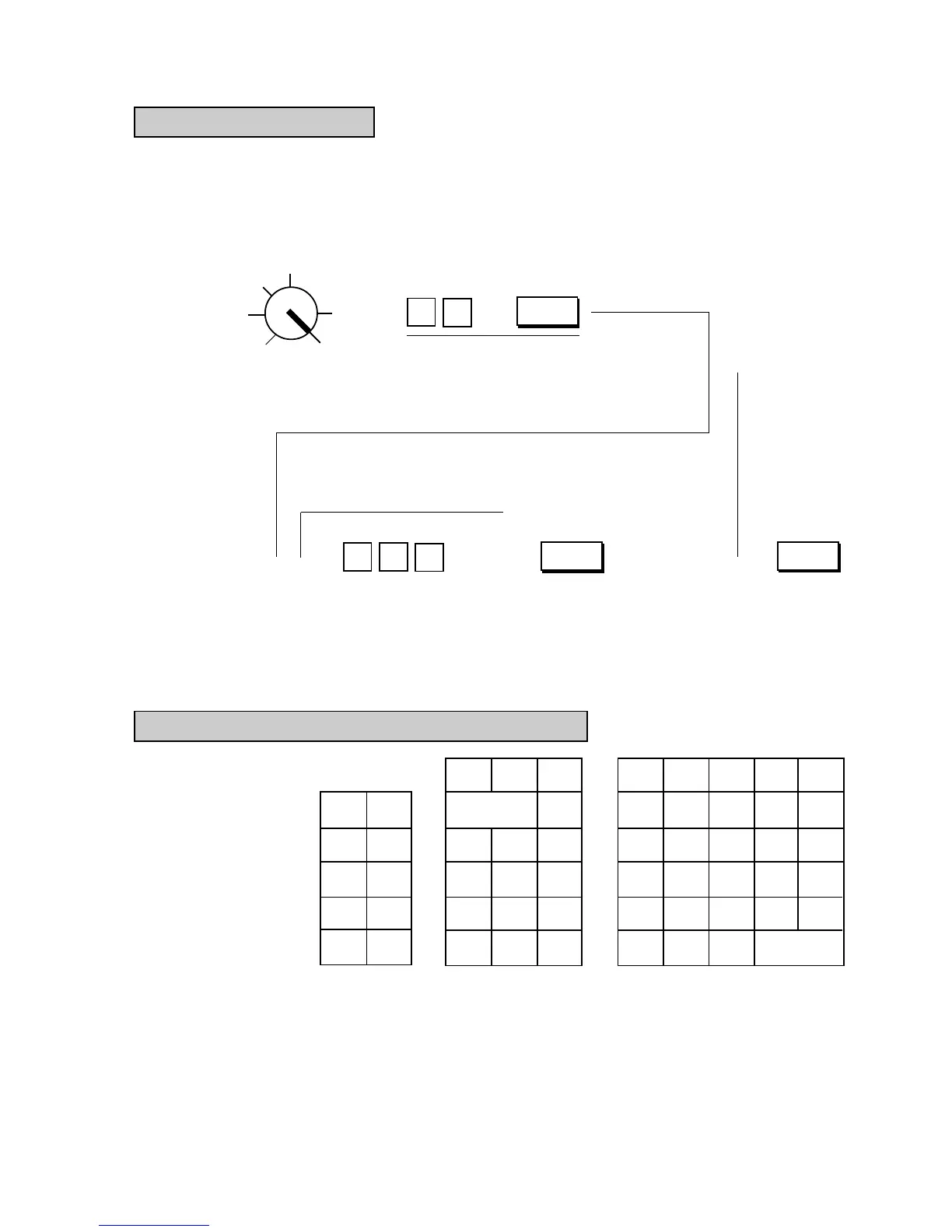
Key Installation Setting
Condition: After all Daily and Periodical Resets; refer to “NOTE on Condition” on page 15.
Setting Procedure:
Use the S Key to turn the Control Lock to the “BLIND” position.
Z
OFF
X
REG
SET
(BLIND)
To declare Key Installation Setting.
Key Code (max. 3 digits;
see the List of Keys on the
preceding page.)
.
.
.
.
Displays the en-
tered Key Code
in the AMOUNT
portion , as it is
entered.
Repeat for all the
keys to be newly
installed, for lo-
cation changes,
or for reading
Key Codes
already set.
Depress the key to be set
with the Key Code.
Displays the Key Code
set or read , in the
AMOUNT portion.
Depress the [AT/
TL] key to com-
plete the Key In-
stallation Setting
operation.
( )
( )
( ) ( )
( )
( )
( )
( )
( )
( )
AT/TL
( )
( )
0
78
9
5
6
4
2
3
1
( ) ( )
( )
( )
( )
( ) ( )
( )
( ) ( )
( )
( )
( )
( )
( )
( )
( )
( )
( ) ( )
( )
( )
( )
( )
( )
( )
( )
( )
( )
( )
( )
( )
( )
→ → →
Blank Keyboard Sketch (for your planning aid)
6
7
AT/TL
←
AT/TL
←



 To Next Page