- 90 -
EO1-11115
MA-186-100 SERIES
1
2
3
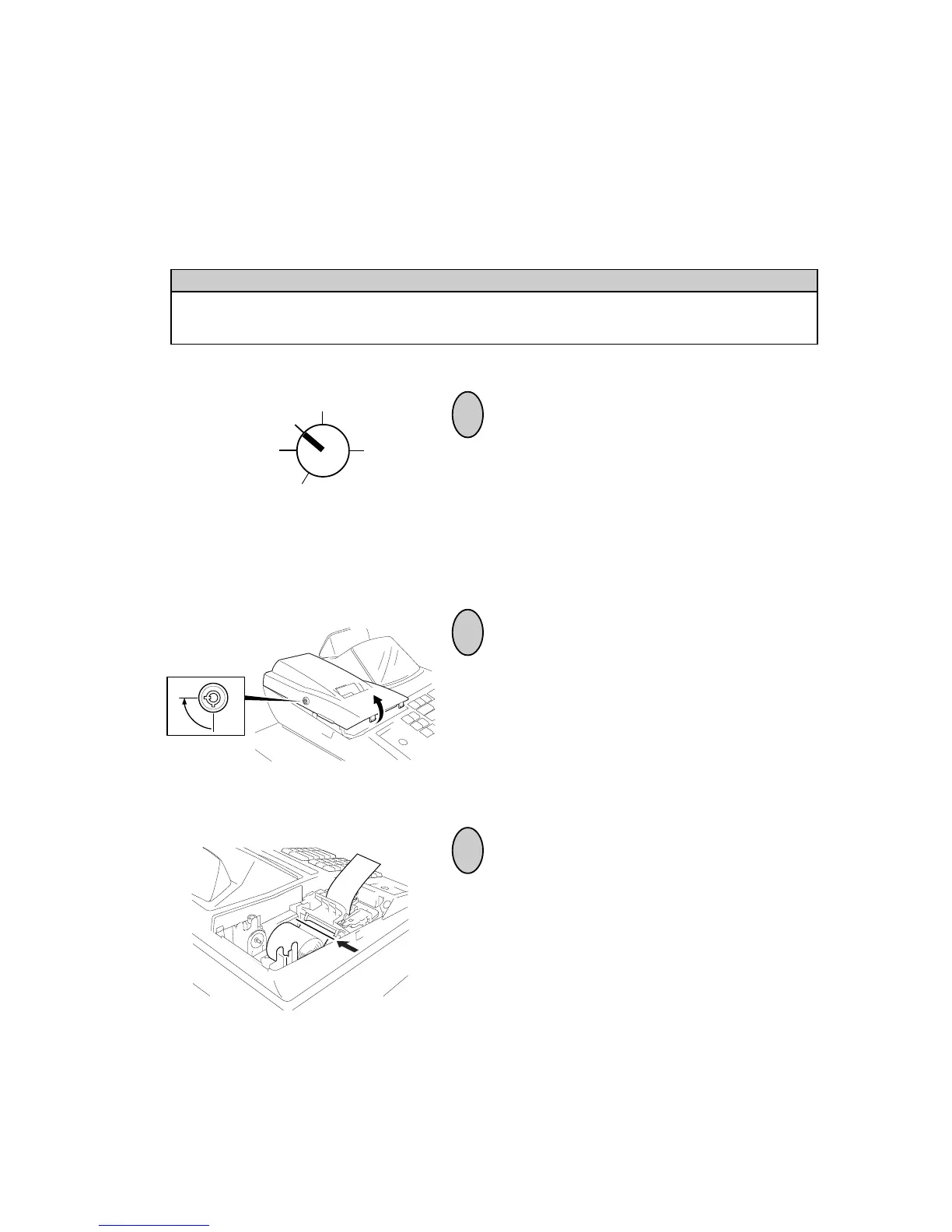
Turn the Control Lock to the REG position
using the Control Key.
To remove the Printer Cover, insert the
Printer Cover Key to the Printer Cover
Lock, and then turn it 90° clockwise.
Z
OFF
X
REG
SET
20.Paper Roll Replacement and Other Maintenance
Replacing the Paper Roll (When used for receipt)
When a red line appears on the edge of the paper roll, follow the steps below to replace
the paper roll with a new one.
WARNING!
Care must be taken not to injure yourself with the paper cutter.
Cut the paper as shown in the figure.



 To Next Page