- 37 -
EO1-11115
MA-186-100 SERIES
Dept.
Price of the item
(max. 7 digits; or
limited by the
Department LC)
. . .
()
Dept.
DPT
SHIFT
. . .
To enter a sale item of the
Department Nos. 21 to 40.
If an error occurs here:
Possible cause of error:
• The price entered exceeds the LC.
→ See the Listing Capacity Open Entry on page 46.
• The Department Key is a preset-price key.
→ Use an open-price Department Key, or see the “Preset-price
Department” entry procedure below.
Z
OFF
X
REG
SET
Depress the
appropriate
Department Key for
open price
←
←
01
★
1.2 3
Entered Price
(or preset price)
Department No.
↑↑
Status Symbol
TM: Tax 1 or/and Tax 2 (PST) Taxable
∗: GST Taxable
TM∗: Tax (PST) Taxable and GST Taxable
Blank: Non-taxable
←
TM
→
Depress the
appropriate
Department Key
for preset price
If an error occurs here:
Possible cause of error:
• The Department Key is an open-price key.
→ Use a preset-price Department Key, or see the “Open-
price Department” entry above.
Dept. Dept.
04
★
2.3 0
04
★
2.3 0
. . .
Same Department key
Price; Max. 7 digits
Dept. Dept.
...
Same Department key
→
→
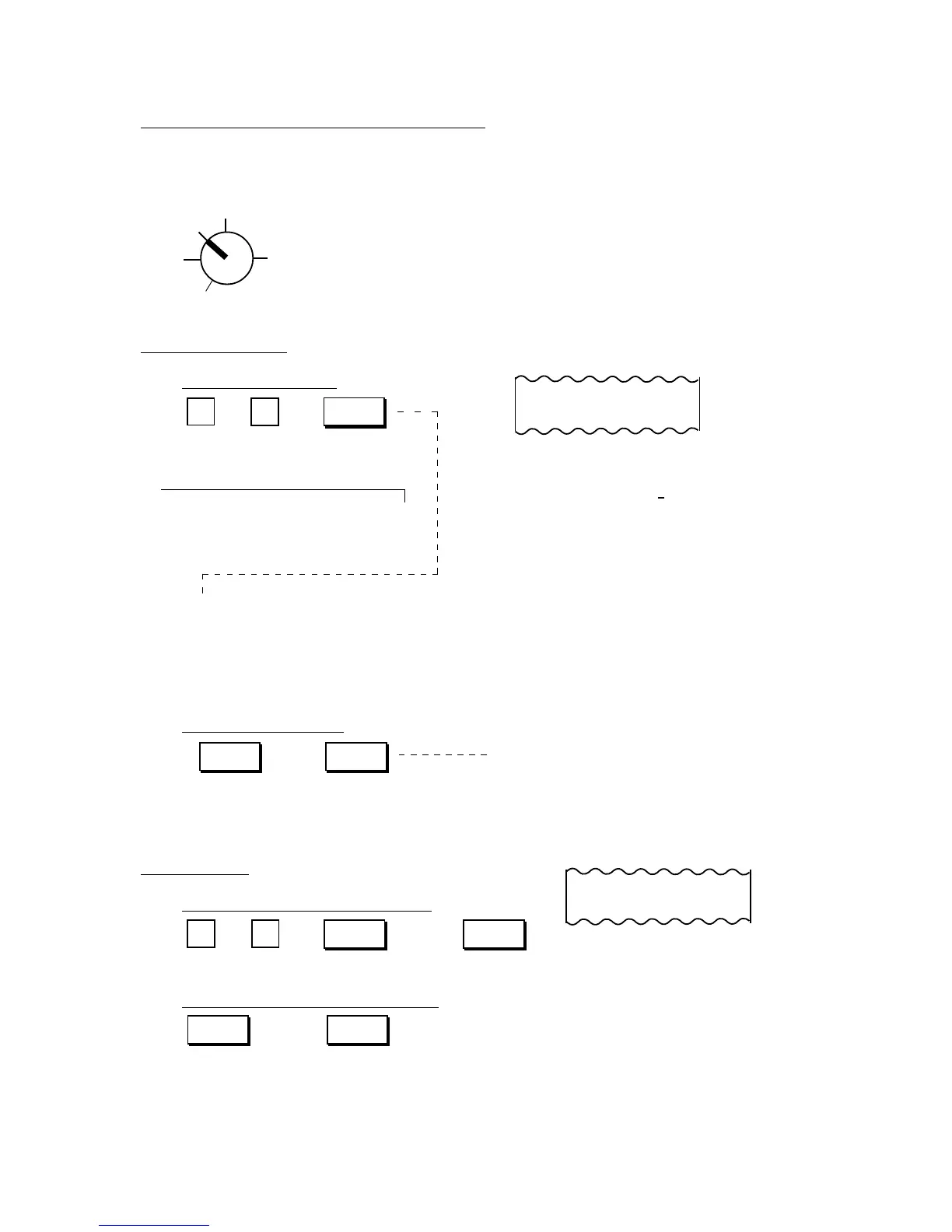
Sale Item Entries Using Department Keys
Various types of department entries are shown below.
Use the REG Key to turn the Control Lock to “REG”.
Entry of One Item
Open-price Department
Depress the [DPT SHIFT] key at either
position to enter a sale item of the
Department Nos. 21 to 40.
Preset-price Department
Repeat Entry
Open-price Department (Nos. 1 to 20)
Preset-price Department (Nos. 1 to 20)



 To Next Page