- 36 -
EO1-11115
MA-186-100 SERIES
AT/TL
NOTES: 1. All the Department Keys are open departments (no preset price set) as initial status.
2. If a Department Key is pressed with no Preset Price entry, the Key is set as an open-price
Department Key.
3. If “0” is entered as Preset Price, the Department Key is set with Preset Price of $ 0.00.
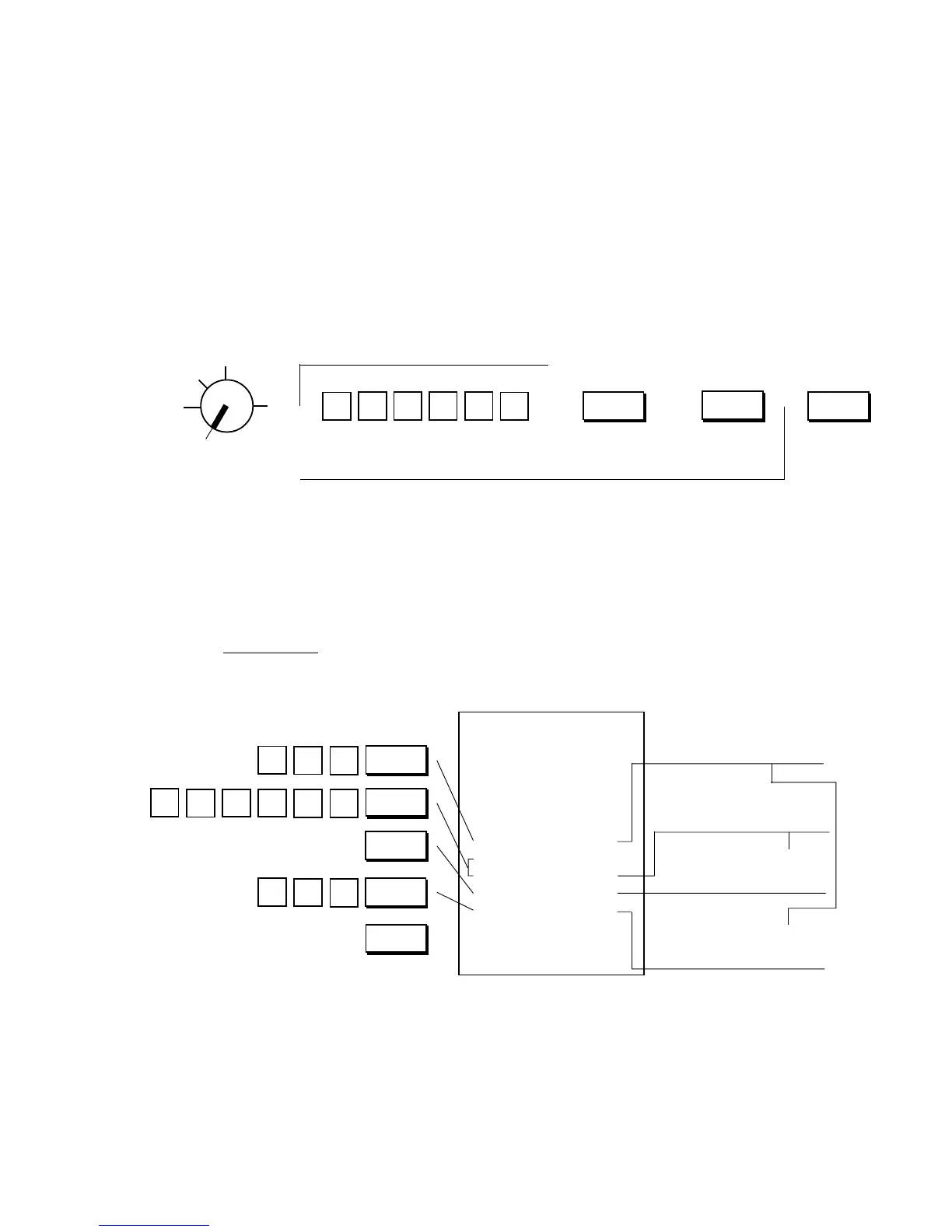
Department Preset Price Setting Receipt Format:
Key Operation
Control Lock: SET
Department Preset Price Setting:
If a fixed price is always entered through a Department Key in sale entries, a preset price can be set
on the Department Key. Please note that once set with a preset price, the Department Key will not
accept any other price (open price) until the Department Key is again programmed to be an open
department.
Condition: Any time outside a sale
Setting Procedure:
Use the MA Key to turn the Control Lock to “SET”.
To set Open Department
(to allow manual amount entries)
NOTES 1, 2
Preset Price
(max. 6 digits; 0 to 999999; resulting in
$0.00 to $9999.99)
NOTES 1, 2 NOTES 1, 2, 3
Repeat for other Department Keys, if necessary.
( )
To designate the
Department Nos.
21 to 40.
Z
OFF
X
REG
SET
→ → → →
AT/TL
Dept.
←
DPT
SHIFT
←
0
6
Preset Price $1.00 for
Dept. 4
Preset Price $1,234.56
for Dept. 8
New Preset Price $2.30
for Dept. 4
Preset Price released
for Dept. 8
(The last setting is
effective.)
▼
▼
Thank you
Call again
05.- 28.- 9 7
0.0
★
04
★
1.0 0 @
08
★
1.2 34.5 6 @
08 @
04
★
2.3 0 @
002.0
08-5 9
5
432
1
0
1
0
3
2
Dept. 4
Dept. 8
Dept. 8
Dept. 4



 To Next Page