- 5 -
EO1-11115
MA-186-100 SERIES
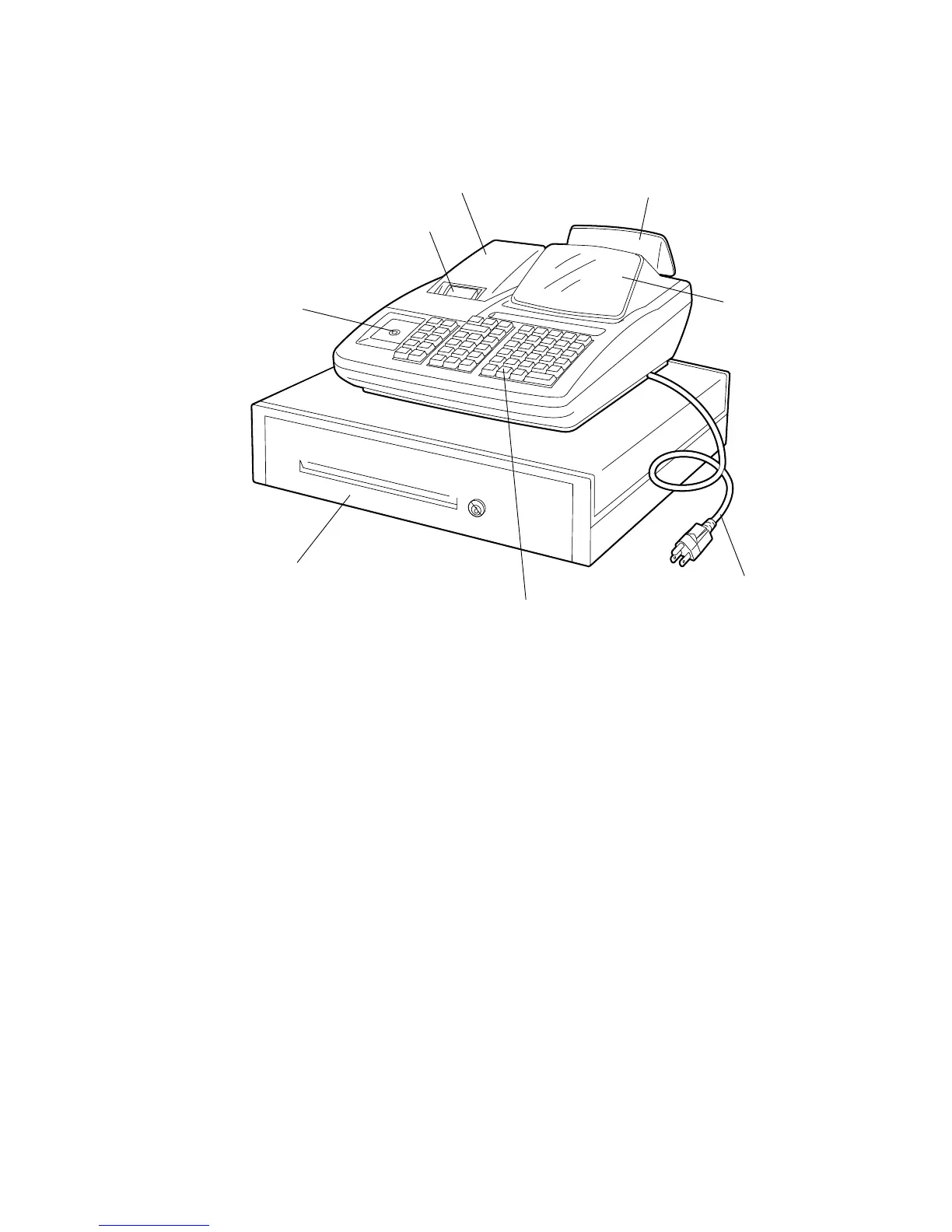
4. Appearance and Nomenclature
Operator’s Display
Used by the operator to confirm the entry
contents and the status of the register. (page
7)
Customer’s Display
Provided for the customer to see the amount
entered for each item and sale total. (page 7)
Journal Window/Receipt Outlet
The operator can see which items have
already been entered through this window
with the Journal-format Option.
The receipt for the finalized sale is issued
with the Receipt-format Option.
Printer Cover
The cover for the Receipt/Journal printer.
Control Lock
It selects the type of register operations.
(page 6)
Keyboard
Used to enter sale items. (page 9)
Drawer
Cash and other media are kept here. It auto-
matically opens on finalizing a sale.
Power Cord
Keyboard
Drawer
Control Lock
Operator’s Display
Customer’s Display
Printer Cover
Journal Window or Receipt Outlet



 To Next Page