- 42 -
EO1-11115
MA-186-100 SERIES
Thank you
Call again
05.- 28.- 9 7
0.4
★
00.5 0 4
★
1.0 0 @
01.0 0 2
★
2.0 0 @
01.1 0 1
★
123.00 @
20.0 0 3
★
10.00 @
05.0 0 5
★
0.5 0 @
10.0 0 9
★
3.0 0 @
15.0 0 9
@
00.7
000.6
13-1 4
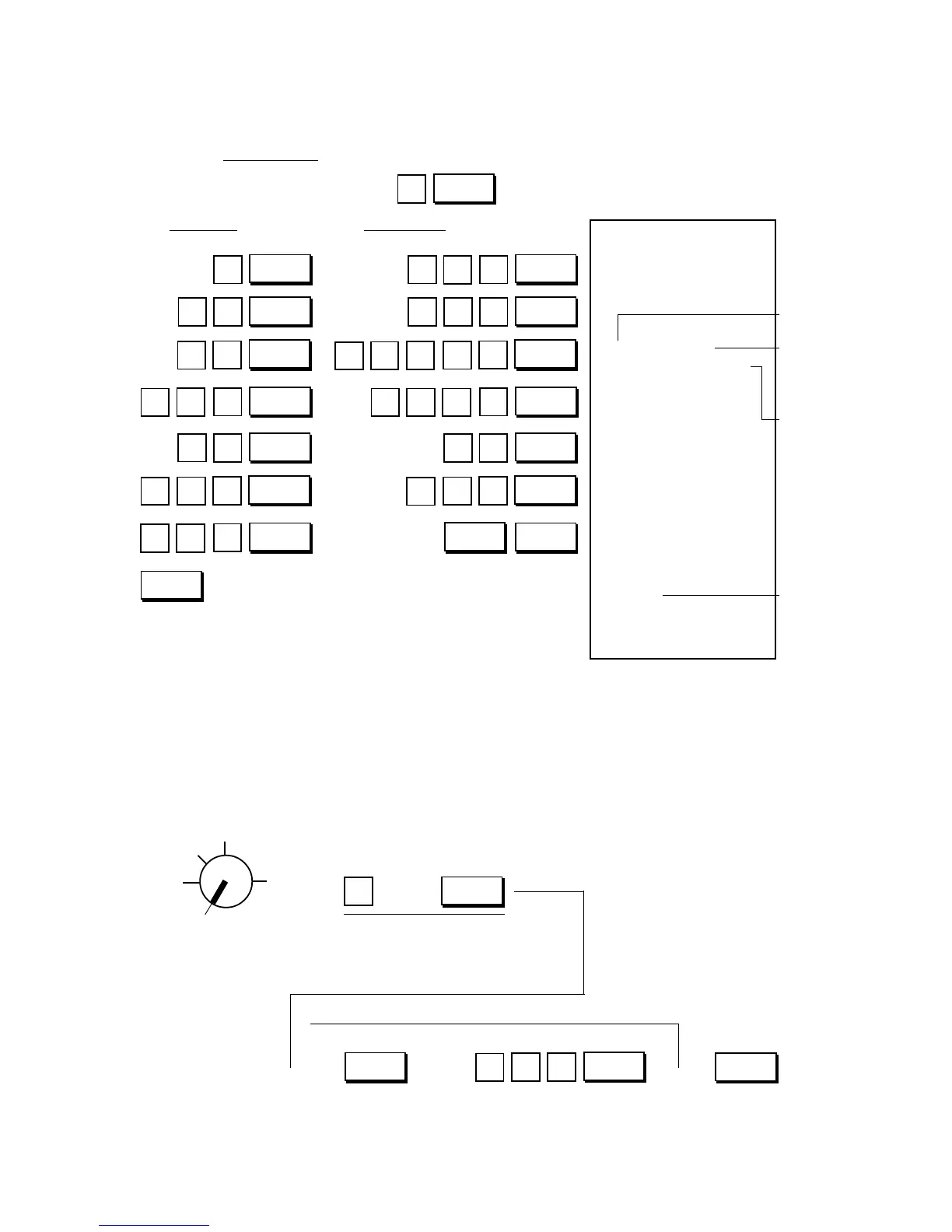
PLU Code
Link
Department
No.
Preset Price
Blank for Pre-
set Price indi-
cates that it is
an Open-price
PLU.
Total
number of
PLUs set
in memory
PL PL PL PL PL PL PL
(
)
5
4
@/FOR
0
0
0
1
1
1
1
2
AT/TL
PLU
PLU
PLU
PLU
0
5
0
0
5
0
1
PLU
PLU
PLU
0
0
0
0
0
3
0
0
0
AMT
Dept. 3
Dept. 1
Dept. 2
Dept. 4
0
0
5
0
Dept. 9
Dept. 9
Dept. 5
01
1
2
32
1
Z
OFF
X
REG
SET
→
Declaration is the same as PLU
Programming on the preceding
page.
Repeat for other PLUs to be deleted, if any.
AT/TL
PLU
@/FOR
4
ITEM
CORR
PLU Code of the PLU to be deleted
PLU Table Program Receipt Format:
Key Operation
Control Lock: SET
PLU Code Preset Price
Deleting Individual PLUs:
When any of the PLUs once programmed are not handled any more in the store, they can be deleted.
Condition: When the required PLU sales total memory is zero (i.e., when no sales are made or after a
PLU Reset Report is taken to reset the sales data of the PLU into zero)
Programming Procedure:
→ →
→ → →



 To Next Page