- 10 -
EO1-11115
MA-186-100 SERIES
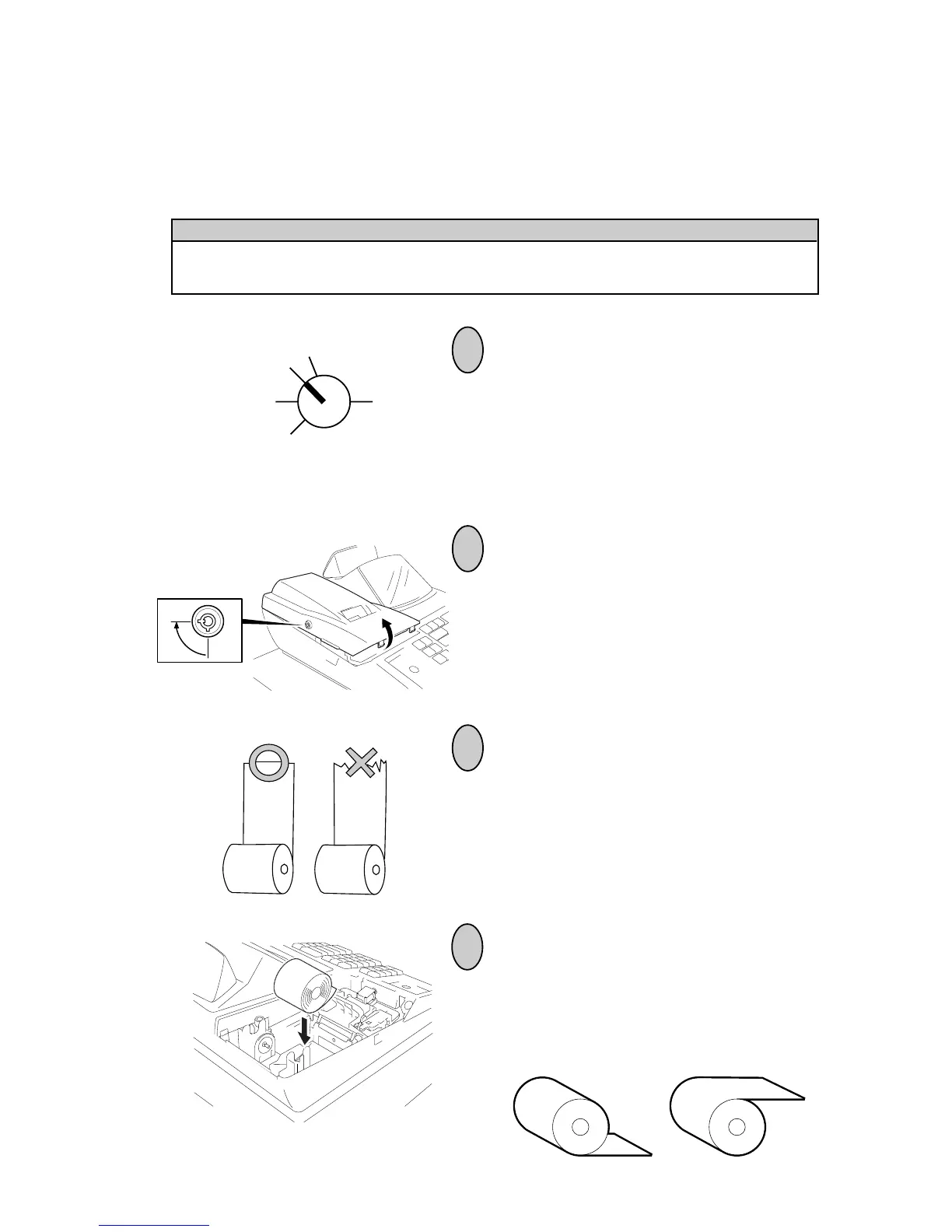
8. Installing the Paper Roll
The printer may be used for journal-format print (standard status) or receipt-format print (optional status).
For reversing the status, refer to Chapter “16. System Option Setting”, Address 2-Bit 7” on page 72.
1
2
3
Turn the Control Lock to the REG position
using a Control Key.
To remove the Printer Cover, insert the
Printer Cover Key to the Printer Cover
Lock, and then turn it 90° clockwise.
Cut the paper end to make it sharp.
OFF
Z
REG
X
SET
WARNING!
Care must be taken not to injure yourself with the paper cutter.
4
Place the paper roll into the paper pocket.
Place the paper roll as shown below.
Correct Incorrect



 To Next Page