- 11 -
EO1-11115
MA-186-100 SERIES
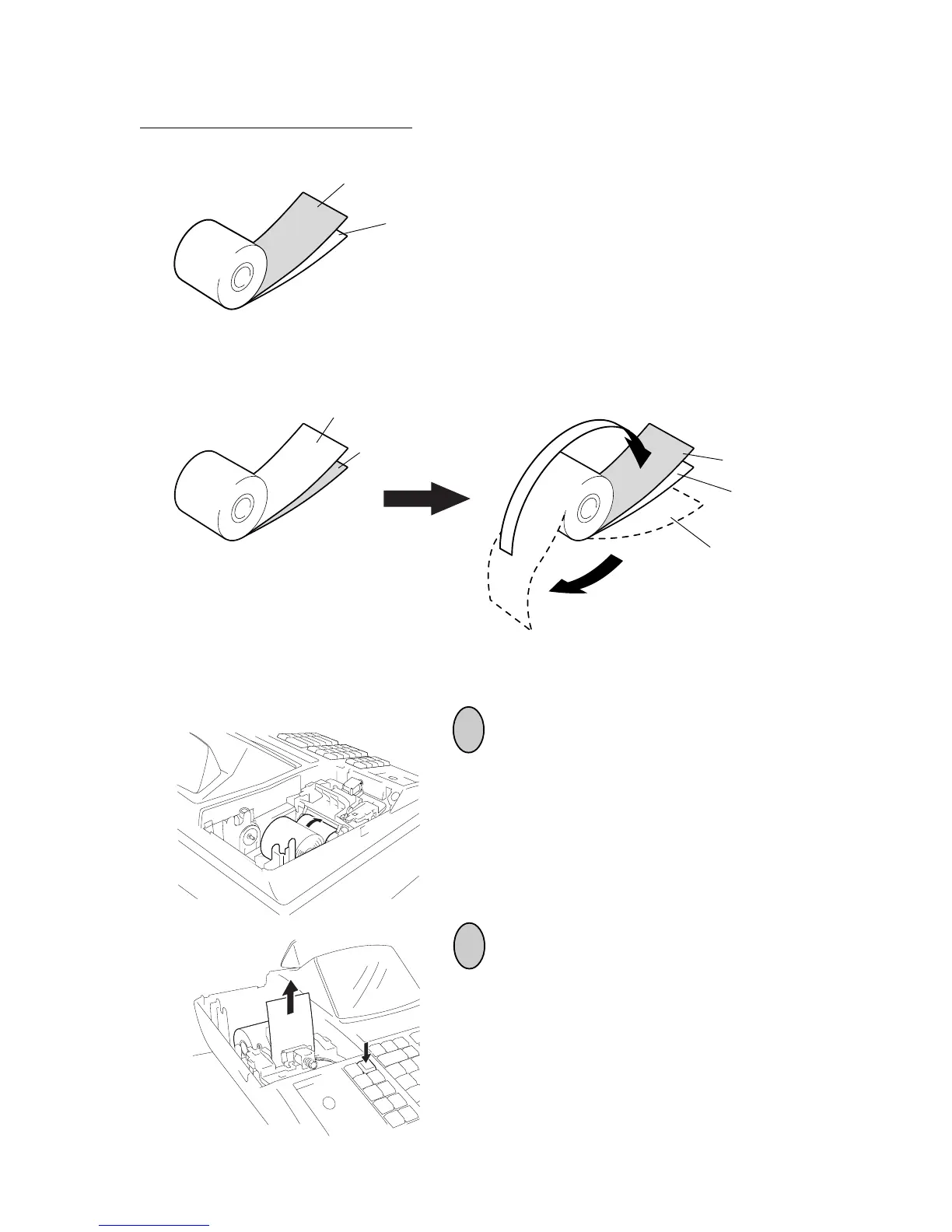
Incorrect
If the 2-ply paper has been placed as shown below, the printing contents are not
copied. In this case, re-place the 2-ply paper as shown above.
Note on placing the 2-ply paper:
Correct
When using the 2-ply paper, place it into the paper pocket as shown below.
Duplicate Sheet
Original Sheet
Original Sheet
Duplicate Sheet
Duplicate Sheet
Original Sheet
Duplicate Sheet
5
6
* Place the duplicate sheet inside the original
sheet.
Insert the paper end into the paper inlet located
on the rear side of the printer.
Press the [FEED] key on the keyboard until the
paper end comes out of the outlet.



 To Next Page