- 12 -
EO1-11115
MA-186-100 SERIES
7
8
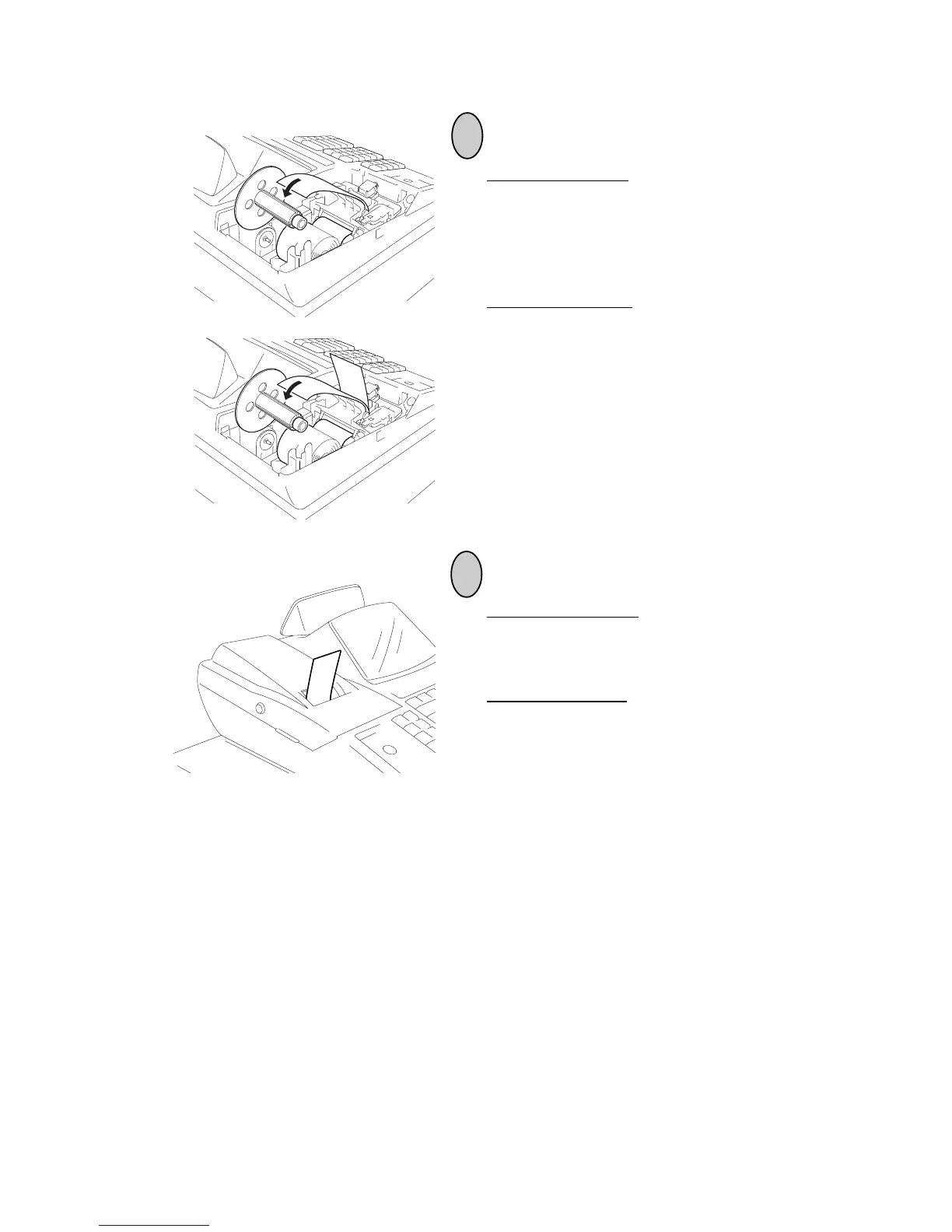
If used for journal, insert the paper end into the
slit on the Take-up Reel and wind it around the
reel two or three times, set the reel to the holder,
and press the [FEED] key for a while to tense
the paper.
If used for receipt, do not wind the paper end
around the Journal Take-up Reel.
* When the 2-ply paper is used, wind the dupli-
cate sheet around the Journal Take-up Reel
in the same manner as described in “If used
for journal,”. At this time, do not wind the
original sheet around the Journal Take-up
Reel.
If used for journal, simply attach the Printer
Cover. The Receipt Outlet is used as a Journal
Window.
If used for receipt, attach the Printer Cover with
the paper end coming out of the Receipt Outlet
located on the Printer Cover.
* When the 2-ply paper is used, load the origi-
nal sheet as a receipt, and duplicate sheet as
a journal.



 To Next Page