- 98 -
EO1-11115
MA-186-100 SERIES
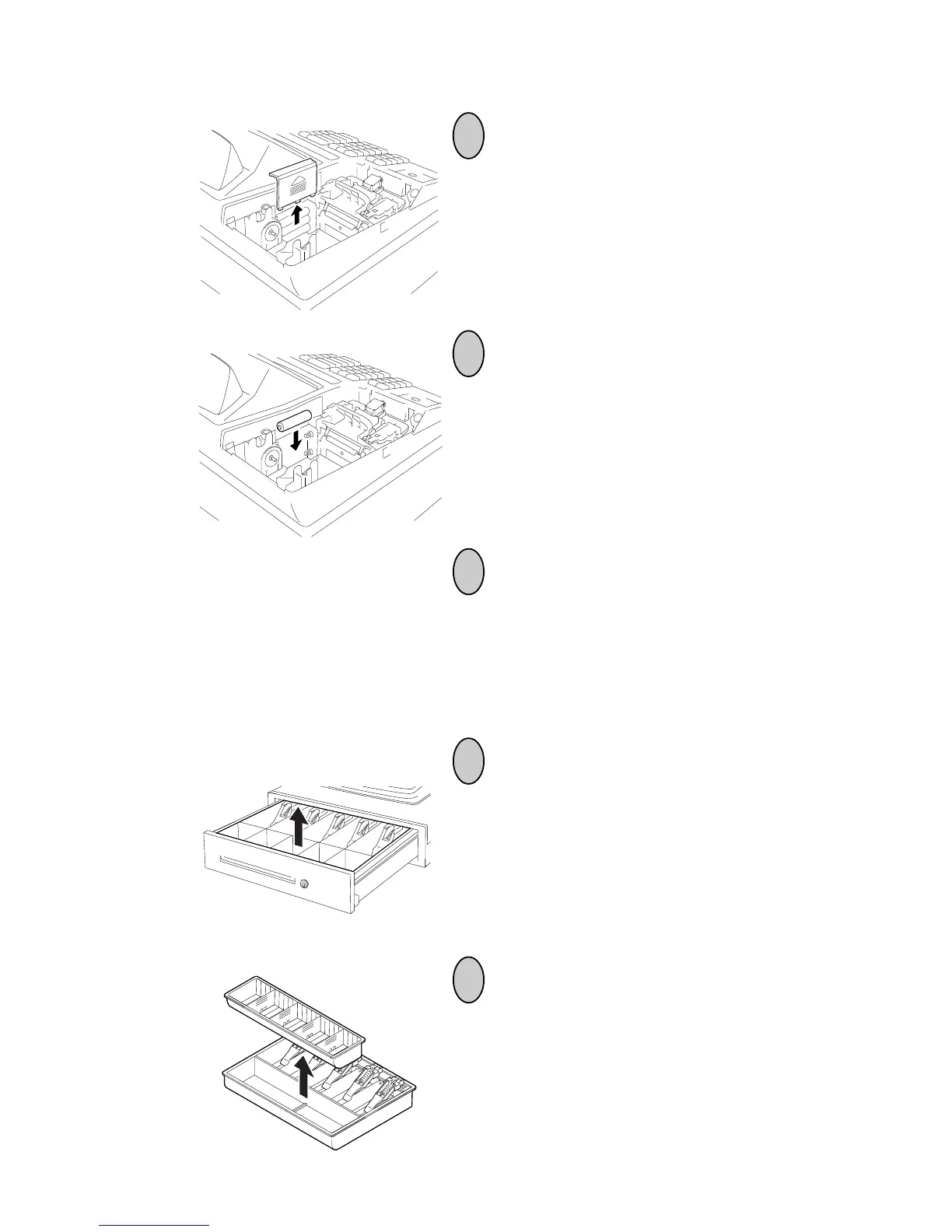
Remove the paper roll, the Take-up Reel (if
used for Journal), and the Battery Cover.
3
Replace the old batteries with new ones.
(Batteries: SUM-3 1.5V x 3 pieces)
NOTE: Do not mix used and new batteries
in the battery compartment.
Return the items removed in Step 3, and
attach the Printer Cover.
4
5
2
1
Changing the Layout of the Money Case
Open the drawer, then take the Money
Case out.
Remove the Coin Case from the Money
Case.



 To Next Page