- 44 -
EO1-11115
MA-186-100 SERIES
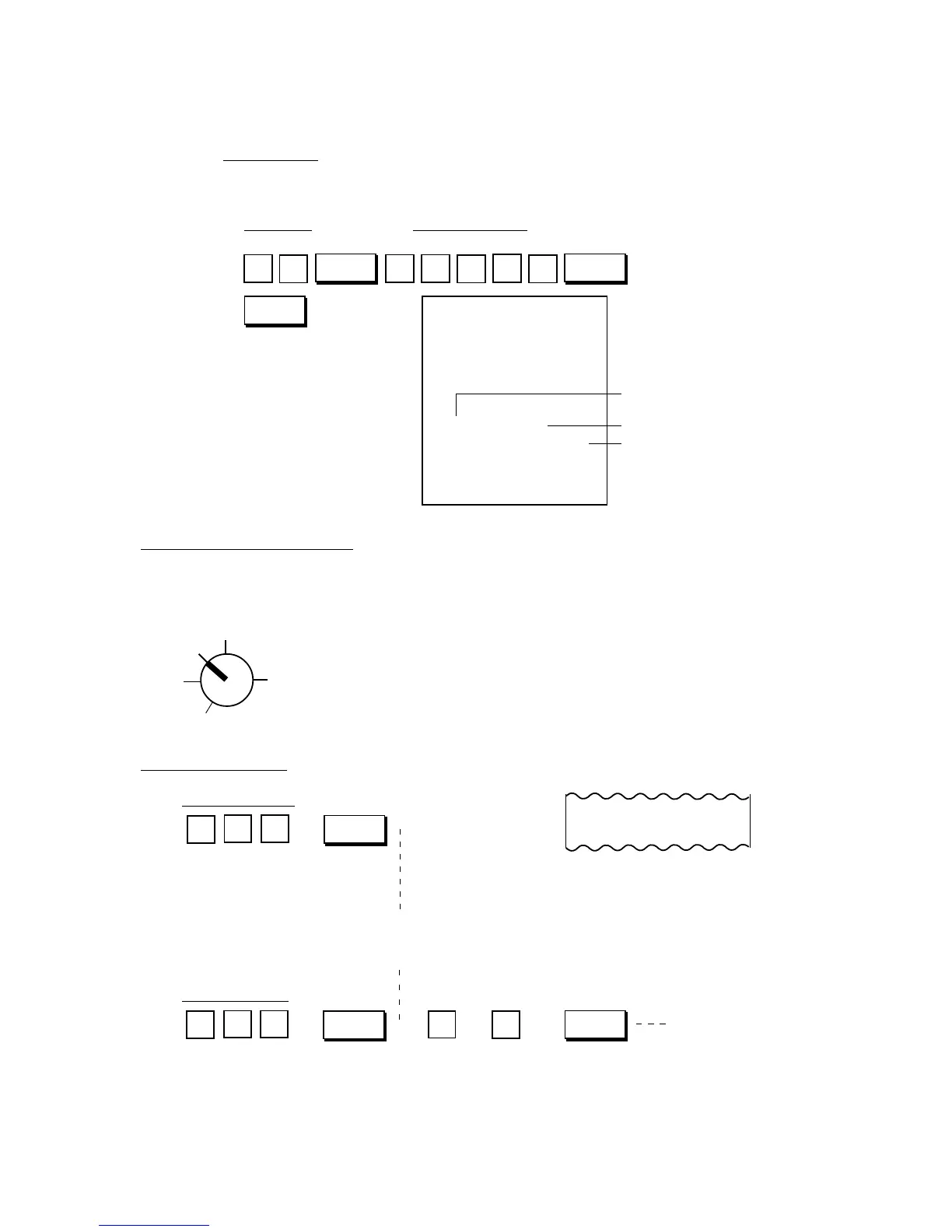
PLU Price Change Setting Receipt Format:
Key Operation
Control Lock: SET
PLU Code New Preset Price
1
1
AT/TL
PLU
PLU Code
Link Department No.
New Preset Price
Thank you
Call again
05.- 28.- 9 7
0.0
★
01.1 0 1
★
123.45 @
002.1
08-5 9
PL
5
#/CID
3
21 4
Z
OFF
X
REG
SET
PLU
PLU Code; Max. 3 digits
1 to 500
. . .
Price; Max. 7 digits
PLU
PLU Code; Max. 3 digits
1 to 500
AMT
If an error occurs here:
Possible cause of error:
• Undefined PLU Code has been entered.
→ Enter a code of those PLUs programmed.
If an error occurs here:
Possible cause of error:
• Exceeding the price digit limit.
→ Check the Price.
• The PLU Code entered is a
Preset-price PLU.
→ In that case the PLU item
is already entered and
printed on the [PLU] key
depression. Check if the
PLU Code and the price
are correct.
PL
TM
20.0
★
10.0 0
↓
Price Entered (When the price
is within 3 digits, it is printed on
the PLU Code line.)
PLU Code
Status Symbol
TM: Tax 1 or/and Tax 2
(PST) Taxable
∗: GST Taxable
TM∗: Tax (PST) Taxable
and GST Taxable
Blank: Non-taxable
↑
↓
Sale Item Entries of PLUs
Various types of PLU entries are shown below.
Use the REG Key to turn the Control Lock to “REG”.
Entry of One Item
Preset-price PLU
Open-price PLU
→



 To Next Page