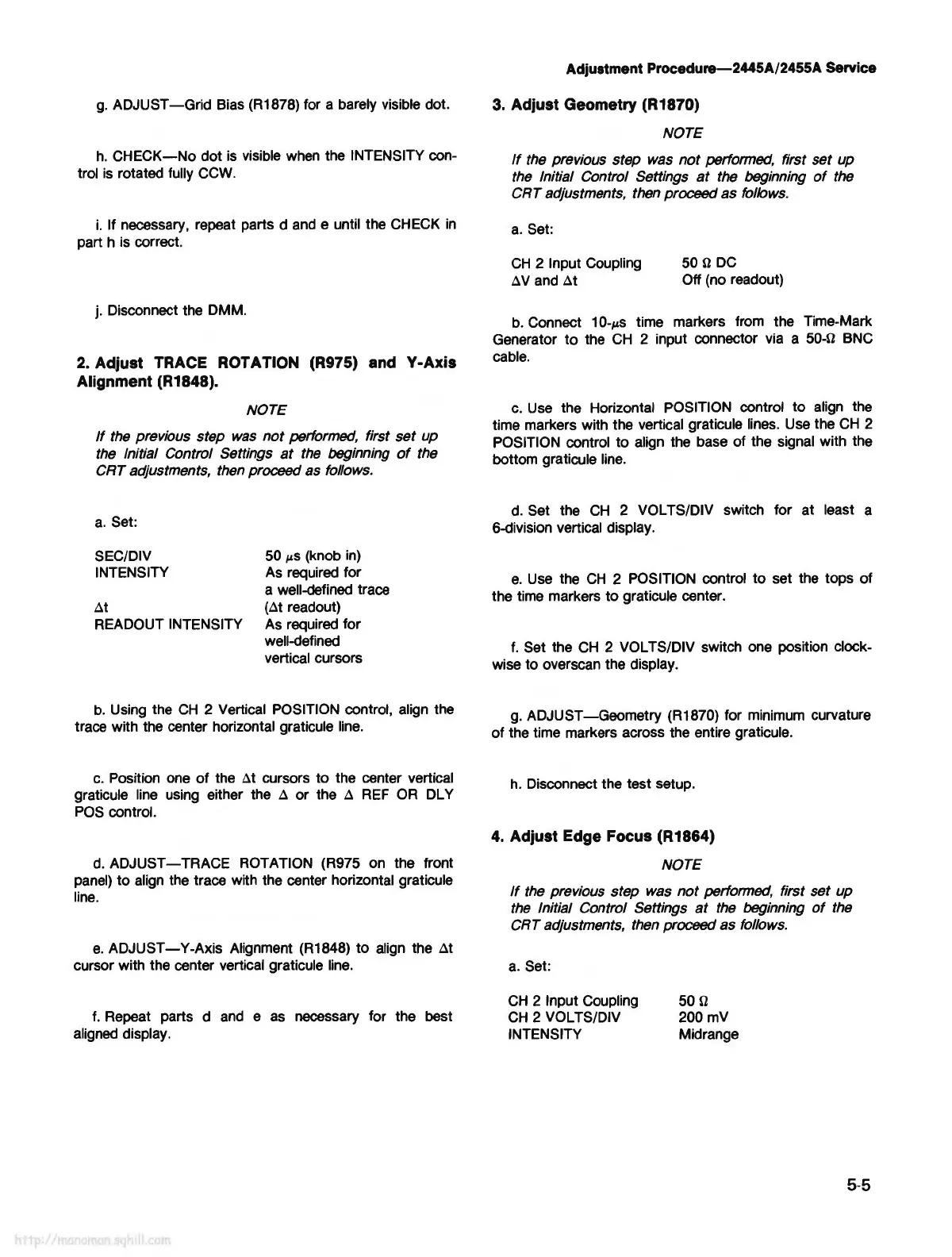
g.
ADJUST-Grid
Bias (R1878) for a barely visible dot.
h.
CHECK-No
dot
is
visible
when
the INTENSITY con-
trol
is
rotated fully
CCW.
i.
If necessary, repeat parts d
and
e until the CHECK
in
part h is correct.
j. Disconnect the DMM.
2. A~just TRACE ROTATION (R975) and Y-Axis
Alignment (R1848).
NOTE
If
the previous step was
not
performed, first set up
the Initial Control Settings
at
the beginning
of
the
CRT adjustments, then proceed as follows.
a.
Set:
SEC/DIV 50
µS
(knob
in)
INTENSITY As required for
a well-defined trace
~t
(~t readout)
READOUT INTENSITY As required for
well-defined
vertical cursors
b.
Using the
CH
2 Vertical POSITION control, align the
trace with the center horizontal graticule
line.
c.
Position one
of
the
~t
cursors to the center vertical
graticule line using either the
~
or the
~
REF
OR
DL Y
POS
control.
d.
ADJUST-TRACE
ROTATION (R975 on the front
panel)
to
aUgn
the trace with the center horizontal graticule
line.
e.
ADJUST-Y-Axis
Alignment (R1848) to align the
~t
cursor with the center vertical graticule
line.
f.
Repeat parts d
and
e
as
necessary for the best
aligned display.
Adjustment Procedure-2445A/2455A Service
3.
Adjust Geometry (R1870)
NOTE
If
the previous step was
not
performed, first set up
the Initial Control Settings
at
the beginning
of
the
CRT adjustments, then proceed as follows.
a.
Set:
CH
2 Input Coupling
~v
and
~t
500
DC
Off (no readout)
b.
Connect 10-µs time markers from the Time-Mark
Generator
to
the
CH
2 input connector via a 50-0 BNC
cable.
c.
Use
the Horizontal POSITION control to align the
time markers with the vertical graticule lines. Use the
CH
2
POSITION control to align the base of the signal with the
bottom graticule
line.
d.
Set the
CH
2 VOL TS/DIV switch for at least a
6-division vertical display.
e.
Use
the
CH
2 POSITION control to set the tops of
the time markers to graticule center.
f.
Set the
CH
2 VOL TS/DIV switch one position clock-
wise to overseen the display.
g.
ADJUST-Geometry (R1870) for minimum curvature
of
the time markers across the entire graticule.
h.
Disconnect the test setup.
4.
Adjust Edge Focus (R1864)
NOTE
If
the previous step was
not
performed, first set up
the Initial Control Settings
at
the beginning
of
the
CRT adjustments, then proceed as follows.
a.
Set:
CH
2 Input Coupling
CH
2 VOL TS/DIV
INTENSITY
500
200mV
Midrange
5-5



 To Next Page