41 MPH200 series video encoders WebUI user manual
Contact closure interfaces conguration
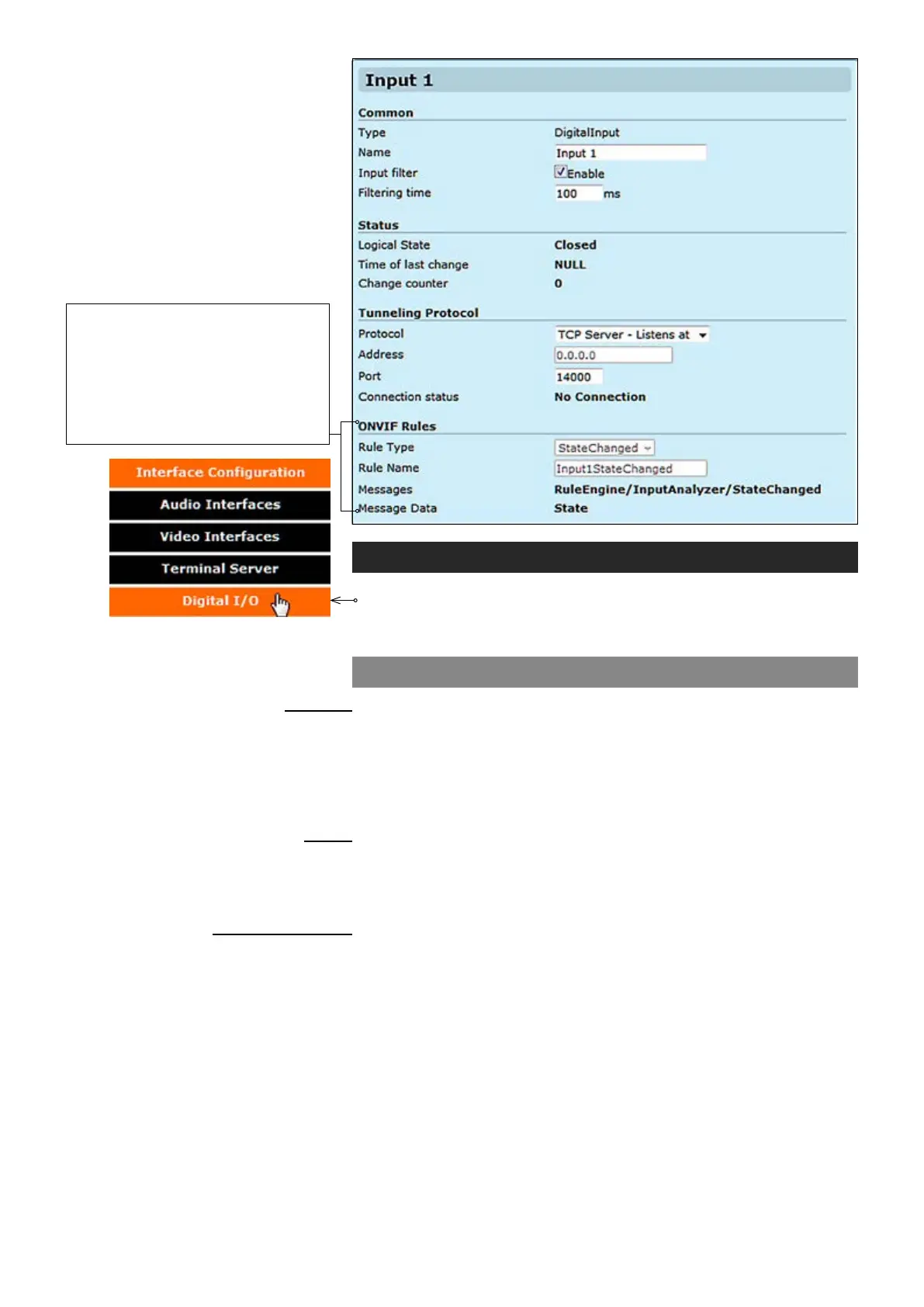
Click “Digital I/O” under the Interface Conguration menu. Contact
Closure / Inputs & Outputs page appears on the screen. Contact
closure settings can be changed on this page.
Contact closure input 1 & 2
_________________________________________________________
User dened alias name for
contact closure interface (max 64 chars)
Monitors how many state changes happen (from close to open or vice
versa) during the time frame given by “Filter Time” parameter. If during
this time frame CC input state changes more than once, the input state
is set as “unstable”.
Time frame for “Input Filter” (100...2000 ms).
_________________________________________________________
The default state for CC input (open/closed)
.
Shows the time when the last cc state was changed.
Shows the total number of state changes that has been registered by a
given input CC.
_________________________________________________________
IP connection type. There are three options: “TCP Client - Connects to” ,
“TCP Server - Listens at” and “UDP multicast - Sends to”.
Destination IP address.
UDP port number (0...65535). This number has to be same at both encoder
and decoder pairs.
Shows connection status. The status can be active, disabled or
no connection.
Common
Name:
Input lter:
Filtering time:
Status
Logical State:
Time of last change:
Change counter:
Tunneling protocol
Protocol:
Address:
Port:
Connection status:
Device generates events from chang-
es in digital input states. Events are
used internally to trigger conguration
changes in video encoding or provided
for ONVIF clients through metadata
streams and ONVIF notication inter-
faces (Real Time Notication Interface
and Base Notication Interface).



 To Next Page