64 MPH200 series video encoders WebUI user manual
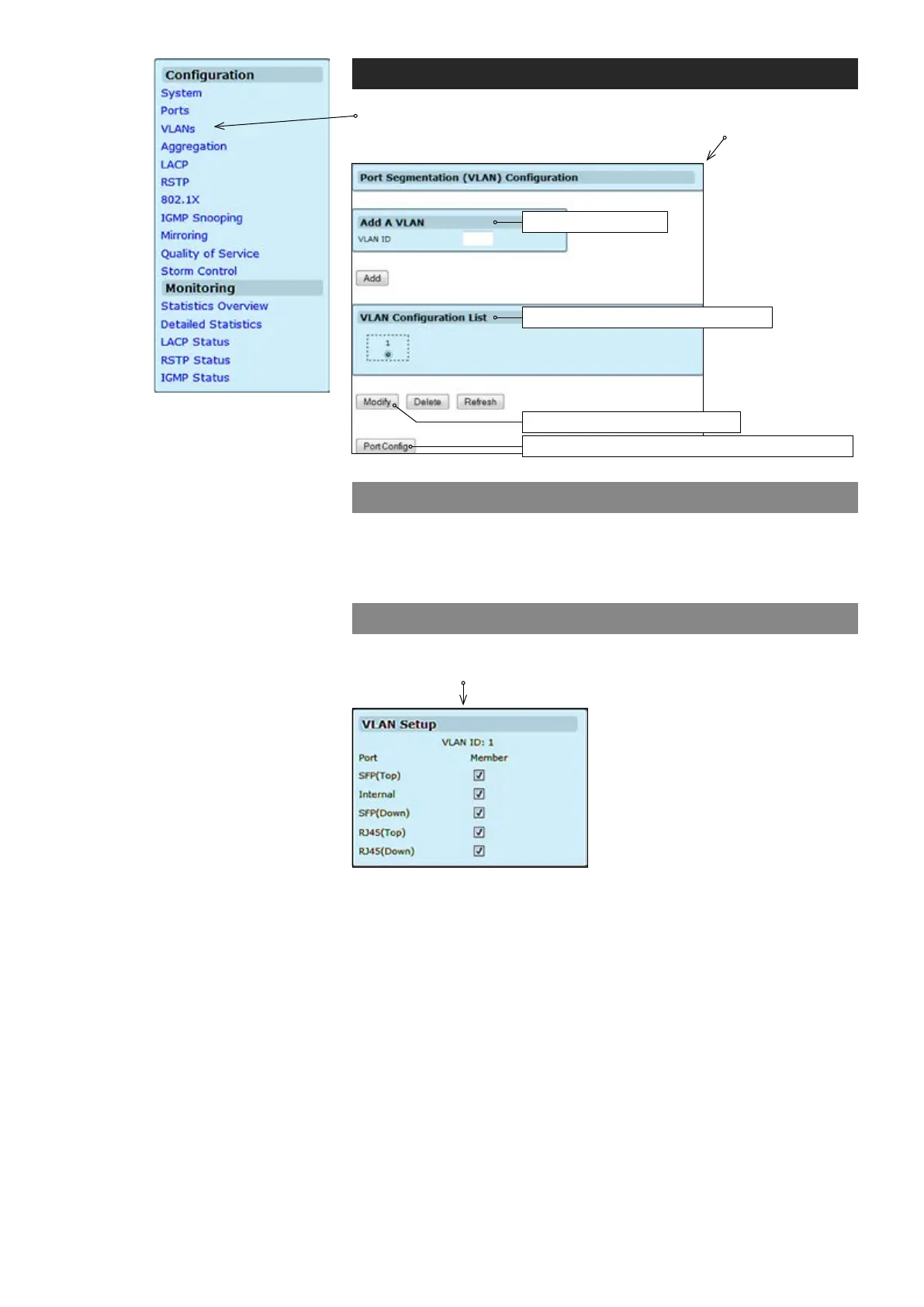
Port segmentation (VLAN) conguration
Sets VLAN ID (identication of the VLAN).
Adds the VLAN specied in the VLAN ID eld to the VLAN Conguration list.
VLAN setup
Click “Modify” button on the VLANs page. VLAN Setup page appears
on the screen.
Shows available ports.
Adds the VLAN specied in the VLAN ID eld to the VLAN Conguration list.
VLAN ID:
VLAN Conguration List:
Port:
Member:
VLANs conguration
Click “VLANs” under the Conguration menu. Port Segmentation
(VLAN) Conguration page appears on the screen.
Shows the list of available VLANs
Opens VLAN Setup subpage
Opens VLAN Per Port Conguration subpage
Adds a new VLAN



 To Next Page