66 MPH200 series video encoders WebUI user manual
Aggregation – introduction
Link aggregation (trunking) allows any number of ports to be grouped
together automatically using Link Aggregation Control Protocol (LACP),
or manually, to form an ultra-high-bandwidth connection to the network
backbone, which helps prevent trafc bottlenecks. MPH200 Ethernet
Switch supports LACP.
Link aggregation (IEEE Std 802.3ad) describes a way of aggregating
multiple links together to form what appears to be a single link. The
goals are to increase bandwidth and to reduce the risk of link failures.
Link aggregation groups can be dened statically.
The system provides up to four link aggregated groups. Aggregated
links may be dened, each with up to four member ports, to form a
single link aggregated group. Link aggregated groups provide:
• Fault tolerance protection from physical link disruption
• Higher bandwidth connections
• Improved bandwidth granularity
• High bandwidth server connectivity
• Link aggregated group is composed of ports with the same speed,
set to full-duplex operation.
The software will automatically detect that a link has gone down and
then reassign packet distribution on the other links in the group.
MPH200 Ethernet Switch supports ingress and egress port aggregation
in accordance with IEEE Std 802.3ad. Any number of ports can be
aggregated into any number of groups. Frames are distributed among
the aggregated ports by an advanced frame distribution function, which,
through conguration, can use the following information:
• Source and destination MAC addresses
• Source and destination IP addresses
• TCP/UDP port numbers for IPv4 packets
• Flow label for IPv6 packet
• Pseudo-randomization
Note! If port mirroring is enabled and mirrors frames to a port in
an aggregation group, all mirrored frames go to the mirror port
without reecting the other ports in the aggregation group.
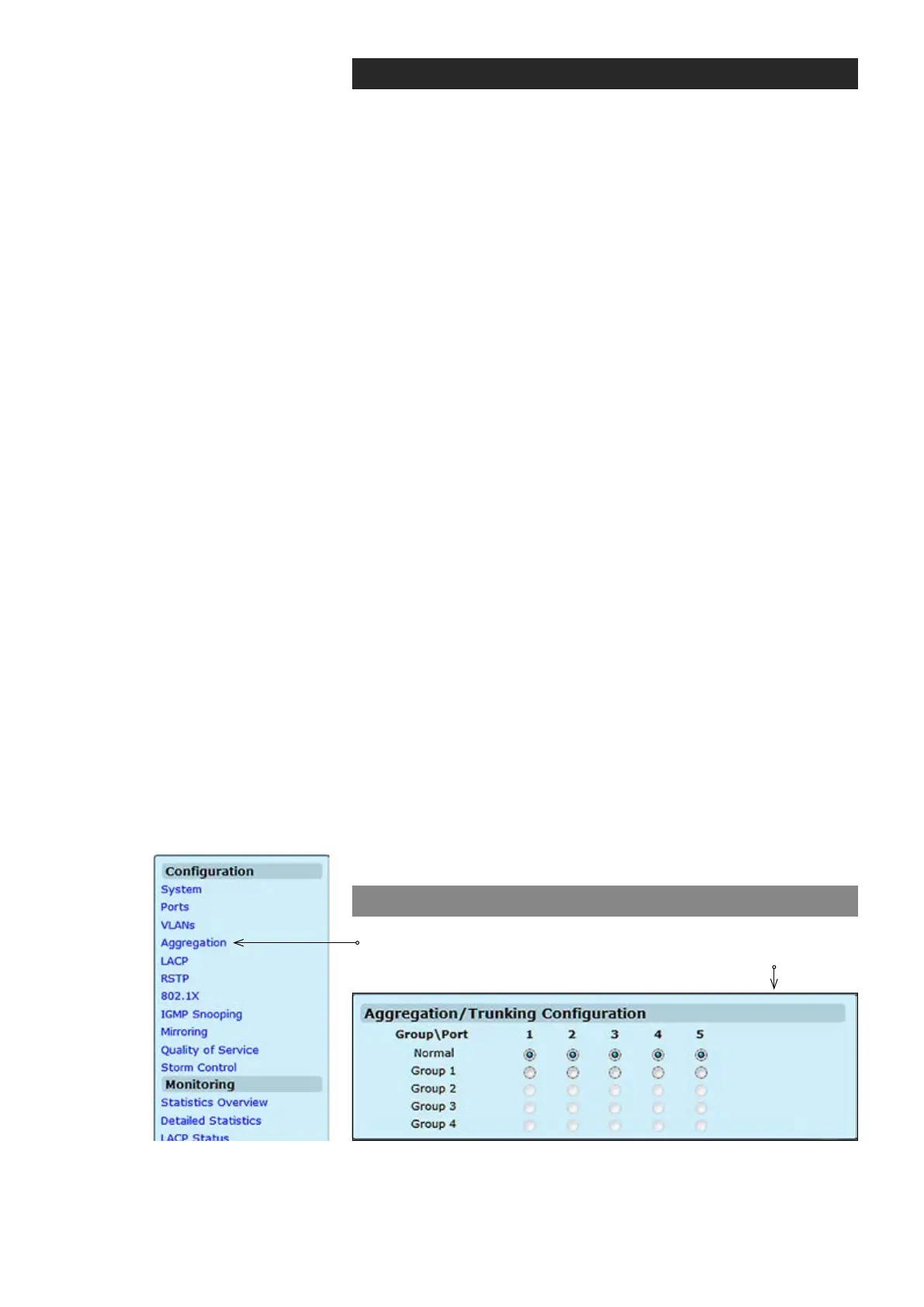
Aggregation conguration
Click “Aggregation” menu under the conguration heading. Aggrega-
tion/Trunking Conguration page appears on the screen.
Ethernet port number.
Click the tick-box of the port you would like to add to the link aggrega-
tion groups (LAGs).
Group \ Port:
Normal / Group1-4:



 To Next Page