77 MPH200 series video encoders CLI user manual
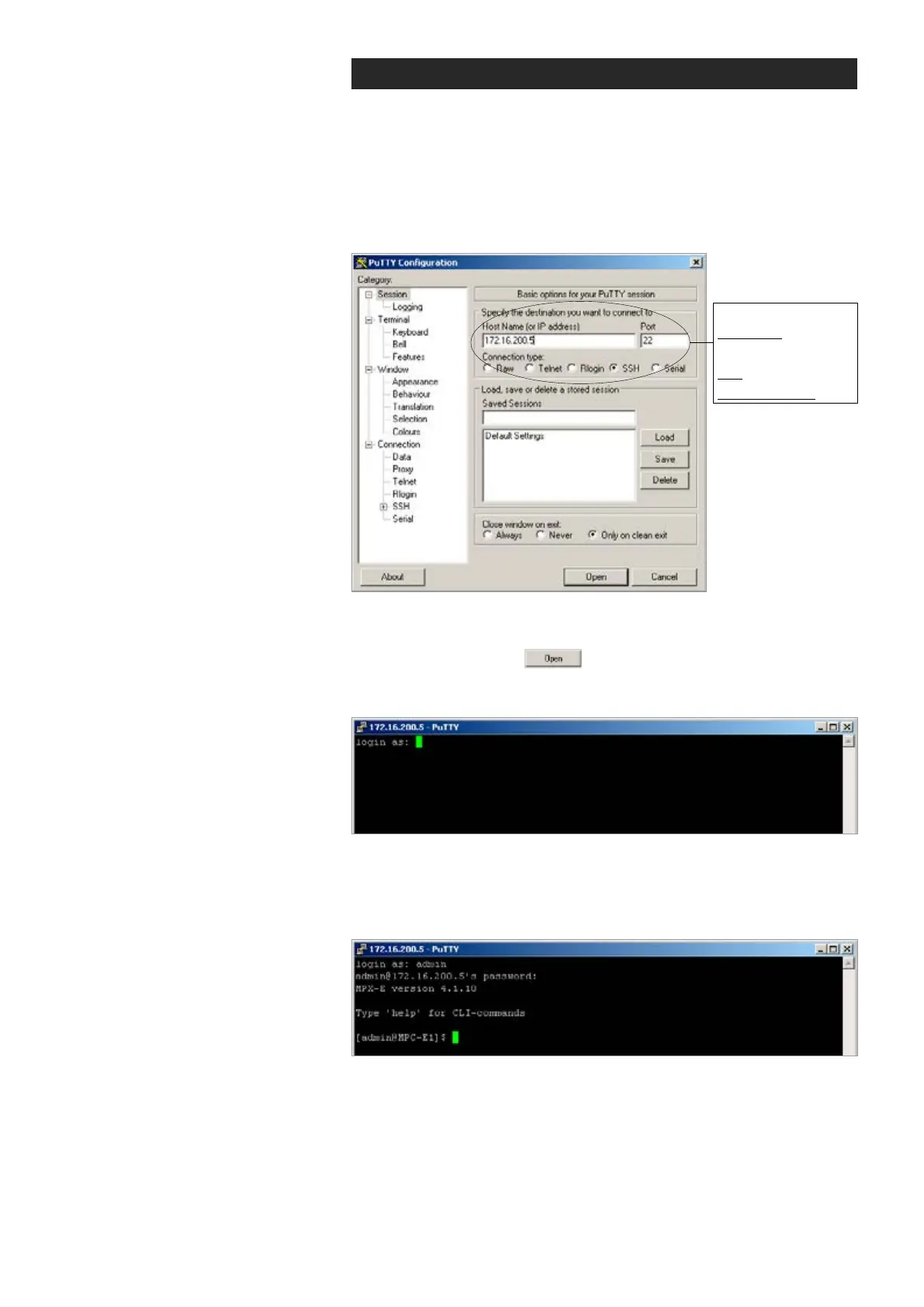
Required settings:
IP address:
Device IP address
Port: 22
Connection type: SSH
Connection methods - TCP/IP
This chapter describes how to connect to CLI via TCP/IP connection
using Putty terminal emulator application. The same menus that are
displayed on a local terminal are instantly available over an IP network.
1.
Start the PuTTY application. Wait until the following “PuTTY Congura-
tion” window appears on the screen:
PuTTY application view (Windows XP).
2.
Enter the device IP address into the “Host Name (or IP address)”
address bar and click to continue.
The following “PuTTY” window appears on the screen:
Telnet program view.
3.
Enter the required user name and the password. The following
“172.16.200.5 - PuTTY” window appears on the screen:
The CLI connection to MPH series video encoder is now completed and
you can now use the CLI commands to management the device.
The CLI connection can be terminated by entering command exit.



 To Next Page