10. Wireless Conference
Access Point (WCAP)
10.1. Introduction
All communication to and from the wireless units
is controlled by the WCAP.
10.2. Installation
10.2.1. General
10.2.2. Wall Mounting
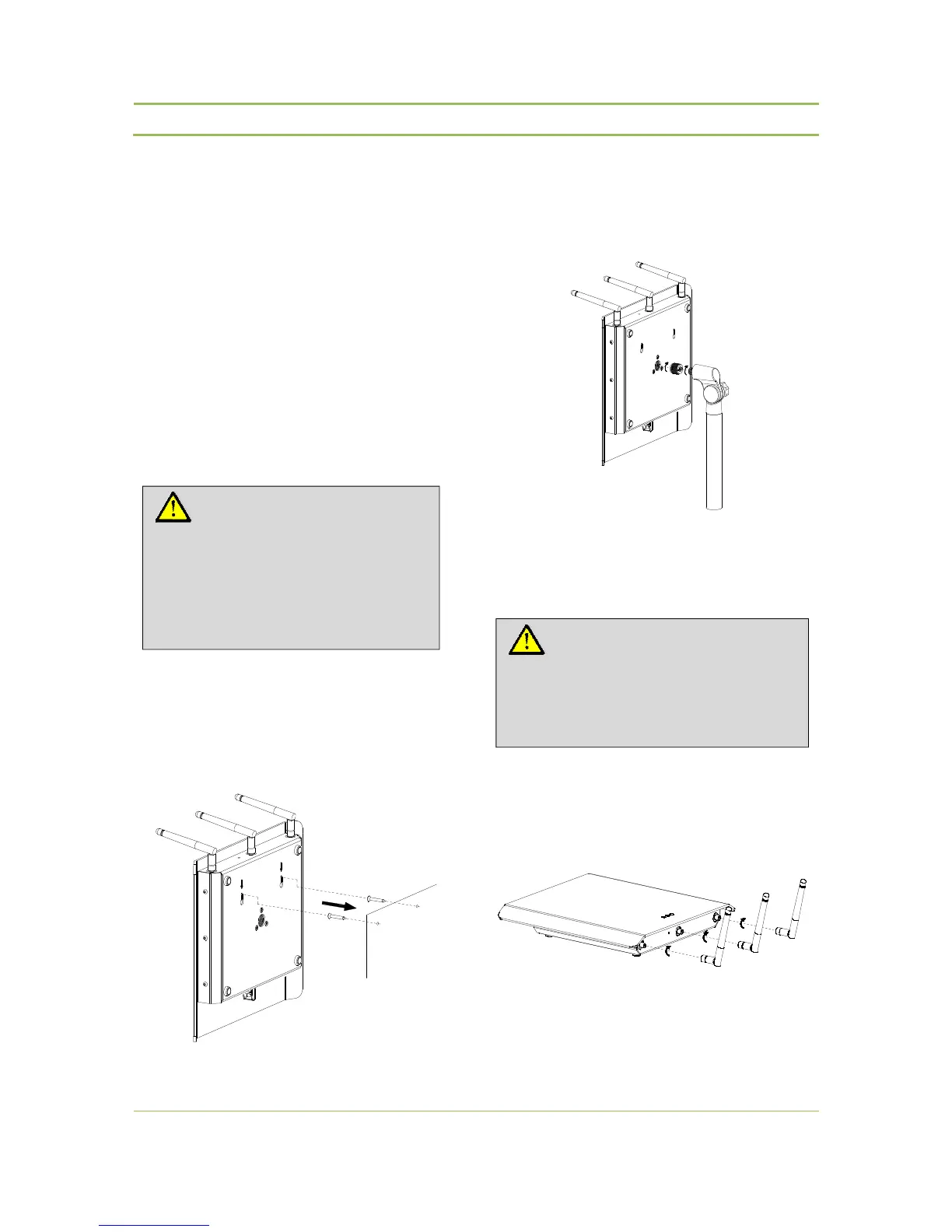
The WCAP can be mounted on the wall by means of
the 2 fixing holes at the bottom side of the device
Figure 10.1: Wall mounting
10.2.3. Tripod Mounting
The WCAP can also be mounted on a tripod.
Figure 10.2: Tripod mounting
10.2.4. Antennas
The WCAP has 3 antennas which can be positioned in
different directions independent from each other.
10.3: Antenna mounting
Caution:
Do not open the wireless access point.
Opening the wireless access point may
cause permanent damage to the
device. Opening WCAP is only
allowed by qualified personnel.
Caution:
Only use antennas supplied by Televic.
Use of other antennas can cause damage
to the unit and reduce system
performance.



 To Next Page