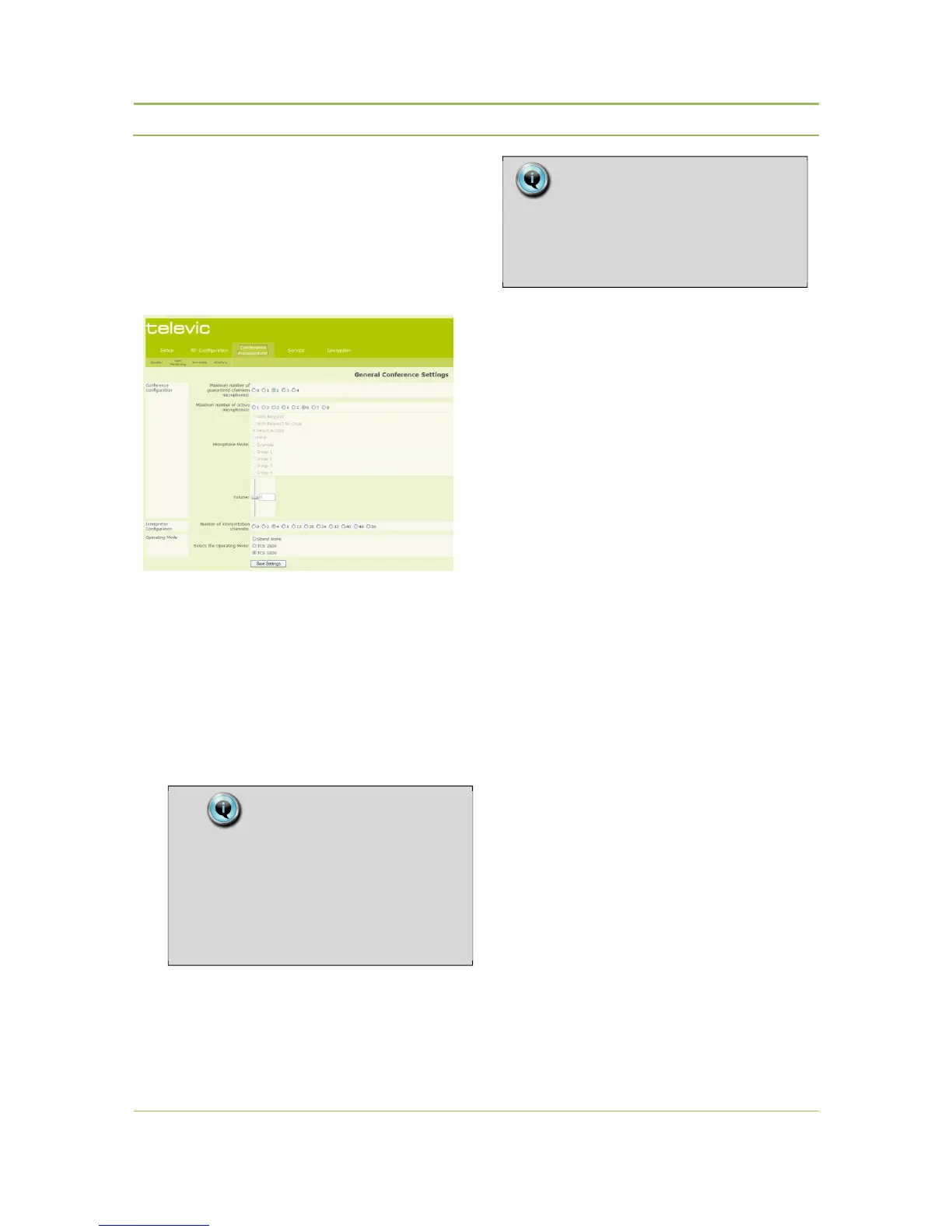
12.3. Conference
Management
12.3.1. General
Conference Configuration
− Maximum Number of Guaranteed Chairman
Microphones:
Defines the maximum number of chairmen
microphones that can be activated on top of the
already active microphones , even if the
maximum number of active microphones is
already reached. The system can handle a total
number of max. 8 active microphones , including
chairman microphones.
− Maximum Number of Active Microphones:
Defines the maximum number of simultaneous
active microphones. The system can handle a
maximum number of 8 active microphones.
− Microphone Mode:
Defines the conference mode.
With Request:
Enables the participant to send a request to
speak to the chairman or conference operator
by pressing the microphone button (or to cancel
his request by pressing the microphone button
again). Once the floor is requested, the green
LED on the right side of the microphone button
will flash. This means that the conference unit is
in request mode.
The chairman or conference operator grants the
participant the permission to speak by using the
NEXT button or by clicking the green
microphone on the computer screen in case the
Confidea wireless system is connected to a
central unit and PC control software is used.
While the conference unit is in request, the
indicator ring of the microphone will flash.
With Request No Clear:
Enables the participant to send a request to
speak to the conference operator or chairman.
However, he cannot cancel his request. The
chairman or conference operator grants the
participant the right to speak by using the NEXT
button or by clicking the green microphone on
the computer screen in case the Confidea
Remark:
Max 1 chairman can be used in stand-alone
mode. The Confidea CS software or
Confidea central unit can be used if more
than 1 chairman units are required.
Note:
Choosing a high number of active
microphones will limit the number of
interpretation channels.



 To Next Page