13. Initialization
13.1. Introduction
The system can be controlled by the WCAP in stand-
alone mode or together with the Confidea CU /
TCS5500 Central unit in coupled mode.
In stand-alone mode it is not required to initialize the
units. However, if you want to authorize the wireless
units that will be connected into the system you can
follow the unit initialization procedure.
In coupled mode, the same initialization procedures
have to be followed as defined in the documentation
from the central unit.
To personalize the system and to further extend the
confidentiality of your wireless conference system a
unique encryption key can be defined.
13.2. Stand-alone mode
13.2.1. Access modes
When you use the Confidea wireless system in stand-
alone mode, i.e. with no connection to a Confidea CU
or TCS5500 central unit, the WCAP is responsible for
the unit initialization and access control.
In stand-alone mode, the WCAP supports two kinds
of access: open access and controlled access.
− Open access: This is the default mode. Any unit
can connect to the WCAP without authorization
procedure
− Controlled access: a unit can only connect after
going through an initialization and authorization
procedure.
13.2.2. Selecting the Access Mode
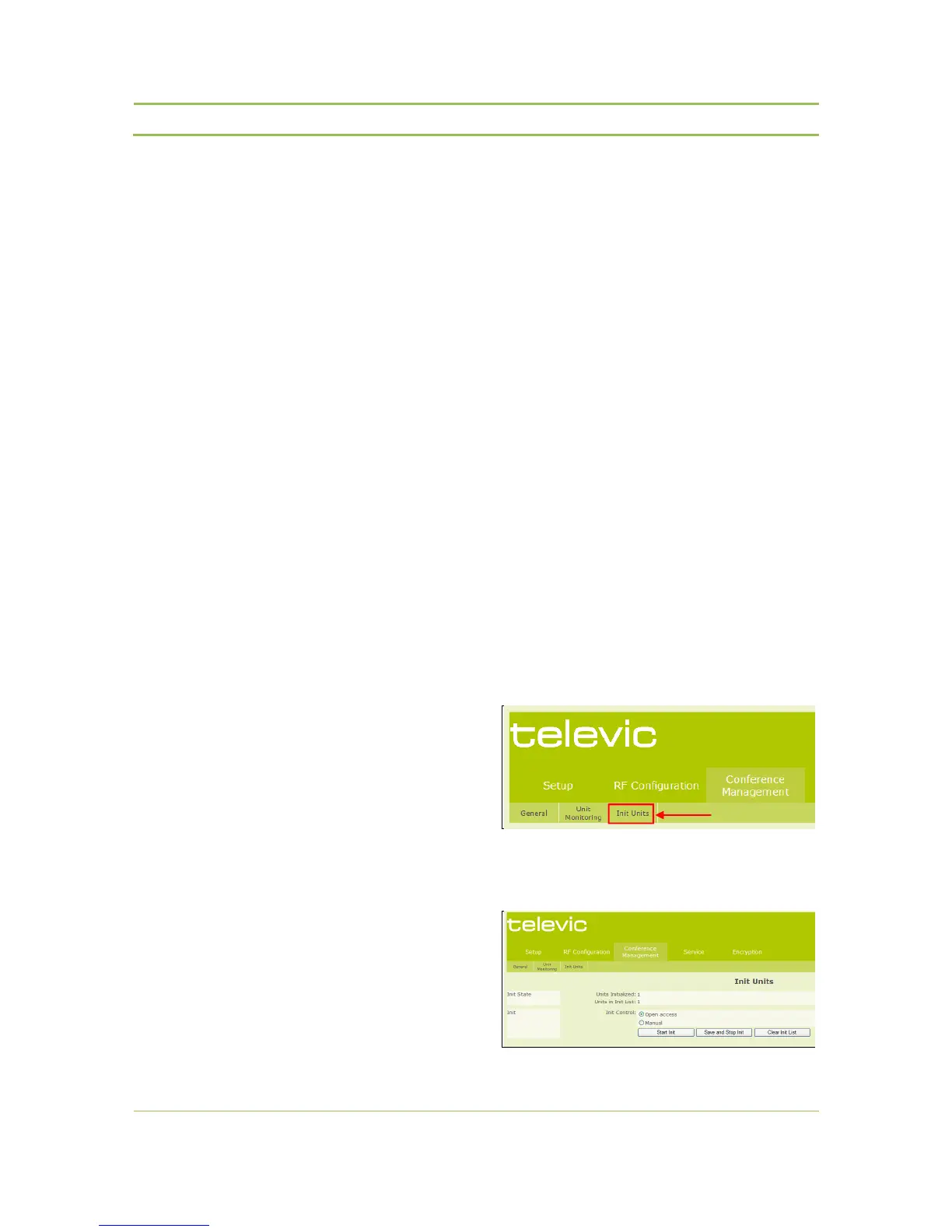
To select the desired access mode go to the “Init
Units” sub tab in the “Conference Management”
menu from the web server (refer to Figure 13.1)
Figure 13.1: Web server init page selection
The following screen will appear:
Figure 13.2: Unit init page



 To Next Page