Assigning multiple IP Addresses (IP – Aliasing)
To use multiple tcp_ip addresses on your PC , set a
fixed IP address first as explained above and add the
appropriate Subnet Mask , Default Gateway and the
DNS server addresses.
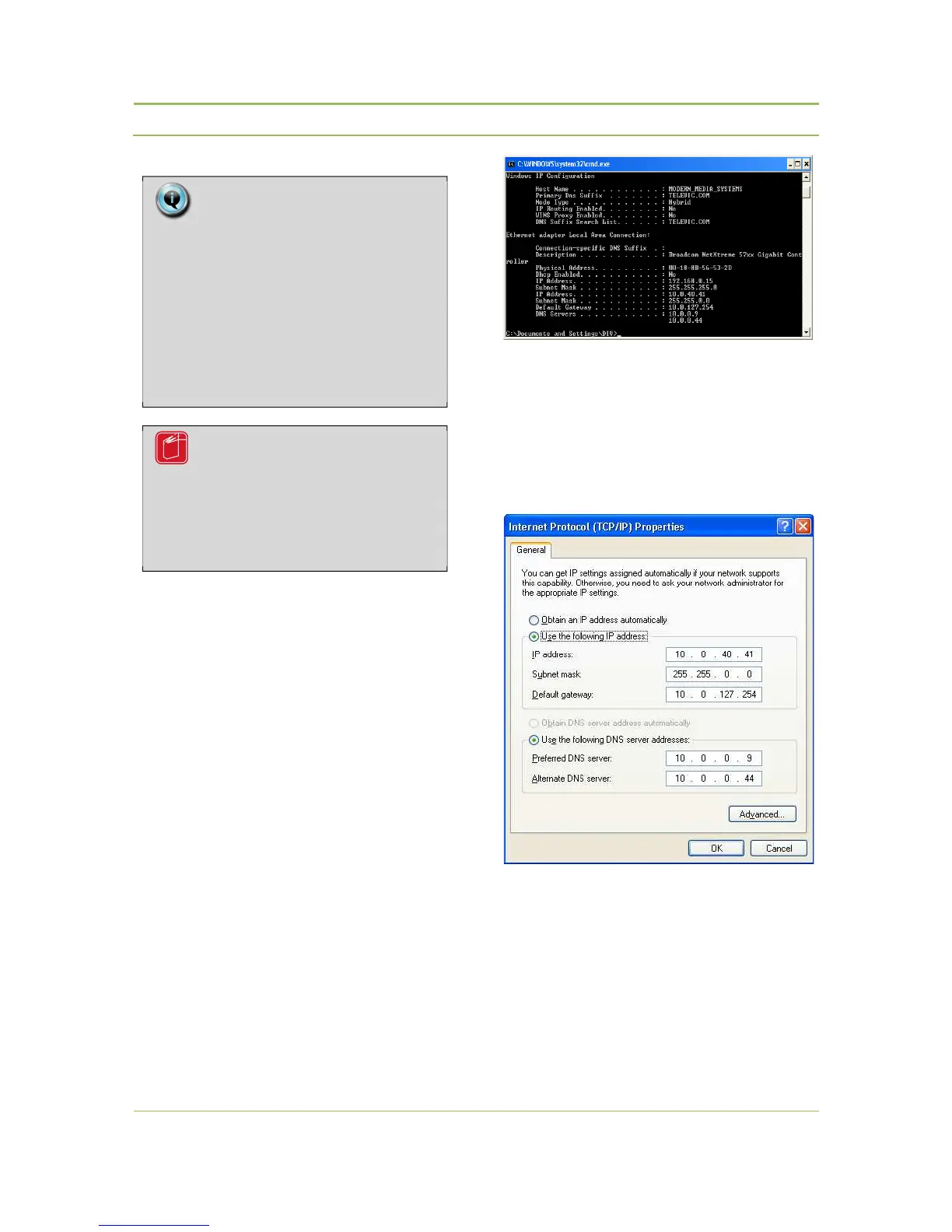
The Default Gateway and DNS servers can be
determined by executing the command ipconfig /all
in a “cmd” screen
Windows XP : click on Start > RUN > cmd
Windows Vista : click on Start > All Program Files >
Accessories > Command Prompt
(refer to Figure 11.15 : Command prompt ).
Figure 11.15 : Command prompt
In this example the PC has normally “10.0.40.41” as
IP address. Now IP Address “192.168.0.15” (e.g.) has
to be added to be able to access the web-server of
the WCAP.
Figure 11.16 : DNS and Gateway settings
Next click on “Advanced” and “Add”… to add IP
Address(es) and click 2x OK. (refer to Figure 11.17:
Adding IP-Addresses).
Note:
If you have a proxy server or firewall
installed on your computer check the
connection restrictions to the WCAP IP
address and content that uses java
scripts.
Please refer to the documentation that
came with your installation for the
correct settings.
Reference:
Please refer to the documentation that
came with your PC or MAC installation
for additional information and the
correct settings.



 To Next Page