GREER COMPANY 1918 EAST GLENWOOD PLACE, SANTA ANA, CA 92705 PN W450250 Rev A 06/01/00
TEREX RCI 510 RATED CAPACITY INDICATOR OPERATOR'S MANUAL TEL:(714) 259-9702 FAX:(714) 259-7626
15 of 35
IF THE STOWED JIB PUSH BUTTON IS
PRESSED ON A CRANE THAT DOES NOT
HAVE JIB OPTIONS, THE MESSAGE
“NO
OTHER STOWED OPTIONS”
WILL APPEAR
IN THE INFORMATION DISPLAY. REFER TO
YOUR CRANE RATING MANUAL FOR
DETAILS OF THE OPTIONS ON YOUR
CRANE.
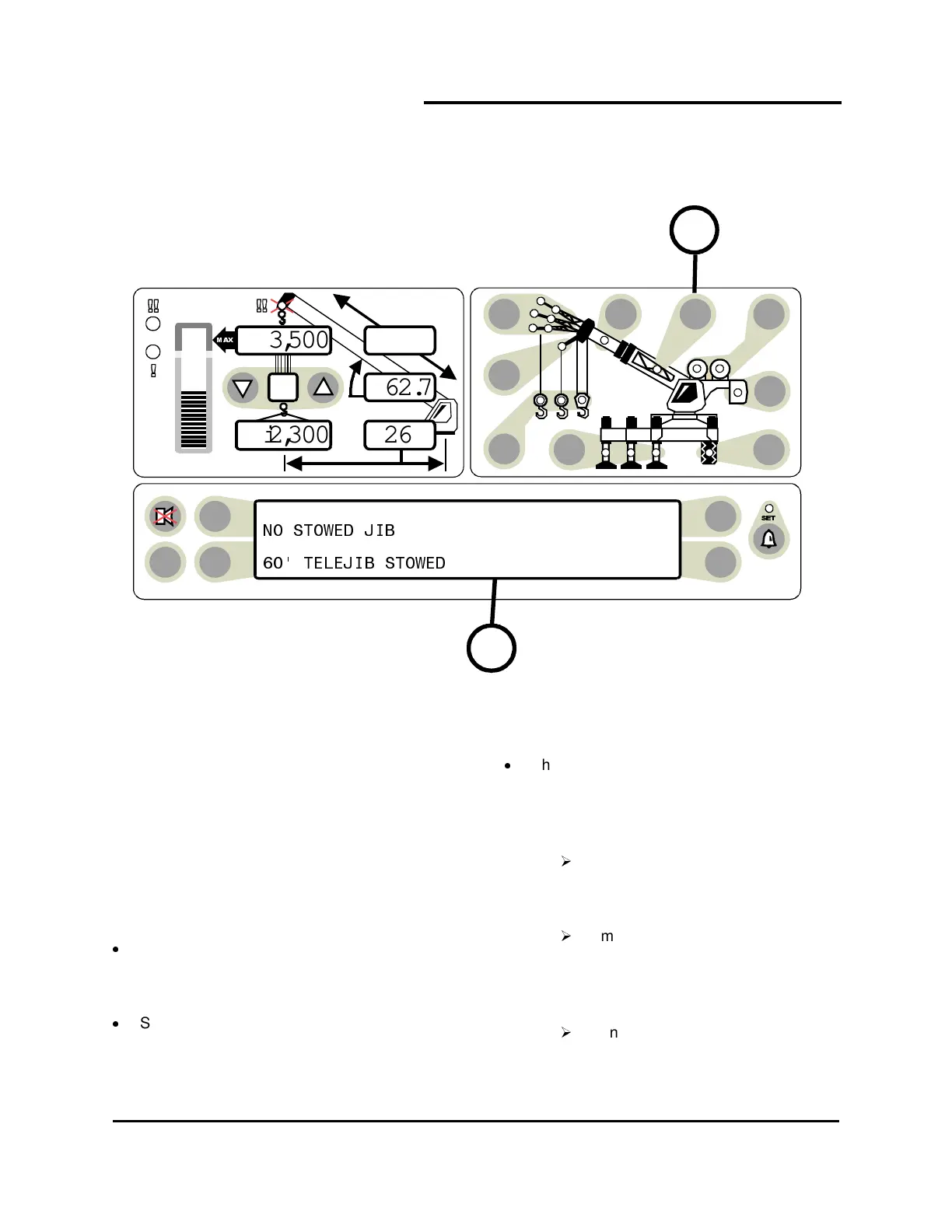
On cranes that have more than one jib
option (fixed, offset, or telejib etc.), the
operator must select the jib to be used.
Start the choice by pressing the
stowed jib
push button
(item 18).
The available stowed jib options will be
displayed in the information screen (1).
There can be four options displayed at a
time, one next to each selection key.
If the required option is visible,
select the option by pressing the
button next to it.
If more than 4 options are available,
a second selection screen can be
viewed by pressing the button next
to the "next" label.
If only a single option is available, it
will automatically be selected.
TEST
6
23,500
i2,300
44.8
62.7
26.4
1
18



 To Next Page