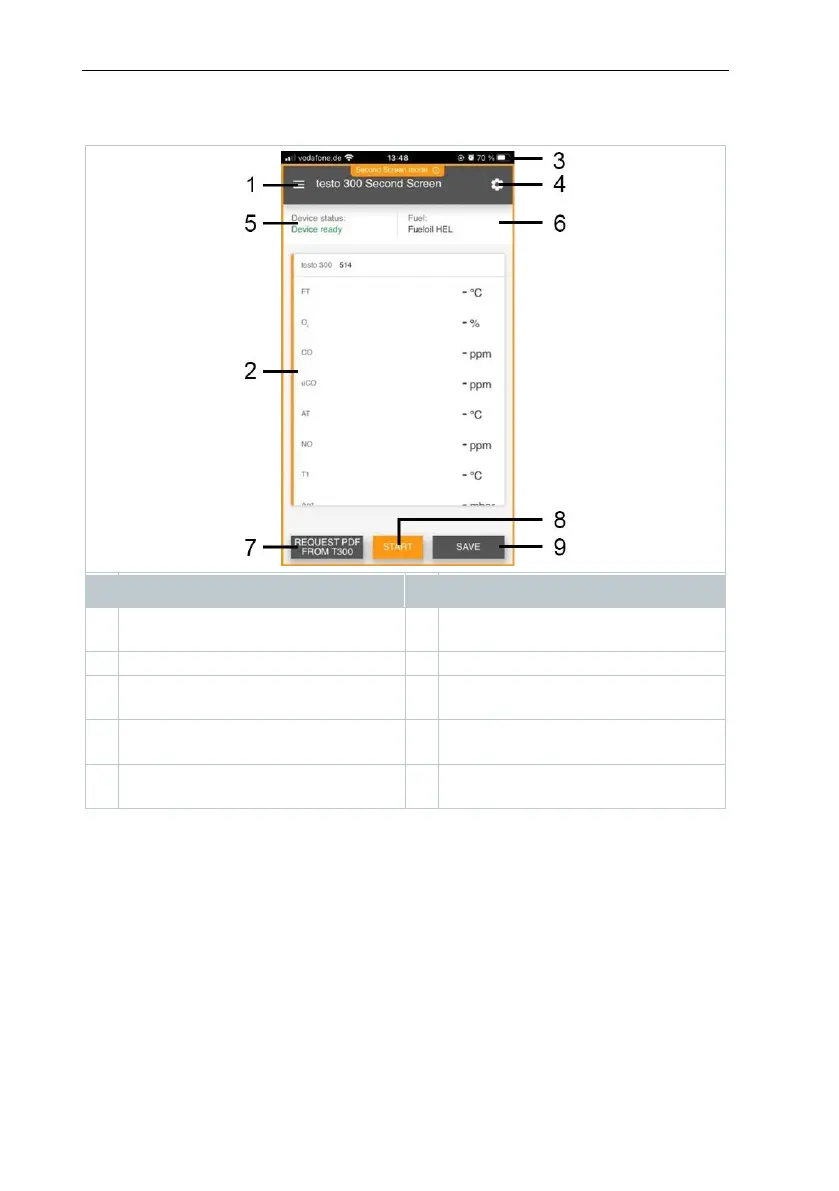
12.7.3.2 Measurement menu – testo 300 Second Screeen
The testo Smart App features several stored measurement programs.
Depending on the measurement task, these enable the user to configure and
carry out the measurement conveniently. To use the testo 300 NEXT LEVEL
with the testo Smart App, only the measurement program testo 300 Second
Screen is relevant.
Basic view
In the Basic View application menu, the current measured values can be read,
recorded and saved. The basic view is particularly suitable for quick and simple
measurements. All Bluetooth
®
probes (apart from testo 300 NEXT LEVEL)
compatible with the testo Smart App are displayed in the basic view.



 To Next Page