12 First steps
26
testo 300 Second Screen
With the testo 300 Second Screen measurement program, all measurement
data of the testo 300 NEXT LEVEL can be transferred to the smartphone or
tablet and the measurement can be controlled from both devices.
12.7.4 Connecting for the first time
Click on the testo 300 Second Screen.
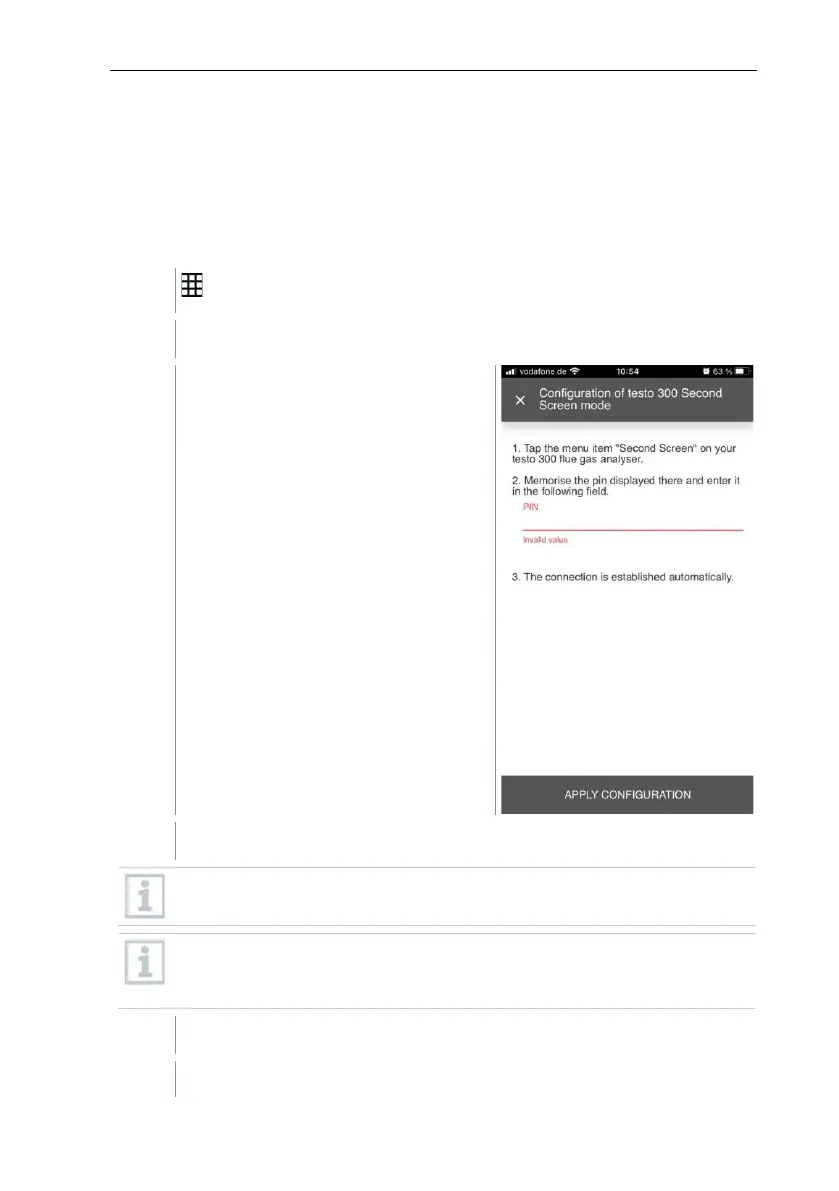
The following window opens.
Follow the instructions and enter the pin in the field provided.
For detailed information on how to obtain the pin, see section 8.2.4
Second Screen.
The PIN only needs to be entered when connecting for the first time.
After that, the configured testo 300 NEXT LEVEL is automatically
recognised by the testo Smart App and the connection is established.
Click on Apply Configuration.
The connection is automatically established.



 To Next Page