14 Performing the measurement
86
14.3.1.1 Edit view
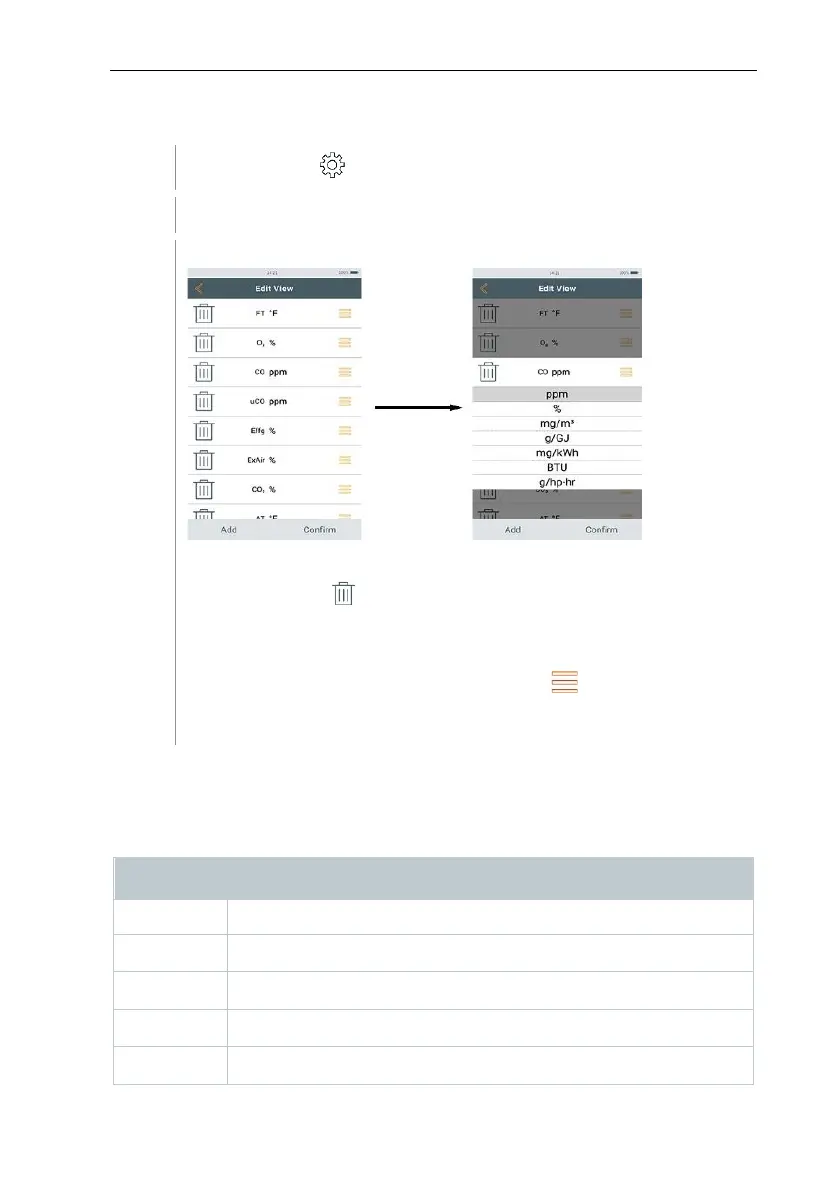
Call up function: | Options | Edit View
Edit View menu is opened.
Measurement parameter
- Add: tap Add to open selection list of measurement parameters.
- Delete: tap on .
- Edit unit: tap on the measurement parameter you want to edit. Tap
on the required measurement unit in the selection list that has been
opened.
- Change position in the list: Press and hold and drag to the
required position.
- Accept changes: tap Confirm.
Selection list (example: Country version Germany)
The overview of measurement parameters (available selection depends on the
chosen measurement type, fuel set and the sensors available in the measuring
instrument):
Combustion air temperature



 To Next Page