EasyManua.ls Logo

TESTO 300 - Page 40

TESTO 300
110 pages
Print Icon
To Next Page IconTo Next Page
To Previous Page IconTo Previous Page
Loading...
13 Using the product
38
4
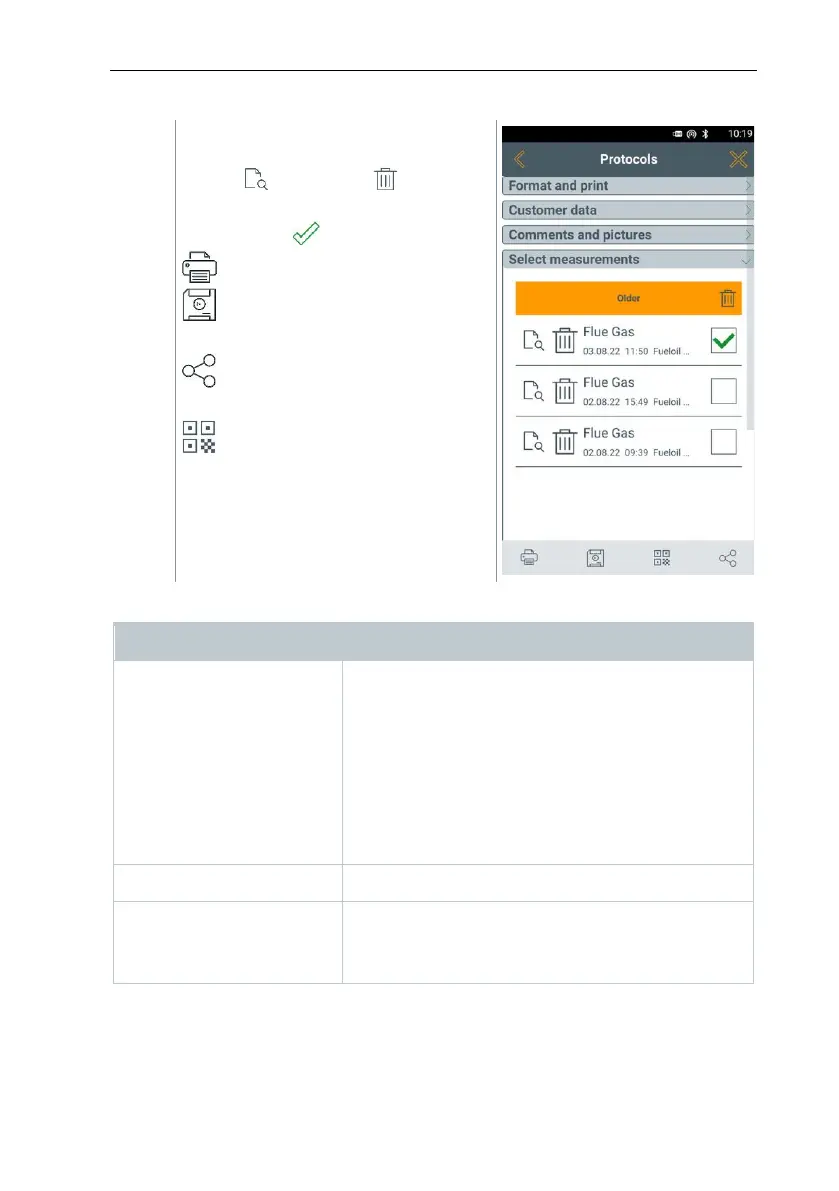
Measurements for the selected
customer/measuring site can be
viewed and deleted .
More options for selected
measurement :
Print readings
Save report
Save and send report
Generate QR code
The following information can be selected/added to create a report.
Category
Description
Format and print
Select output format(s):
- CSV (comma separated text file, e.g. for
Microsoft
®
Excel)
- PDF
- QR
- QR_ZIV
- ZIV 2.00 (XML file, complying with the
regulations of the Guild of Master Chimney
Sweeps in Germany).
Customer data
Enter/add contact details.
Comments and pictures
Enter comments and Add (opens the Gallery).
Pictures are only included when output is in PDF
format.

Table of Contents

Other manuals for TESTO 300

Related product manuals