8 Commissioning
15
Initial charging of the battery
The imager is supplied with a partially charged battery. Charge the battery fully
before using it for the first time.
Connect the country-specific adapter required for the existing mains to
the mains unit.
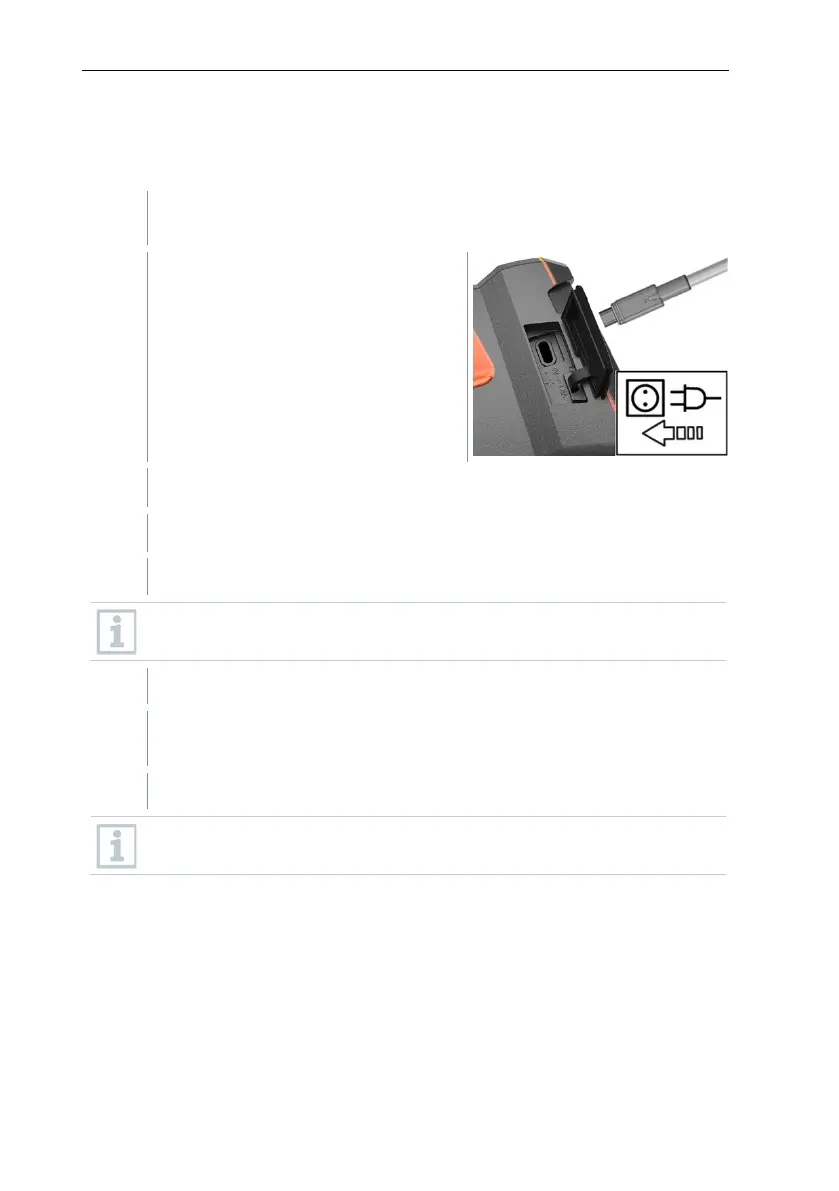
Open the cover on the left side of the
thermal imager.
Connect the mains unit to the USB-C jack.
Connect the USB cable to the USB mains unit.
The thermal imager starts automatically.
The battery can be recharged with the imager switched on or off. This
has no effect on the time required to charge the battery.
Fully charge the battery, then disconnect the instrument from the
mains unit.
After initial charging of the battery, the imager is ready for use.
A desktop charging station (order no. 0554 8801) can also be used to
charge the battery.
Rechargeable battery care
• Do not fully exhaust rechargeable batteries.
• Store rechargeable batteries only when charged and at low temperatures,
but not below 0 °C (best storage conditions are 50-80% charge, at an
ambient temperature of 10-20 °C, recharge completely before using again).
• For longer breaks, you should discharge and recharge the batteries every 3-
4 months. Trickle charging should not exceed 2 days.



 To Next Page