11 Performing the measurement
34
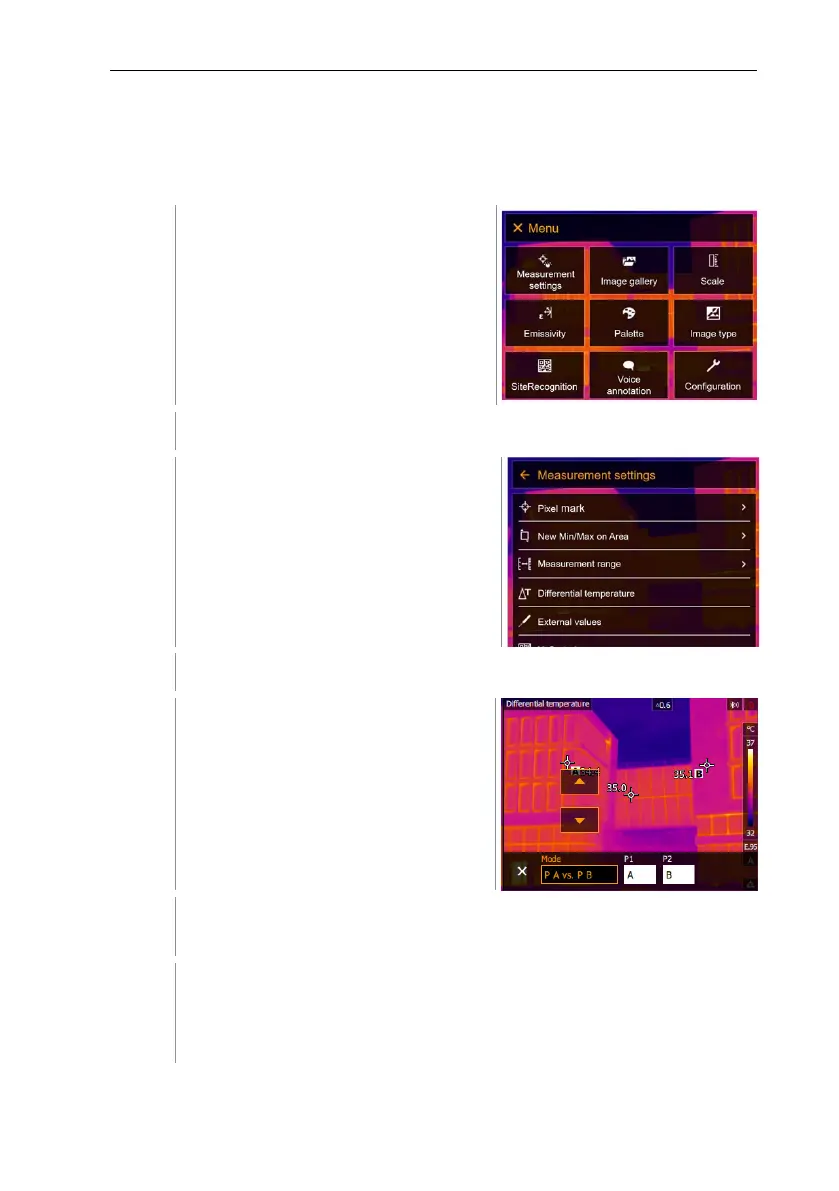
11.2.3 Differential temperature
Differential temperature enables the temperatures between two measuring
points to be calculated.
Select Measurement settings (joystick or touchscreen).
Measurement settings opens.
Select Differential temperature (joystick or touchscreen).
Differential temperature opens.
Select the differential temperature to be calculated (joystick or
touchscreen) (PA vs. PB, PA vs. Probe, PA vs. Value, PA vs. RTC).
o Move the joystick to the right (or via touchscreen) -> select
measuring point A -> press OK -
> move the measuring point to
the live image using the joystick -> press OK.



 To Next Page