11 Performing the measurement
33
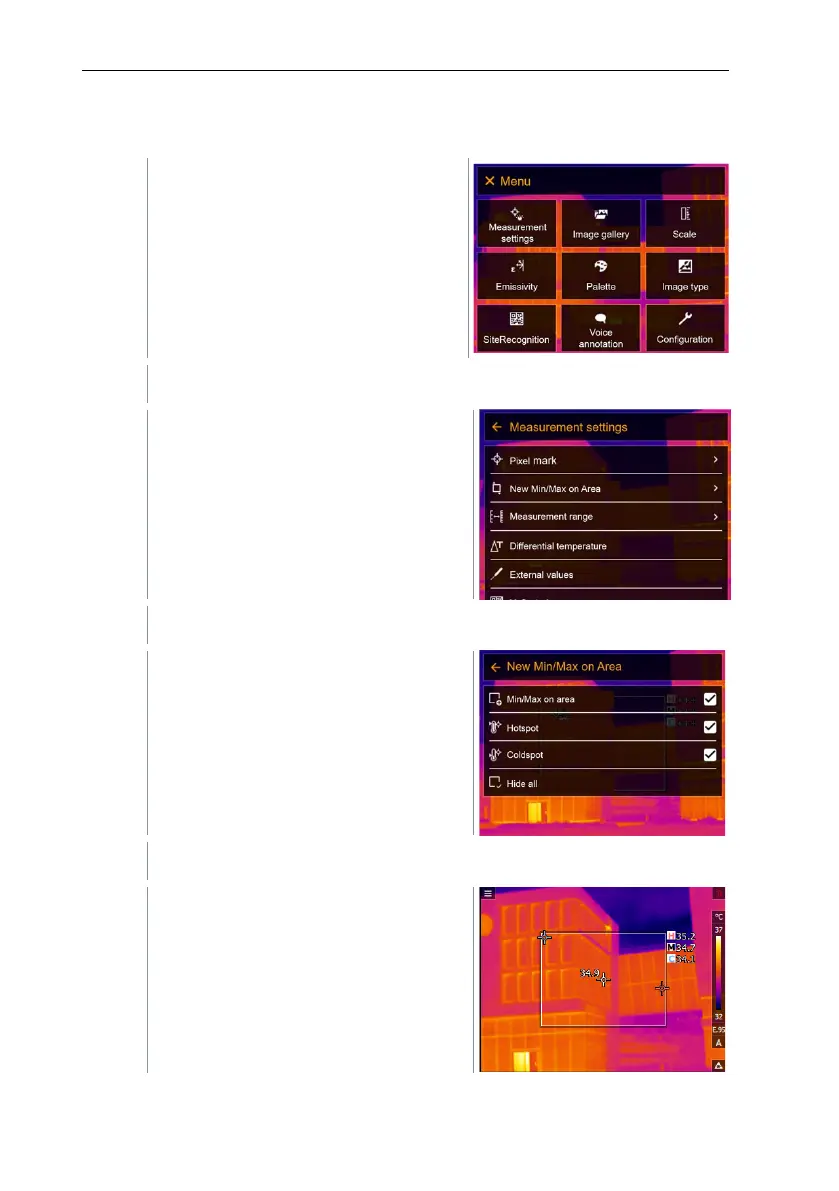
11.2.2 New Min/Max on area
Select Measurement settings (joystick or touchscreen).
Measurement settings opens.
Select New Min/Max on area (joystick or touchscreen).
New Min/Max on area submenu
opens.
Select Settings (joystick or touchscreen).
Measurement view is displayed.



 To Next Page