11 Performing the measurement
44
Delete image
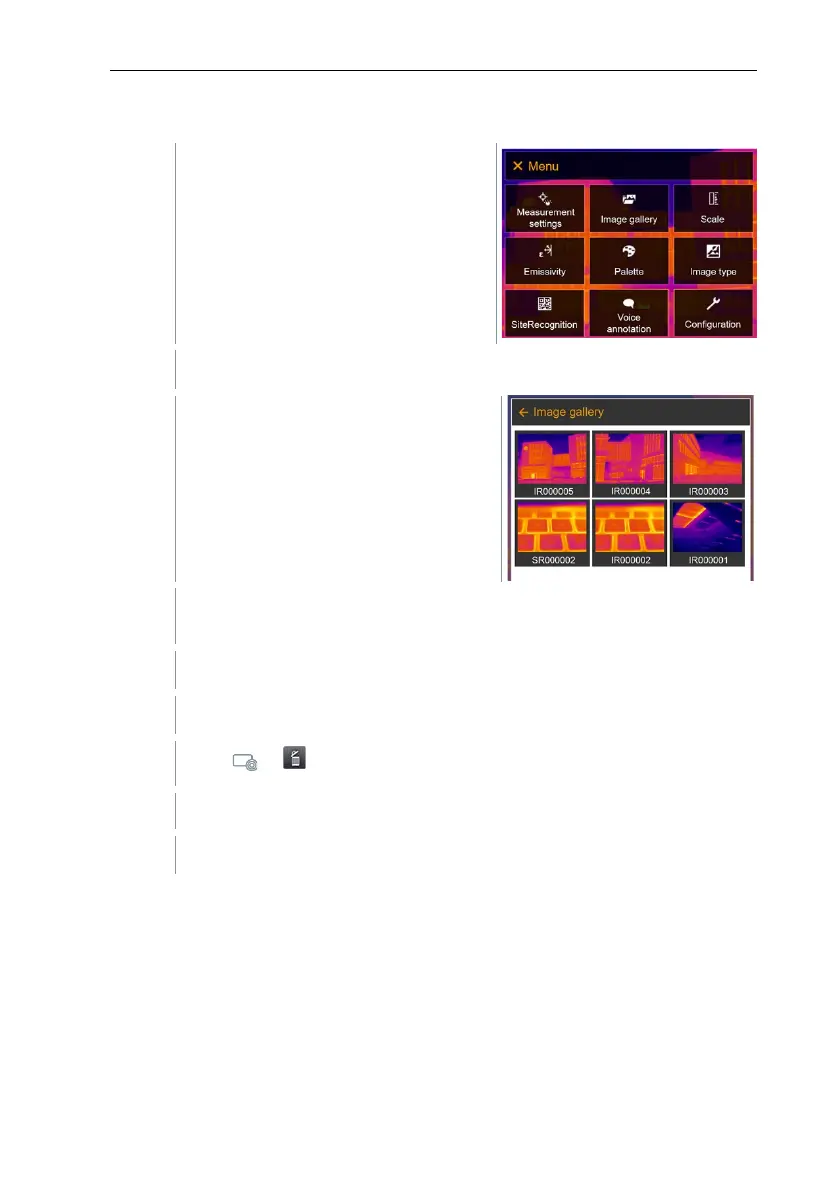
Select Image gallery (joystick or touchscreen).
Image gallery opens.
All saved images are displayed in the form of an infrared image
preview.
Move joystick to select an image.
Press Ok to open an image.
Press or at bottom right.
Delete image? is displayed.
Confirm selection with or exit the menu with X.
11.4 Scale
Manual scaling can be activated instead of automatic scaling (continuous
automatic adjustment to the current min./max. values). The scale limits can be
set within the measurement range.
The activated mode is displayed bottom right: A automatic scaling, M manual
scaling and S ScaleAssist.



 To Next Page