12 Maintenance
82
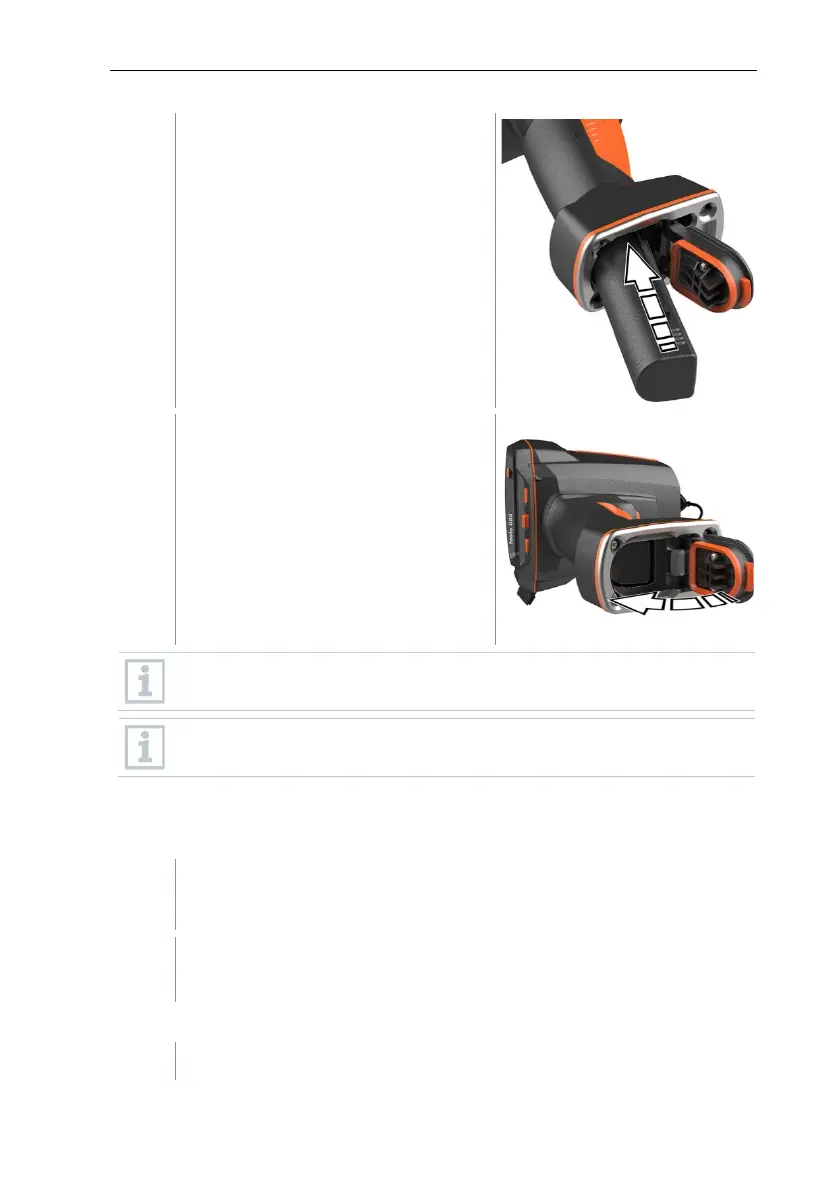
Push the new battery all the way into
the rechargeable battery slot until it
is flush with the bottom of the handle.
Close the battery compartment cover
and secure with the unlocking button.
There is a tripod socket bushing on the base of the imager. A standard
tripod can be used to mount the imager.
The supplied carrying strap can be attached to the tripod socket
bushing.
12.3 Cleaning the instrument
Cleaning the instrument housing
- The interface terminal is closed.
- The battery compartment is closed.
- Rub down the surface of the instrument with a damp cloth. Use mild
household cleaning agents or soapy water for this.
Cleaning the lens
If the lens is dirty, clean it with a cotton bud.



 To Next Page