11 Performing the measurement
47
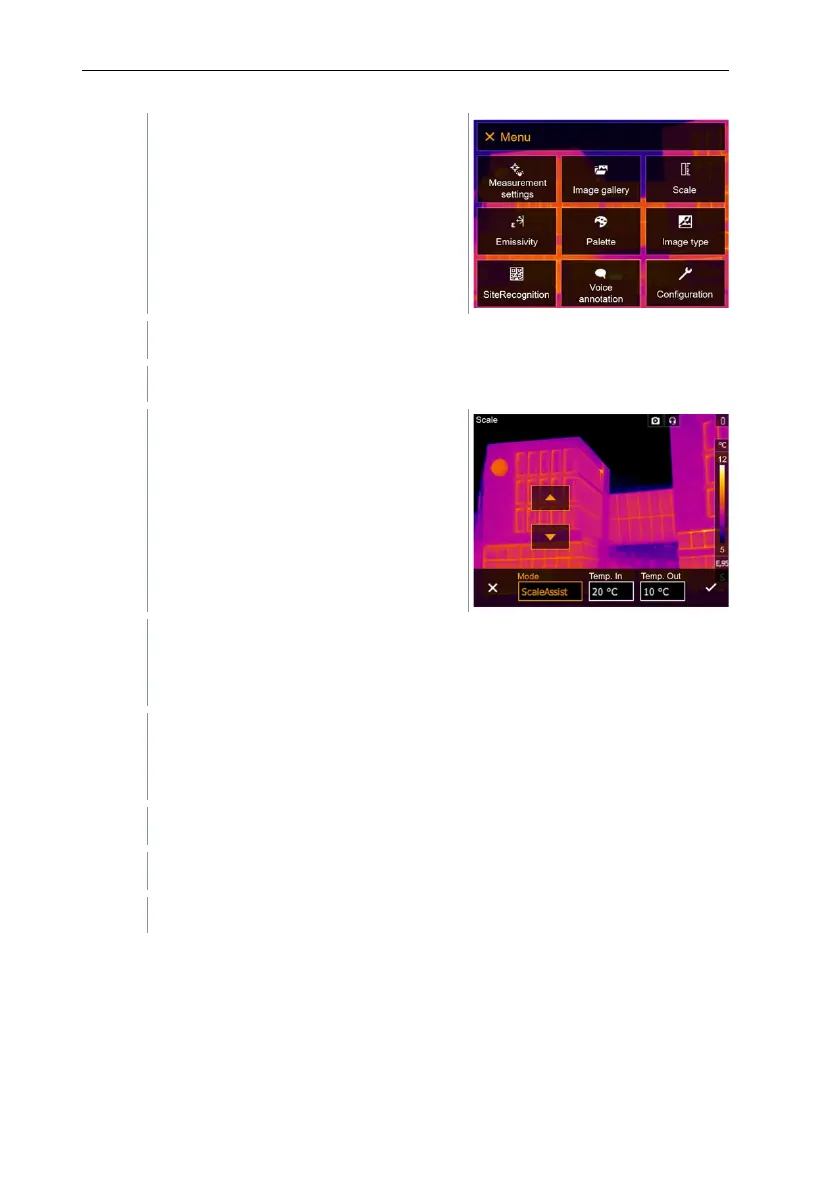
Select Scale (joystick or touchscreen).
Scale opens.
Move the joystick to the right, select Temp. In (indoor temperature).
Move the joystick up/down to set the value.
Move the joystick to the right, select Temp. Out (outdoor temperature).
Move the joystick up/down to set the value.
If necessary, move the joystick to the left, back to the mode menu.
Confirm selection with or exit the menu with X.
Manual scaling is activated. S is displayed at bottom right.
11.5 Emissivity
You can choose between user-defined emissivity and 8 materials with
permanently set emissivity. The reflected temperature (RTC) can be set
individually.



 To Next Page