11 Performing the measurement
53
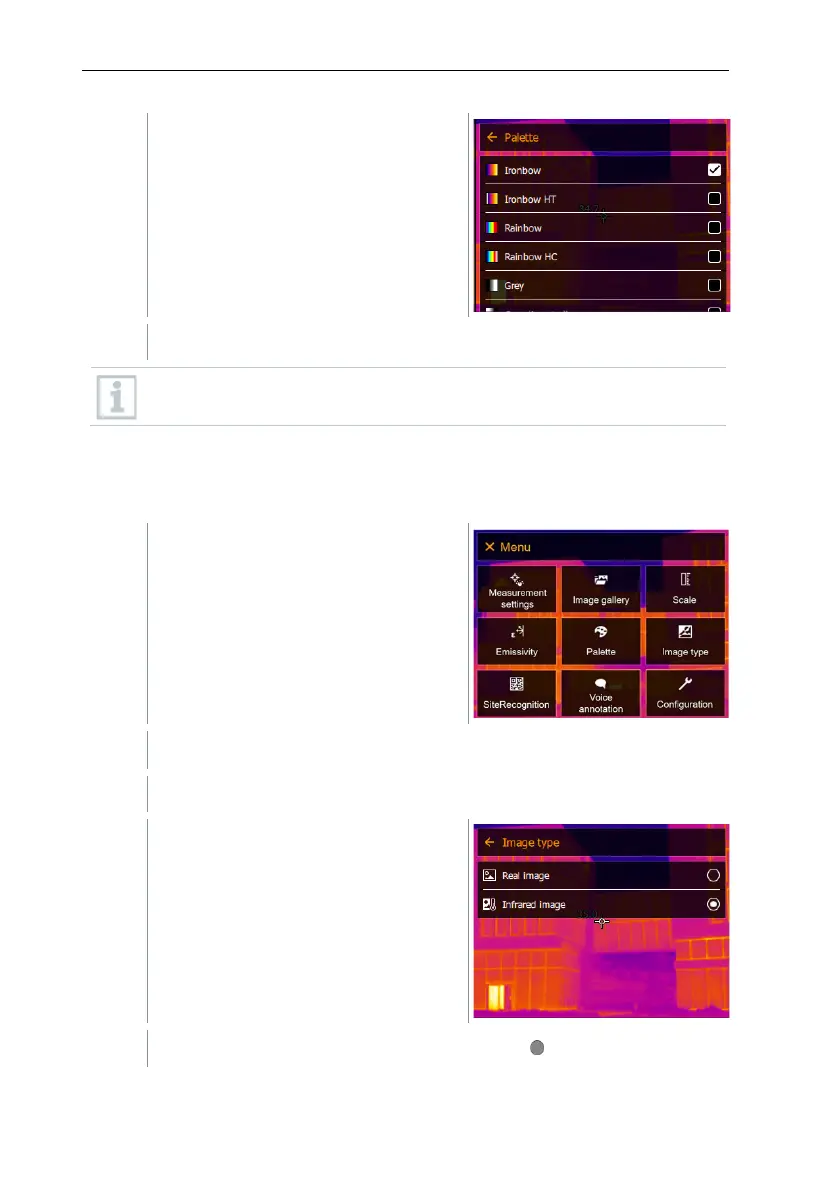
Select the required colour palette
(joystick or touchscreen).
The colour palette is marked
.
In the live image, the palette can be changed by moving the joystick up
or down.
11.7 Image type
The display can be switched between infrared image and real image (digital
camera).
Select Image type (joystick or touchscreen).
Image type opens.
Select the required image type
(joystick or touchscreen).
The activated image type is marked with a dot ( ).



 To Next Page