ACKF01_GB_00 TEXA S.p.A. 103/122
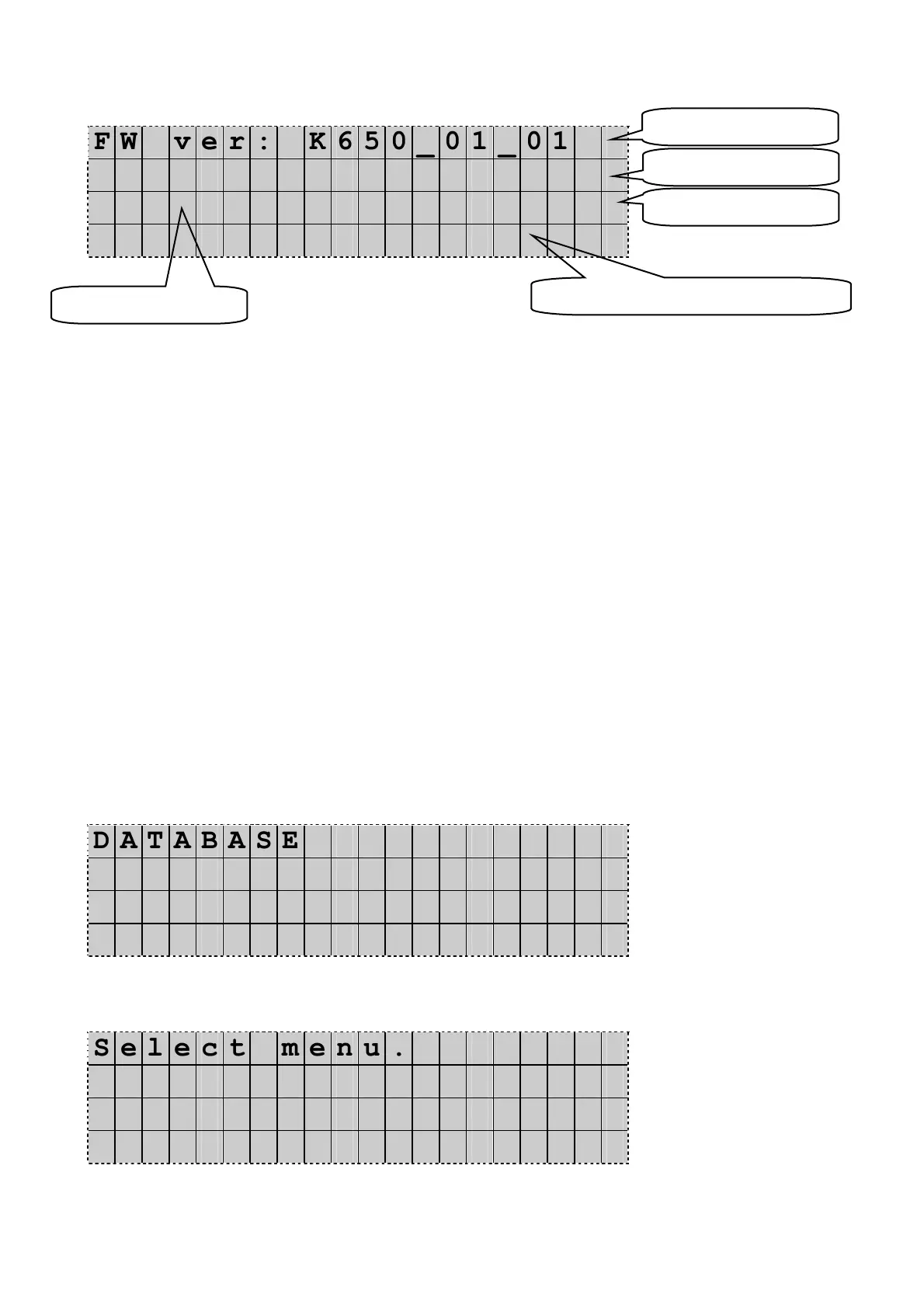
NOTE: If, in Stand-by mode, INFO is pressed, the Display shows:
F W v e r : K 6 5 0 _ 0 1 _ 0 1
D A T A B A S E v e r : X X
N . x x x x x x G G / M M / A A
I T U K E S P T F R D E D K
(Here is in example stand-by display of ECK650E)
The shown datas identify the equipment version.
7.4 Stoppage
Move the Main switch to the OFF position (0) to stop the unit.
Do not stop the unit by removing the plug.
7.5 Emergency stop
Use the Main Switch for emergency stops.Move the Main Switch to the OFF position (0).
7.6 Pressurizing the A/C service station (Only for Konfort 600E series)
The ACKF01 combined with Konfort stations kit is using the liquid refrigerant contained in
unit’s tank as flushing agent. R134a refrigerant has 4,7 bar pressure at 20°C, which means
that the flushing performances are directly depending on tank’s internal temperature.
The program of Konfort unit’s 600E series (evolution 2007) is giving the possibility to
increase refrigerant pressure up to 9 bars in order to optimize the flushing process.
This function is described below:
7.6.1 Pressurizing Konfort ECK 605E, 610E, 610E BUS, 650
When the unit is in stand-by mode press UP or DOWN.
The Display shows:
D A T A B A S E
A d v a n c e d p r o g r a m
O t h e r m e n u s ◄
D D / M M / Y Y H H : M M : S S
Press UP or DOWN to select Other menu. Press Enter to confirm.
The Display shows:
S e l e c t m e n u .
V e s s e l f i l l i n g ◄
S e r v i c e
D D / M M / Y Y H H : M M : S S
Press UP or DOWN to scroll the display and select Multi-Recycling.
The Display shows:
Firmware code
Database code
Activation date
Serial number
Available languages (ISO code)


 To Next Page