iCNC PERFORMANCE
Manual 0-5399 NESTING 5-5
If you load a file that is in DXF-format and that file includes more than one layer, ProMotion® Nest will ask you to select which layers
are loaded to the nesting.
If there are line and/or point markings in the DXF-file, they must be in their own separate layers. Line and point marking layers are
chosen in the same dialog as the profile layers. In the example above the layer “PROFILES” is selected for containing the profiles. The
layer “POWDER” is selected as line marking layer and there is no selected point marking layer.
Select all loads all layers to the nesting.
To speed up the loading process and to cut off all auxiliary elements (like measure lines) ProMotion® Nest starts to load elements
from the DXF file after it has found a certain keyword from the file. Sometimes there is a need to load elements before that keyword.
Raw Load is made for cases like this. It loads every possible element from the DXF file to your nesting.
Other files:
ESSI and EIA files don’t have any layers to choose. Just make sure that your options are set correctly.
See also Line and point marking.
Opening DSTV-files is an optional module
5.3.4 Macro Shapes
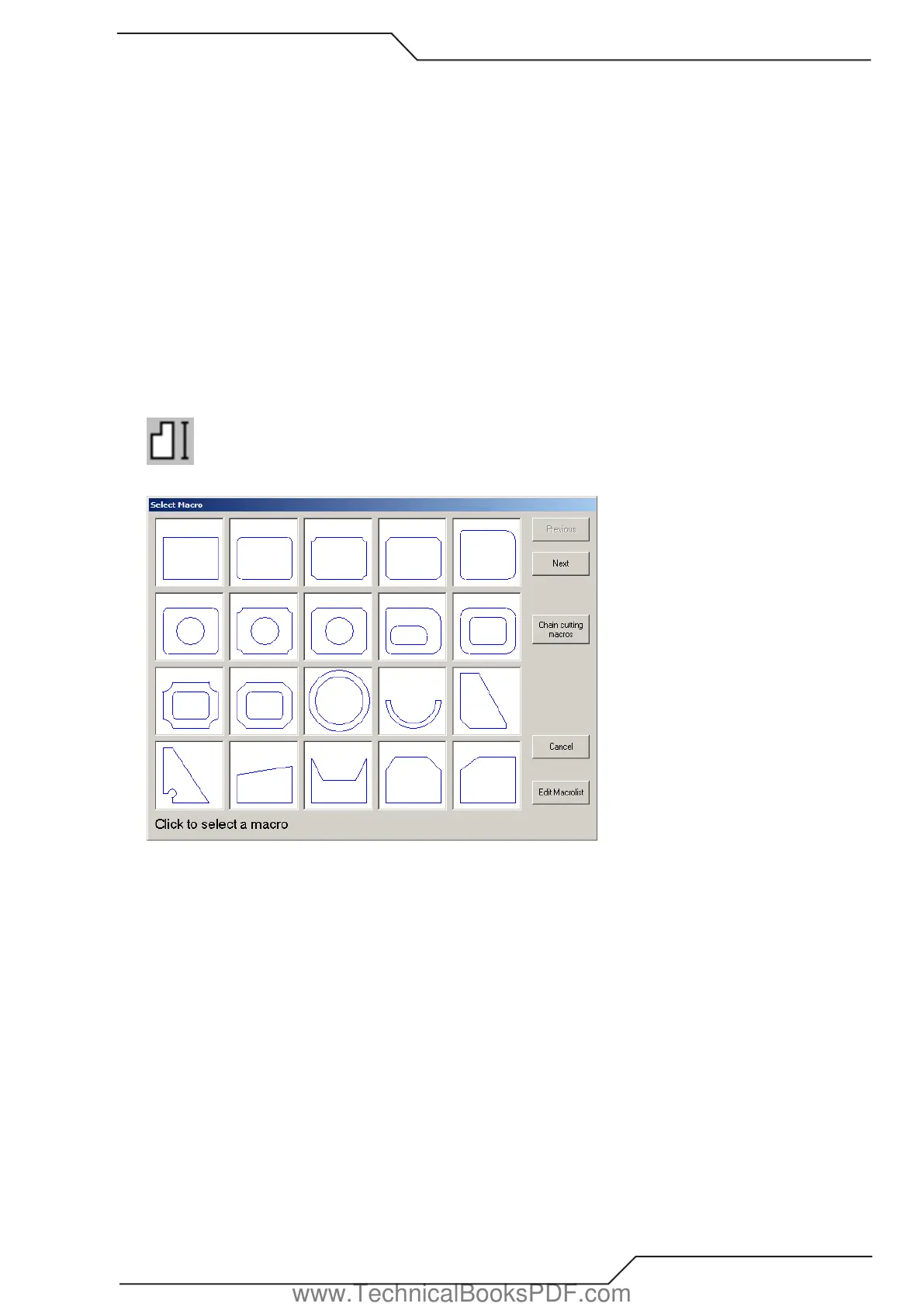
When you select this tool, the macro list window (picture 1) opens. This window displays small images of the available macros.
There are only 20 macros displayed at a time, but you can see more macros by choosing “NEXT” and “PREVIOUS”.
Picture 1.
www.TechnicalBooksPDF.com



 To Next Page