iCNC PERFORMANCE
5-14 NESTING Manual 0-5399
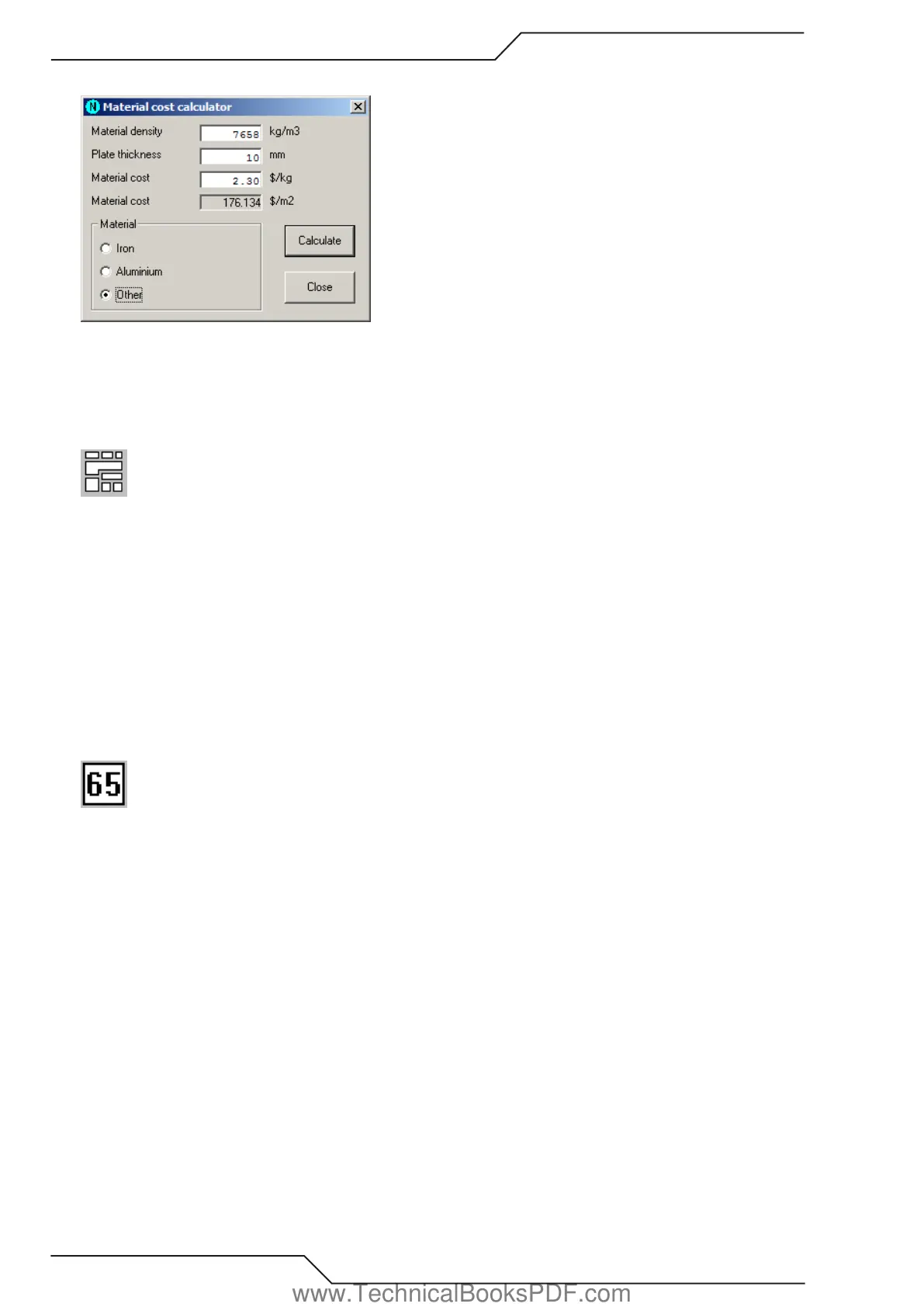
5.3.10 Material Cost Calculator
Use to calculate the price of one square foot (or meter) of your plate. Select first the material from the material frame. If you selected
any other material than the Other, then the calculator automatically sets the material density. Set the plate thickness and the material
price per pound (or kilogram). Choose Calculate and you are ready.
5.3.11 Nest
This tool activates the automatic nesting process. It nests all the parts in the current nesting to the current plate. If you haven’t defined
a special nesting area (see Show nesting area), automatic nesting uses the whole plate. You can modify the process by changing the
nesting options.
In the following cases part is not nested, but moved to the right side of the plate:
• The part does not fit on the plate or on the nesting area.
• There is at least one open profile in the part.
• If you are using multitorch and the number of copies of the part are not evenly divided between the torches, the remaining (modulo)
parts are not nested.
See also MultiNest, Triangle Nest and NestInfo.
5.3.12 Feed Rates
Use this tool to add feed rates (i.e. cutting speeds) to your cutting program. You can set feed rates for individual profiles or elements.
While you are using this tool, you can see several flags with different colors on screen. Each of those flags display what is the feed
rate after the flag. The color of the flag indicates the type of feed rate (i.e.: program, profile and element feed rates). Red flags mean
error and you shouldn’t see them. If you do see a red flag, just reset the feed rate for that element.
Definition of different feed rates:
Program feed rate - The default feed rate for the whole cutting program, if there are no profile or element feed rates set.
Profile feed rate - The feed rate for a single profile. The whole profile is cut with this feed rate, if there are no element feed rates set.
The profile feed rate can be set to program feed rate or custom feed rate.
Element feed rate - The feed rate of a single element which can be set to program, profile or custom feed rate.
Feed rate modes:
Absolute - Feed rates are given in millimeters (or inches) per minute.
Relative - Feed rates are given relative (1-100%) to the current cutting feed rate. This type is supported only in ProMotion® iCNC
controllers. This would be similar to turning the feed rate override potentiometer of the controller.
www.TechnicalBooksPDF.com



 To Next Page