iCNC PERFORMANCE
Manual 0-5399 NESTING 5-15
How to use this tool:
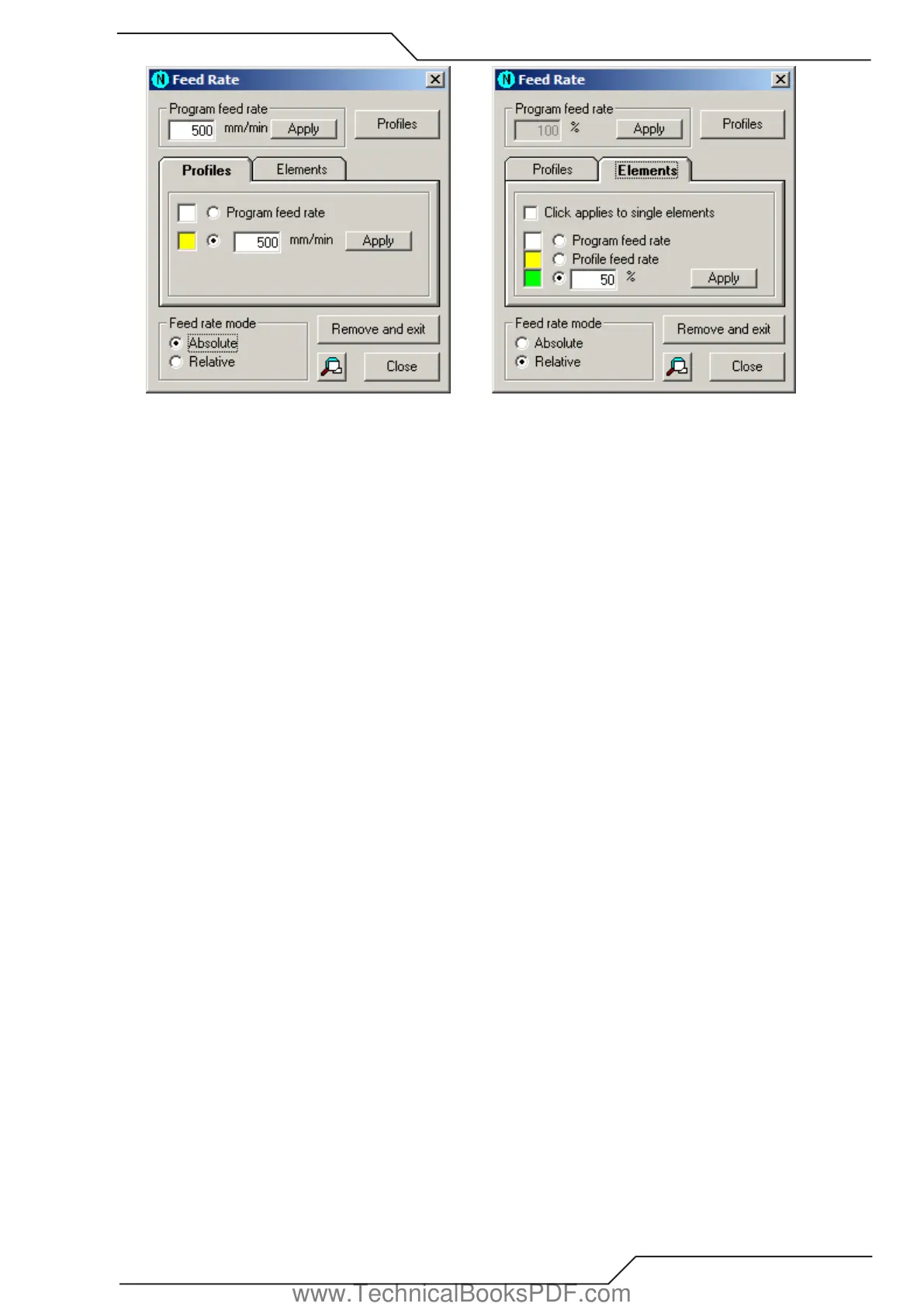
• When you start this tool it requests the program feed rate. This feed rate is set to all profiles and elements, which do not have a
feed rate. If every element already has a feed rate, then the tool starts immediately.
• To change a program feed rate, insert the new value in the corresponding text field and click Apply.
• When you choose the profiles or elements, their feed rates change. If the Profiles tab in on top then your click changes the feed
rate of profiles. It the Elements tab in on top then your click changes the feed rate of elements. Profiles and elements get that feed
rate, which is set in the tab.
• You can set the profile feed rate type in the Profiles tab. If you want to use the custom feed rate, type its value in the text field and
choose Apply. The feed rate that you select here is set to all profiles which you choose after this. This change has no effect on feed
rates which are already set. It is applied only to those profiles that you choose.
• To set the element feed rate type in the Elements tab. If you want to use the custom feed rate, type its value to the text field and
choose Apply. The feed rate that you select here is set to all elements which you choose after this. This change has no effect on
feed rates which are already set. It is applied only to those elements that you choose.
• If you have checked Click applies to single elements in the Elements tab, then your clicks change the feed rates of single elements.
If it is not checked, then you have to click the start and the end element. All the elements between start and end also get the same
feed rate.
• If you click an element with the left mouse button, then the whole element is selected. Right click splits the element and the feed
rate is set only to the other half. Right click works only, if Click applies to single elements is not checked.
• You can remove all the feed rates by choosing Remove and exit. This also closes this tool.
• You can easily set all feed rates to the whole nesting with the use of Feed rate profiles tool.
www.TechnicalBooksPDF.com



 To Next Page