iCNC PERFORMANCE
5-16 NESTING Manual 0-5399
5.3.13 Feed Rate Profiles
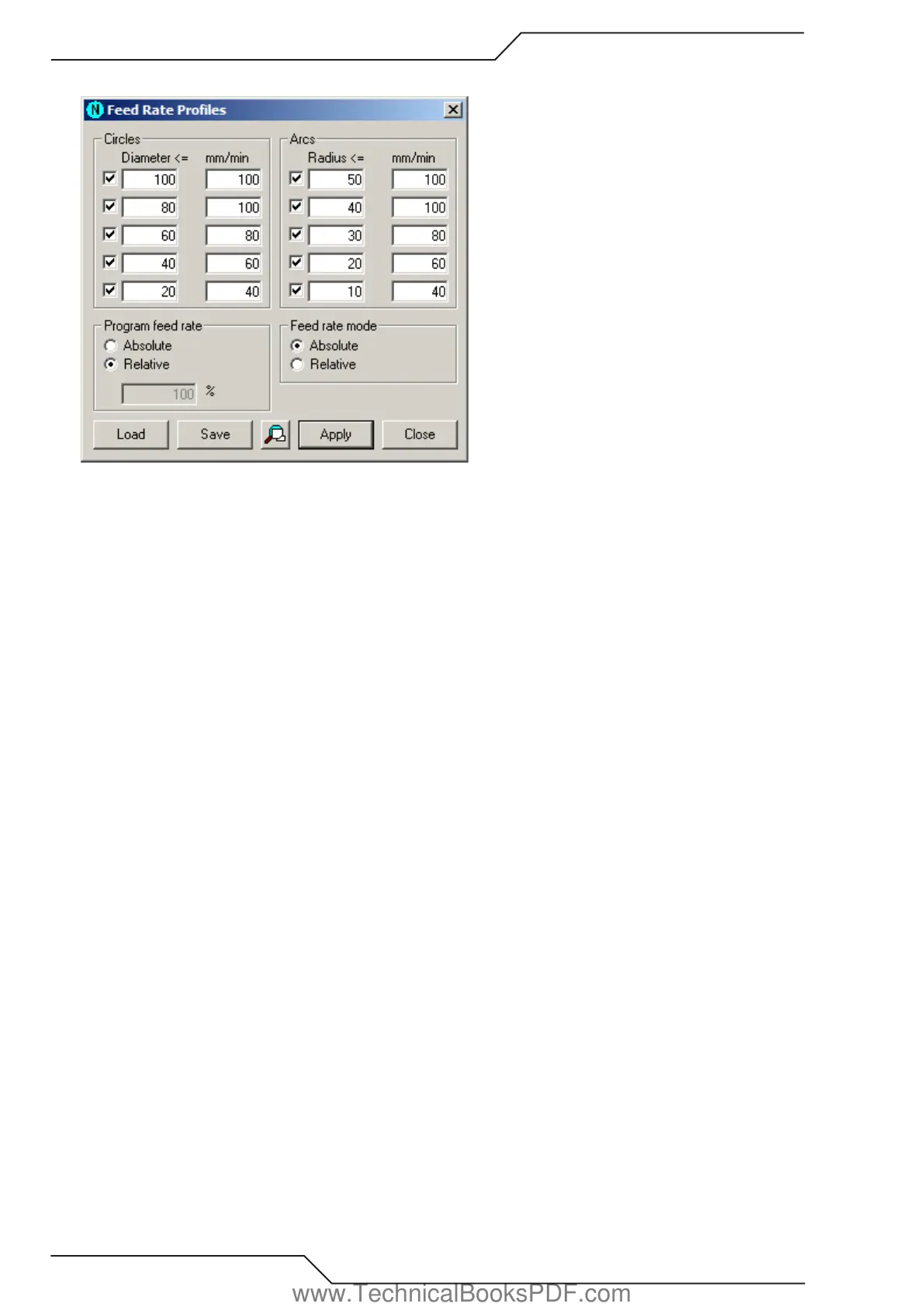
Feed rate profiles let you set feed rates to all arcs and circles at the same time. You don’t need to choose each of them separately.
This is how you use feed rate profiles:
• Start this tool by choosing Profiles in the Feed Rates dialog.
• Select absolute or relative feed rates.
• Set the diameter and the corresponding feed rate values for circles. If you don’t need all the diameter + feed rate pairs, you can
disable them by un-checking the box at the beginning of the line.
• Set the radius and the corresponding feed rate values for arcs. Disable extra lines.
• Set program feed rate, if you use absolute feed rates.
• Click Apply to set the feed rates according to your given profile. All existing feed rates are removed and the feed rates defined in
the profile are applied to the nesting.
• Save the profiles for future use. This is handy when you need different profiles for different tools. Click Save and enter the file
name. Click Load to reuse the file.
www.TechnicalBooksPDF.com



 To Next Page